Should an AI Answer Your Canberra Dental Practice Phones?
Worried an AI receptionist will give dental advice or quote fees? What it should do for a Canberra dental practice, and what always goes to a person.
The phone rings during a filling, again at lunch, and twice after the front desk has gone home. Most Canberra dental practice owners have thought about an AI receptionist and then pictured it telling a patient with a swollen jaw to "rinse with salt water and book in next week".
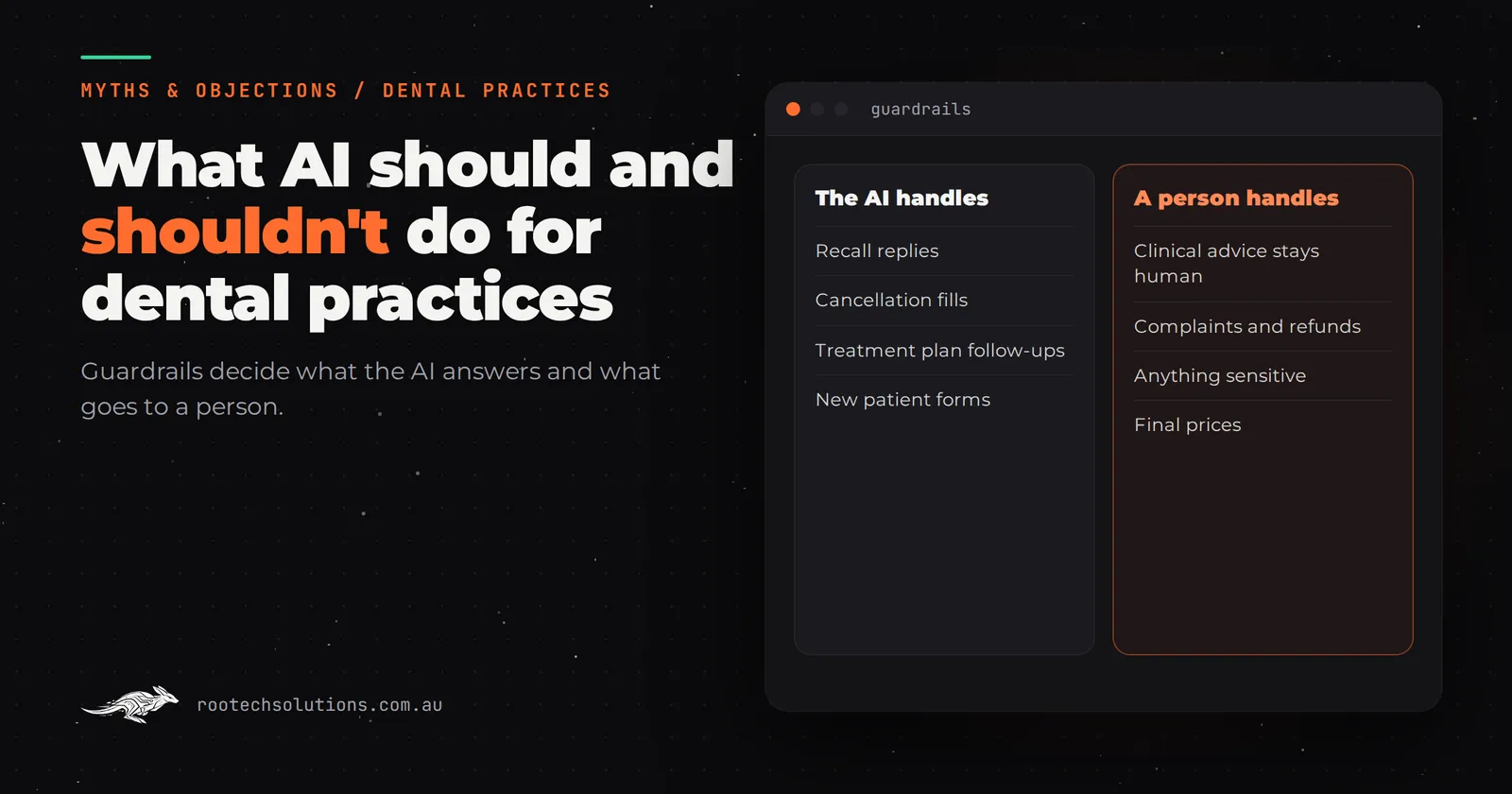
Short answer: An AI receptionist is safe for a dental practice when it handles bookings, recall replies, cancellations and practical questions (hours, parking, which health funds you take), and hands everything clinical, every fee question beyond your published list, and every nervous or upset patient to a person. Built that way, it takes the routine load off the front desk without giving dental advice.
That answer only holds if the guardrails are real. Below are the fears dentists and practice managers actually raise, where each one is right, and where the line sits.
Will an AI receptionist give patients dental advice?
It must not, and this fear is the right one to start with. A general purpose chatbot left to its own devices will happily suggest pain relief, guess at a cause and offer an opinion on whether something can wait. In a dental practice, that is the line you cannot let software cross.
A properly built AI receptionist is told, in its instructions and in checks in the code, that it never describes a cause, never recommends a medicine or a home remedy, and never says whether something is urgent. It recognises the words that signal a clinical problem (pain, swelling, bleeding, a knocked out or broken tooth, a child's injury, a fever) and moves straight to your process: put the call through to the clinical team, take the details for an urgent callback, or give your after-hours emergency instructions word for word as you wrote them.
What the patient hears is not advice. It is "I'm the practice's automated assistant, so I can't advise on symptoms. I'm getting one of the team to call you now." That is less than a good receptionist would say, and that is the point. Your receptionist has years of judgement. The AI has a rule.
Will it quote fees and health fund gaps we can't honour?
Another fear that is right. Patients ask "how much is a crown?" and "what will I get back from my fund?" all day, and the honest answer usually depends on an examination, the item numbers and the patient's own policy. An AI that improvises a number creates a commitment and a complaint.
The fix is simple: it only ever states what you have approved. If your website publishes a fee for a check-up and clean, or a new patient offer, it can repeat that. For anything that depends on treatment, the answer is "the dentist will give you a written estimate after the examination", and for health fund rebates it is "your fund can tell you what you'll get back once you have the item numbers from us". It never makes up a price, a discount or a payment plan.
Rootech builds every AI integration this way: customer-facing AI answers only from approved information, escalates to a person when unsure, and never makes up prices or commitments. Anything involving money keeps a human in the loop.
Will nervous patients hate talking to a machine?
Some will, and pretending otherwise would be dishonest. A patient who has avoided the dentist for five years and has finally worked up the nerve to call is the patient you least want to lose to a clumsy bot.
Three things make an AI interaction acceptable to most people: it says it is an AI, it is fast and correct, and it hands over cleanly the moment the person wants a human. A nervous patient often does not say "I'm anxious". They say "it's been a long time", "I had a bad experience" or "can I talk to someone?". The AI can be set to treat those phrases as a handover, flag the booking as an anxious patient for the clinical team, and offer a callback from a named person rather than pushing for a time slot.
The calls an AI receptionist mostly takes are not those. They are "can I move Thursday to next week?", "are you open Saturday?" and replies to recall texts. Taking those off the front desk is what gives your team time for the patient who needs a person.
What should the AI handle, and what always goes to a person?
The line is not complicated, but it should be written down before anything is built. This is a sensible starting point for most practices:
| Task | AI receptionist handles it | Always a person |
|---|---|---|
| Booking a check-up and clean or recall visit | Yes, into set appointment types | |
| Moving or cancelling an appointment | Yes, within your cancellation rules | Repeated no-shows and fee disputes |
| Replies to recall and reminder texts | Yes | |
| Hours, parking, accessibility, health funds accepted | Yes, from your approved answers | |
| Pain, swelling, bleeding, trauma, a child's injury | Takes details and escalates at once | The clinical team decides what happens |
| Fees for treatment, gaps, payment plans | Gives published fees only | Estimates after examination |
| Complaints and unhappy patients | Takes the details | Practice manager, same day |
| Nervous or anxious patients | Offers a callback and flags the booking | A named team member |
| Records, x-rays and referrals | Logs the request | The team checks identity and sends |
Anything not on the left side goes to a person by default. You can widen the list later once you have read a few weeks of conversations.
What does a handover actually look like?
Here is an illustrative after-hours text conversation, the kind the AI should end quickly:
Patient (Mia): Hi, my back tooth has been sore for a few days and now my cheek is swollen. Can I get in tomorrow?
AI: Thanks Mia. I'm the practice's automated assistant, so I can't advise on symptoms. Swelling is something our clinical team needs to hear about directly. I've sent your details to them for an urgent callback first thing in the morning. If the swelling spreads, you have trouble swallowing or breathing, or you feel unwell, please call 000 or go to an emergency department now.
Patient (Mia): Ok thanks.
AI: You'll get a call from the team when the practice opens. Is this the best number to reach you on?
Notice what it does not do: no guess at the cause, no suggestion of a painkiller, no offer of a time slot that a dentist has not agreed to. The words about when to seek emergency care are yours, written by your clinical team, not composed by the AI. The front desk opens the next morning to a flagged message with the conversation attached.
Will it scramble our diary in Dental4Windows, Praktika or Core Practice?
It can, if it is built carelessly, and that is a fair worry. Dental appointments are not interchangeable: a new patient exam, a scale and clean and a crown preparation need different lengths, different chairs and sometimes a particular dentist or hygienist. An AI that books "any free 30 minutes" makes a mess.
The safe approach is to give the AI a short list of appointment types it may book, each with a fixed length and the practitioners who take it. Anything outside that list becomes a booking request for the front desk to confirm, not a booking. Whether the AI writes straight into your practice software or into a request queue depends on what your software allows; ask your vendor what it supports, and check their current pricing for any integration features.
Your practice software also already does a lot of this work. Most of it sends recall and reminder SMS on its own. The gap is usually the replies: the patient who answers "can I do a Saturday instead?" and waits a day for someone to read it. The first automation most dental practices should build is often exactly that.
Is patient information safe with an AI receptionist?
It can be, but you have to ask the questions, because the obligations stay with your practice. Health information is sensitive information under the Australian Privacy Principles, and the AI receptionist is collecting it whenever a patient describes a symptom or gives a date of birth.
Questions to ask any provider, Rootech included:
- Where are conversations and recordings stored, and for how long?
- Is patient information used to train anyone's AI model? (The answer should be no.)
- Who can read the conversations, and is that access logged?
- Does the AI collect only what it needs to book, or does it ask for a medical history?
- Can you export and delete the data if you stop using it?
- Does the AI tell callers it is automated, and can they ask for a person at any point?
If a provider cannot answer those plainly, that tells you something. Check your obligations with the OAIC, and check the current advertising guidelines with Ahpra before letting any automated message describe treatments.
Off-the-shelf AI receptionist or a custom one?
Off-the-shelf AI phone answering products exist, and for some practices they are the right call. If you mostly need overflow calls answered, messages taken and a callback list in the morning, a subscription product is quicker to set up and you can cancel it if it does not suit. Your practice software vendor may also offer online booking and two-way SMS that cover part of the job.
Custom earns its keep when the rules matter: when you need the AI to know which appointment types it may book, to follow your exact emergency script, to hand over to a named person, and to write into your practice software instead of a separate inbox. That is where most practices end up after a few months of an off-the-shelf tool that books the wrong appointment length or answers a clinical question it should not have.
For a practice in Canberra, the build is run remotely from Melbourne: discovery and reviews over video, the system built in the cloud, and the phone number and integrations set up with your team over a call. Most builds ship in two to four weeks at a fixed price. As an estimate, AI phone answering and booking for a small practice typically costs $1,500 to $3,000 to build, with the full breakdown in what AI automation costs a dental practice. Running costs are hosting (usually under $50 a month), AI usage (typically $20 to $200 a month depending on volume), call minutes and SMS. You own the code, the accounts stay in your practice's name, and the full list of services shows what else it can connect to.
The takeaway
The fears are mostly right about a badly built AI: it would give advice, quote fees and annoy nervous patients. The answer is not to avoid AI, but to build one that does less. It books, reschedules, answers practical questions and replies to recalls. It hands over everything clinical, every fee that depends on treatment and every patient who wants a person. Write that line down first and the rest is a build decision.
Frequently asked questions
Can an AI receptionist tell a patient whether their toothache is an emergency?
No, and it should be built so it cannot. It recognises words like pain, swelling, bleeding or a broken tooth and passes the patient to your clinical team or your after-hours emergency instructions, written by your team. It never judges urgency or suggests a treatment itself.
Will an AI receptionist replace our front desk staff?
In most practices it takes the routine calls and messages, not the job. Rescheduling, opening hours and recall replies move to the AI, and the front desk keeps the patients who need judgement, warmth or a fee conversation. Many practices find the team has more time for patients in the chair.
Can an AI receptionist book directly into Dental4Windows, Praktika or Core Practice?
It depends on what your practice software allows, so ask your vendor what integrations it supports. Where direct booking is possible, the AI should only book appointment types with fixed lengths you have approved. Everything else becomes a booking request your team confirms.
Do patients have to be told they are talking to an AI?
They should be, every time. Saying so up front, being quick and correct, and handing over cleanly when asked are what make an automated receptionist acceptable to most patients. Hiding it is the fastest way to lose their trust.
If your practice is losing calls at lunch and after hours, book a free AI workflow audit. We will map which calls an AI should take, where the handover sits and what it would cost, and the audit fee comes off your first project. Book a free call.