Mobile App or Web App? What a Small Business Needs
Do you need an app in the App Store, or will a web app do? A plain guide for Australian small businesses: what each is good at, and how to choose.
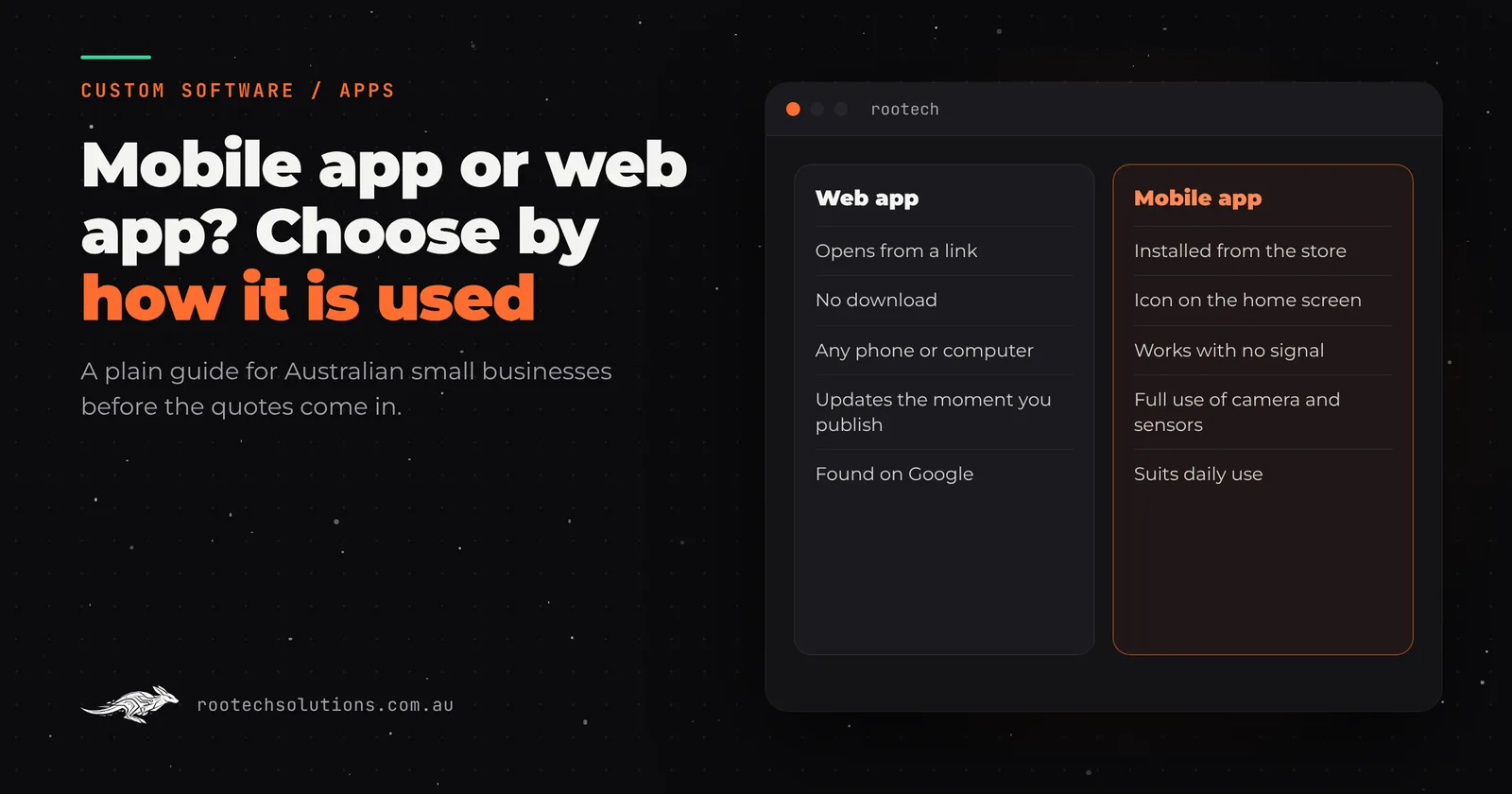
"We need an app" is one of the most common first lines we hear. Sometimes it is right. Often the business needs something customers or staff can open on a phone, and an app in the App Store is only one way to get there, and not always the best one.
This guide is for owners who are about to ask for quotes. It explains the two options in plain terms, what each one is good at, and the questions that settle the choice.
Short answer: A web app runs in the browser on any phone, tablet or computer, needs no download and updates the moment you change it. A mobile app is installed from the App Store or Google Play and has deeper access to the phone: reliable offline use, the camera and sensors, background work and a permanent icon on the home screen. Choose a web app when people use it now and then, or arrive from Google or a link. Choose a mobile app when the same people use it every day, need it with no signal, or need the phone's hardware. Many businesses start with a web app and add a mobile app once the usage proves it.
What is the difference between a mobile app and a web app?
A web app is software that runs in the browser. A booking page, a client portal, a quoting tool, a staff dashboard: you open a link, sign in and use it. Nothing is installed. It works on an iPhone, an Android phone, a tablet and a laptop from the same build.
A mobile app is installed on the phone from the App Store or Google Play. It sits on the home screen, can keep working with no connection, and can use more of the phone: the camera, location, Bluetooth, sensors and background tasks.
There is a middle ground. A web app can be set up so people can add it to their home screen, where it opens full screen like an app and can keep some data for offline use. This is sometimes called a progressive web app. It does not appear in the stores and it cannot do everything an installed app can, but for many small businesses it covers the gap.
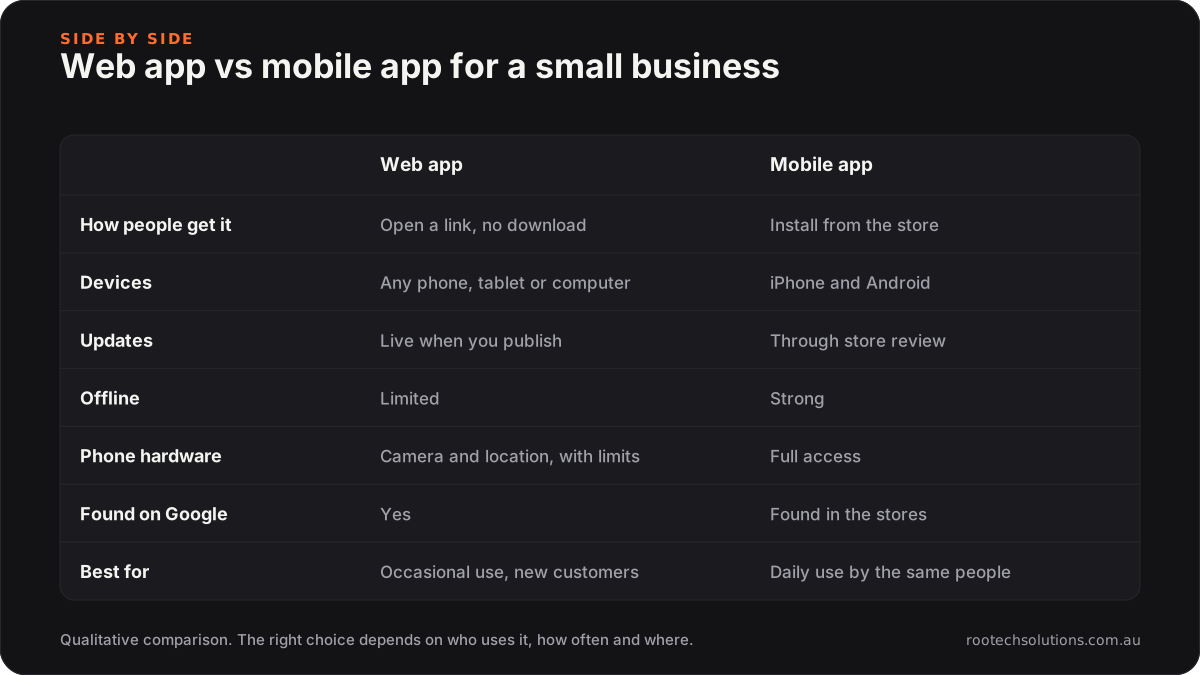
Caption: The same job, two ways to deliver it.
| Web app | Mobile app | |
|---|---|---|
| How people get it | Open a link, no download | Install from the App Store or Google Play |
| Devices | Any phone, tablet or computer | iPhone and Android phones and tablets |
| Updates | Live the moment you publish | Submitted to the stores and reviewed first |
| Offline | Limited | Strong |
| Phone hardware | Camera and location, with limits | Full access |
| Found on Google | Yes | Found in the stores |
| Best for | Occasional use, new customers | Daily use by the same people |
When is a web app enough?
More often than people expect. A web app is usually the right first build when:
- Customers use it a few times a year. Nobody downloads an app to book one service or check one quote. A link they can tap from a text, an email or Google gets used. An app they have to find and install does not.
- New customers need to find you. Pages in a web app can show up in search. An app in a store cannot rank for "kitchen hire near me".
- Staff use it at a desk as well as on a phone. One build covers the office computer and the phone in the ute.
- You want to change it often. A fix or a new feature is live when you publish it. There is no store review to wait on and no customers stuck on an old version.
- You are still proving the idea. A web app is the fastest way to put something real in front of users and learn what they need.
The booking platform we built for Kaladi Kitchens is an example. Members book any kitchen, at any location, from their phone, and every session opens and closes with a photo-backed checklist. It is used on phones all day, and it runs in the browser.
When do you need a real mobile app?
When the phone itself is part of the job. A mobile app earns its place when:
- The same people open it every day. A field team logging jobs, members of a gym or a club, regular customers who reorder. A home screen icon and saved sign-in matter when the app is used daily.
- It has to work with no signal. On a rural property, in a basement plant room, on a site with patchy coverage. An installed app can hold the day's jobs, capture photos and notes, and sync when the connection comes back.
- It needs the phone's hardware. Augmented reality, continuous location, Bluetooth devices, scanning in the background. The augmented reality apps we built for Shell and the Rupertsland Institute, delivered through MammothXR, are mobile apps for exactly this reason: the camera and the phone's sensors are the product.
- Notifications are central. Web apps added to the home screen can send notifications on current phones, but an installed app is still the more dependable way to reach someone who has agreed to hear from you.
- Your customers expect to find you in the store. For some audiences, "is there an app?" is a trust signal in its own right.
What does a mobile app add to the cost and the work?
A mobile app is a web app's worth of work plus the things the stores and the phones require. Before you commit, know what you are signing up for:
- Developer accounts. You need an Apple developer account and a Google Play developer account, in your business's name, and both charge a fee. Check their current pricing.
- Store review. Every release is reviewed against the store's rules before it goes live. Allow time for it, especially on the first submission.
- Updates forever. Apple and Google release new operating system versions every year. An app that is never updated eventually stops working well, or stops being listed. Budget for upkeep, not only the build.
- Store rules on payments. If you sell digital goods or subscriptions inside the app, the stores have rules about how you charge and may take a commission. Check the current terms for your kind of business before you design the checkout.
- Two platforms. iPhone and Android are different systems. A sensible build is written once and published to both, which is how we build ours, but both still need testing on real phones.
None of this is a reason to avoid a mobile app. It is a reason to be sure you need one before you pay for it.
How do you choose?
Ask these five questions. If you answer yes to two or more, a mobile app is probably worth it. If not, start with a web app.
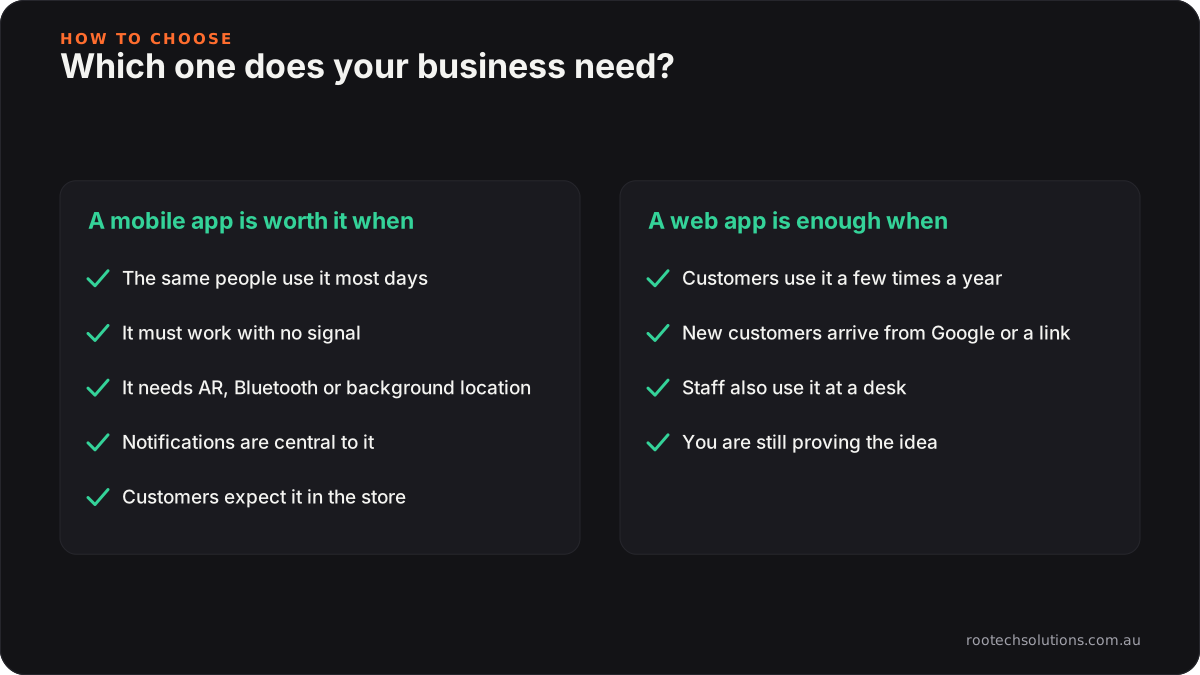
Caption: Two or more ticks on the left and the app is worth it.
- Will the same people use it most days?
- Does it have to work with no signal?
- Does it need phone hardware a browser cannot reach, such as AR, Bluetooth or background location?
- Are notifications central to how it works?
- Do your customers expect to find it in the App Store or Google Play?
Can you start with a web app and add a mobile app later?
Yes, and it is often the cheapest path to the right answer. Build the web app first, with the data, the sign-in and the business rules on the server. When usage shows that a group of people open it every day, or need it offline, add a mobile app that talks to the same server. Customers keep their accounts and their history, and nothing is thrown away.
The opposite order is the expensive one: an app in both stores that customers open twice a year, with a yearly upkeep bill attached.
If you already have a prototype built with an AI builder such as Lovable, Bolt or Replit and are wondering whether it can become an app, read prototype to production first. The foundation matters more than the wrapper.
How does Rootech build apps?
We build both, and we will tell you honestly which one your business needs. Web apps cover portals, booking systems, quoting tools and dashboards. Mobile apps are built once for iPhone and Android, published to the stores under your own developer accounts, and looked after once they are live.
Every project is fixed price, agreed in writing before we start. Most builds ship in two to four weeks; bigger builds get a fixed timeline up front. You own the code, and the accounts it runs on stay in your name. Bug fixes on anything we built are included after launch, and ongoing support is optional, month to month.
We are based in Melbourne and work Australia-wide, remotely by default. See the services page for the full list, or how we approach custom software for Melbourne businesses. If you are weighing a build against the subscriptions you already pay for, custom software vs SaaS subscriptions covers that decision.
Frequently asked questions
Does my small business need a mobile app?
Only if the same people will use it most days, it has to work offline, or it needs phone hardware such as AR or Bluetooth. If customers use it now and then, or find you through Google or a link, a web app does the job with no download and costs less to keep running.
What is the difference between a web app and a mobile app?
A web app runs in the browser on any device and needs no installation. A mobile app is installed from the App Store or Google Play, sits on the home screen, works offline more reliably and has fuller access to the phone's camera, sensors and notifications.
Is a web app cheaper than a mobile app?
Usually. A web app is one build for every device, with no store accounts, no store review and no yearly operating system updates to keep up with. A mobile app adds those on top. We quote both at a fixed price, so you can compare before you commit.
Can a web app work offline?
Partly. A web app can be set up to keep some screens and data available without a connection, and to sync when it returns. For long stretches with no signal, or heavy use of photos and forms in the field, an installed mobile app is the more reliable choice.
Can a web app be turned into a mobile app later?
Yes, if it is built with that in mind. When the data and business rules live on the server, a mobile app can be added later that uses the same accounts and the same records. Customers keep their history and the web app keeps running alongside it.
Do you build for both iPhone and Android?
Yes. Our mobile apps are built once and published to both the App Store and Google Play, under developer accounts in your business's name, and tested on real phones for each.
Not sure which one you need?
Tell us who will use it, how often, and where they will be standing when they do. Start a project and we will come back with an honest recommendation, a fixed price and a timeline.