How Suburb Landing Pages Get Landscapers Cited by AI
Suburb landing pages for Melbourne landscapers: how to build ones Google and AI assistants trust, and how to avoid the doorway pages Google penalises.
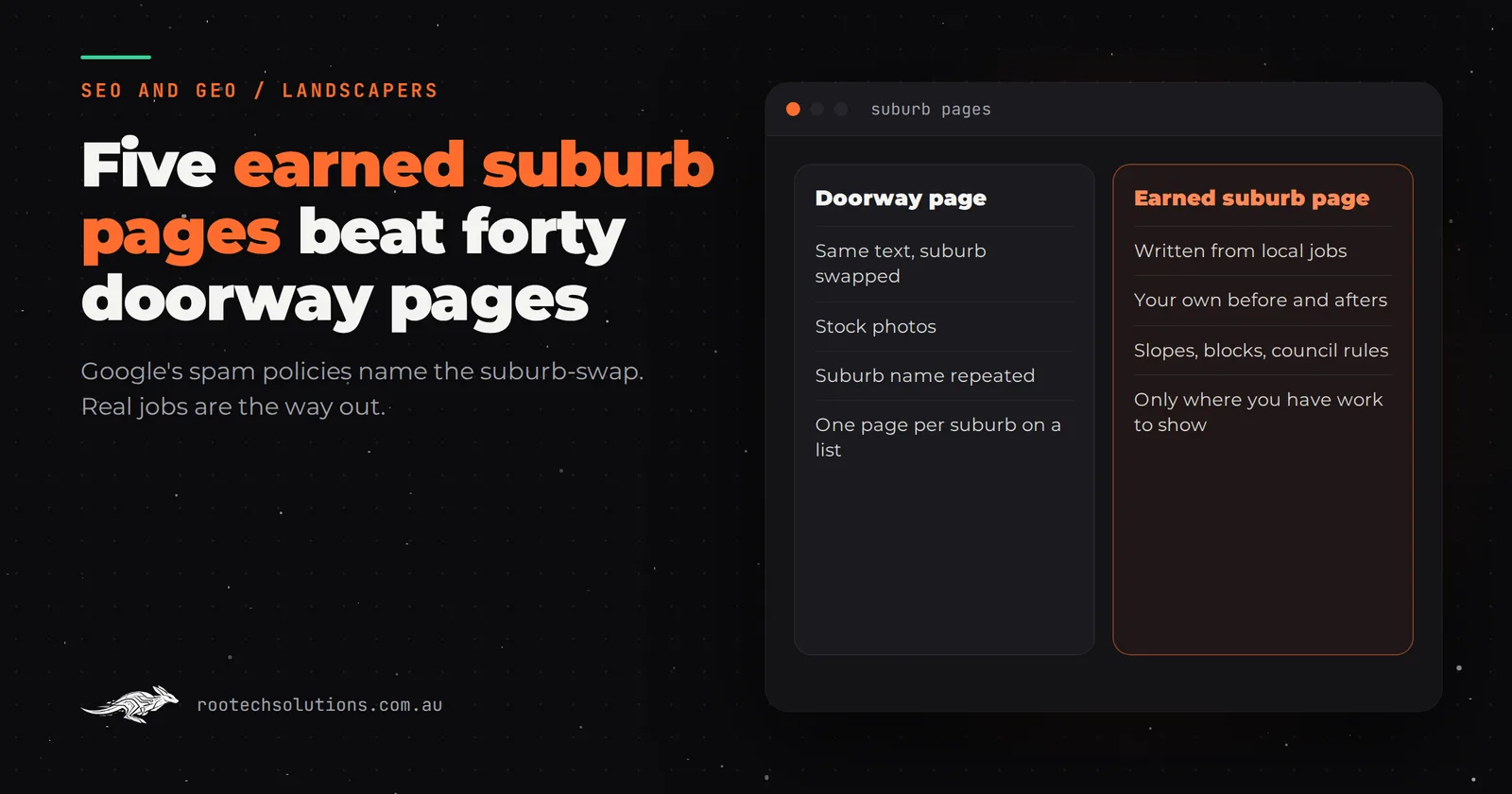
You have read that landscapers who rank in Kew, Camberwell and Balwyn all have a page for each suburb, so you are tempted to get 40 of them written by the end of the month. Before you do, know that the most common way of building suburb landing pages is the exact thing Google's spam policies describe as doorway abuse. Done that way, they can hold the whole site back, in Google and in AI answers.
Short answer: Suburb landing pages help landscapers get found and cited by AI only when each page has something genuinely local: real jobs in that suburb, photos, and the questions people there actually ask. Copies of one page with the suburb name swapped are doorway pages under Google's spam policies. A handful of earned pages beats dozens of templated ones.
What are doorway pages, and why should a landscaper care?
Doorway pages are pages built to rank for near-identical searches that funnel people to the same place. Google's spam policies list examples, and one reads like a description of a typical suburb-page strategy: "Having multiple domain names or pages targeted at specific regions or cities that funnel users to one page." Another: "Creating substantially similar pages that are closer to search results than a clearly defined, browseable hierarchy."
Google has also clarified that its spam policies apply to its generative AI responses, so a doorway strategy does not get a free pass in AI Overviews. Its guide to generative AI features goes further: creating separate content for every possible variation of how people search, primarily to manipulate rankings or AI responses, breaks its scaled content abuse policy, and a high quantity of pages does not make a site more relevant.
For a landscaper, the risk is concrete. Forty pages saying "Looking for a landscaper in [suburb]? We design beautiful gardens across [suburb] and surrounds" are forty pages Google can recognise as the same page.
What is the difference between a doorway page and a real suburb page?
The test is simple: would this page be worth reading if search engines did not exist? A real suburb page has things on it that are only true of that suburb.
| Doorway page | Earned suburb page | |
|---|---|---|
| Content | The same text with the suburb swapped | Written from jobs done in that suburb |
| Photos | Stock images or the same three projects | Before-and-after photos from local jobs |
| Local detail | The suburb name, repeated | Block sizes, slopes, housing styles, council rules you deal with there |
| Questions answered | None, or generic ones | What people in that area actually ask you |
| Number of pages | One per suburb on a list | One per suburb where you have real work to show |
| Where it leads | A contact form | Projects, services and the next useful page |
Notice what the earned version needs: real jobs. That is why it cannot be faked at scale, and why it works.
Why do AI assistants quote suburb pages that have real work on them?
Because they answer a question nobody else's page does. When someone asks an assistant "who does retaining walls on sloping blocks in Eltham?", it searches, reads a handful of pages and writes an answer from the most specific ones. A page describing three retaining wall jobs in Eltham, with the wall heights, the materials and the photos, is a direct match. A page that says "we service Eltham and surrounds" is not.
Google describes the kind of content that does well in its AI features as non-commodity: first-hand experience that goes beyond common knowledge. A landscaper's job record is first-hand experience by definition.
How many suburb pages should you build?
Fewer than you think. Build a page only where you can pass the earn-a-page test below, and cover everywhere else with one page per region you work in, such as "Landscaping in Melbourne's eastern suburbs", which lists the suburbs you serve and links to the earned pages.
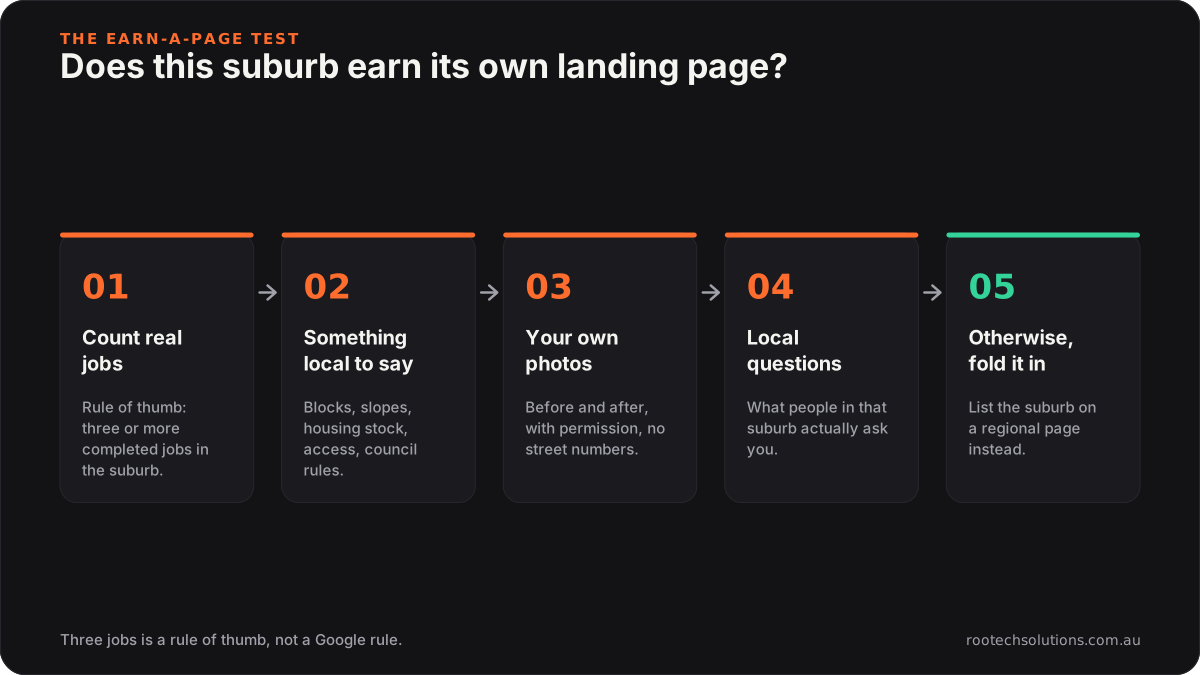
Caption: If a suburb fails step one, it belongs on a regional page, not its own.
- Count real jobs. As a rule of thumb, three or more completed jobs in the suburb is enough to write from. One job is a project page, not a suburb page.
- Find something local to say. Typical block sizes, slopes, the housing stock, how access usually works, which council rules you deal with there. If the honest answer is "nothing different from the next suburb", it fails.
- Gather your own photos. Before and after, with the client's permission, and no street numbers visible.
- List the questions. What do people in that suburb ask you? On big leafy blocks it might be trees and permits; in townhouse suburbs it is small courtyards and drainage.
- Otherwise, fold it in. Add the suburb to the regional page's list. You lose nothing, and the regional page gets stronger.
On council rules: permit triggers and tree protection controls vary from council to council and change over time. Say which ones you commonly deal with, and link to the council's own page rather than paraphrasing the rule.
What should an earned suburb landing page include?
A clear opening, real projects and answers to local questions, in roughly this order:
- An opening that answers the obvious question. "We design and build gardens in Eltham, mostly on sloping bush blocks, and have completed retaining walls, terracing and drought-tolerant planting here since 2019."
- Project cards from real jobs. Photo, job type, a few lines on what was done and why.
- Local questions, answered. Two to five, each with a direct first sentence.
- Honest price guidance, framed as ranges with what moves them, if you are comfortable publishing it.
- Links to the matching service pages and to neighbouring earned suburb pages.
The suburb name belongs in the title, the main heading and the opening naturally, not in every sentence. Google's guide notes its AI systems understand synonyms and meaning, so repetition adds nothing.
Can your job system build suburb pages for you?
It can do most of the work, which is the only way earned suburb pages stay current. Off-the-shelf job tools landscapers use, such as ServiceM8, Tradify and Jobber, are built to schedule jobs, quote and invoice. They hold the suburb, the job type and often the photos, but they do not publish anything to your website. Website builders such as Wix, Squarespace and WordPress can host the pages, but someone has to write and update them by hand.
A custom content system connects the two. This is close to what we built for Bugaboo Landscaping: a booking system and content platform where crews upload before-and-after photos from site, and every closed job sends the client their own photos. The same job record can feed the website:
- The crew uploads photos and a short note when the job closes.
- The client is asked whether their project can be shown (no name, no street number).
- An AI step drafts a project card from the job details for the owner to approve.
- The approved card appears on the matching suburb page and service page.
- A suburb page is only switched on once it has enough approved projects to stand on its own.
That last rule is the doorway guard, built into the software. As an estimate, a website with a content system like this lands between $8,000 and $20,000 at a fixed price depending on what it connects to, typically built in three to four weeks. Hosting is usually under $50 a month, and AI drafting adds roughly $20 to $50 a month at a typical landscaper's job volume.
If you are not ready for a build, the manual version works too. Our post on what Melbourne landscapers should automate first covers the smaller steps, and why FAQ schema still matters covers the question-and-answer sections.
Frequently asked questions
Will Google penalise my existing suburb pages?
Not every templated page leads to a penalty, but pages that are near-copies of each other are unlikely to rank well and can drag on how Google sees the site. Look at them honestly: merge the thin ones into a regional page and redirect the old addresses, and keep only the suburbs where you have real work to show.
Can I use AI to write my suburb pages?
You can use AI to draft from your own job records, and that is often the only practical way to keep them current. Using AI to write forty versions of the same page from nothing is exactly the scaled content Google's policies warn against. The source material has to be real.
Should a suburb page target a suburb I want to work in but have not yet?
No. List it on your regional page and on your Google Business Profile service area. Write the suburb page once you have jobs there to show.
How long before a new suburb page shows up in Google or AI answers?
It varies. A new page has to be crawled and indexed first, which you can request through Search Console's URL Inspection tool. After that, ranking and citations build over weeks to months, faster for suburbs where few competitors have anything specific.
Want to know which suburbs have earned a page?
We will look at your job history, your current pages and how you show up for local searches and AI answers, then tell you which suburb pages to build, which to merge and whether a content system is worth it. Book a free AI workflow audit. The audit fee comes off your first project.