Google Reviews for Tradies: Get More Without Chasing
Google reviews for tradies: why happy customers forget, how a one-tap review text fixes it, and the Google and Spam Act rules every request must follow.
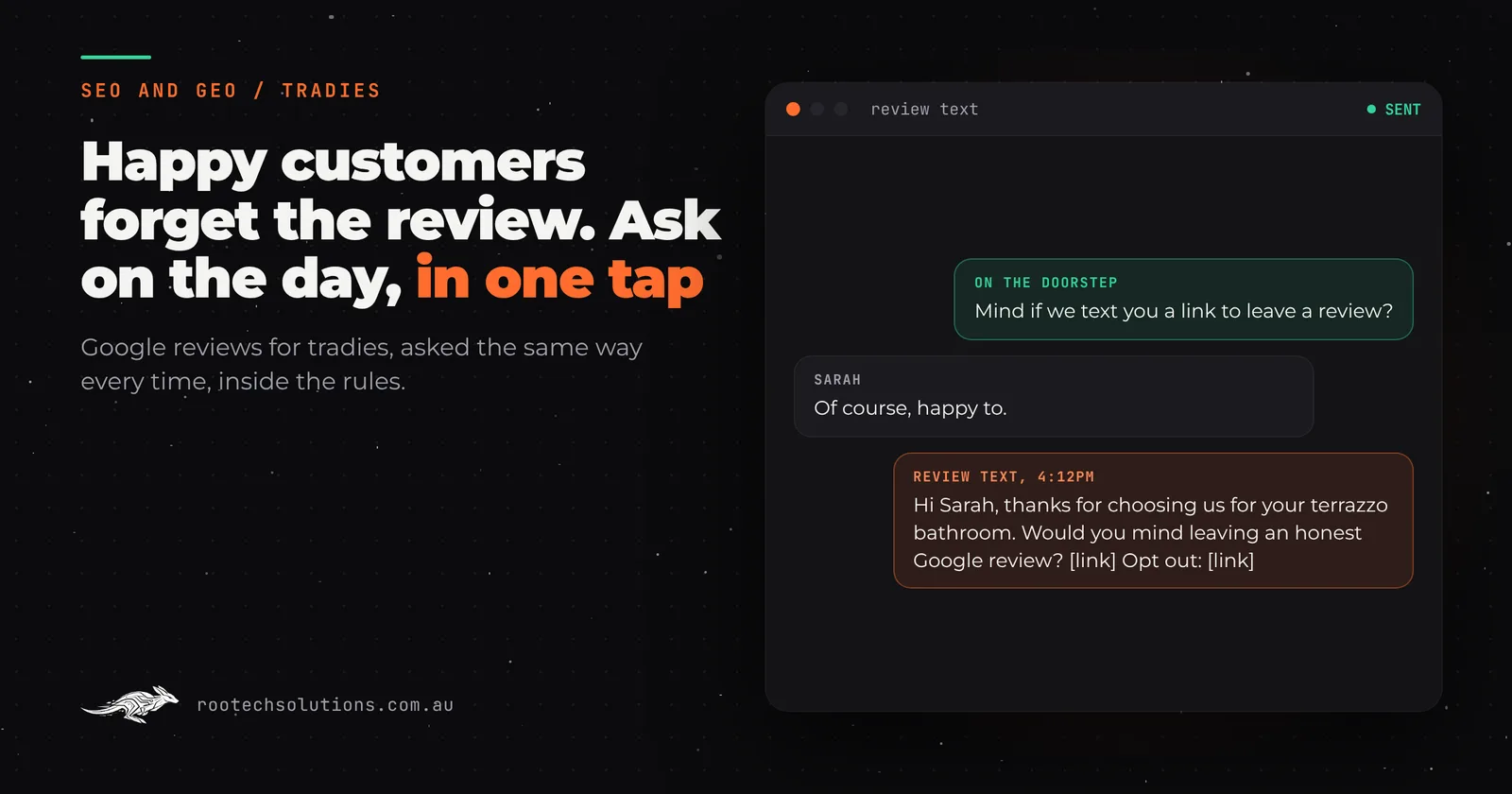
The job went well. The customer shook your hand at the door, said the bathroom looked better than the photos they had saved, and promised to leave you a Google review. That was three months ago, and the review never came. If most of your Google reviews are more than a year old, it is not because your work got worse. It is because nobody asked at the right moment, in a way that took ten seconds.
Short answer: Tradies get more Google reviews by asking every customer the same day the job finishes, with a text that names the business and opens the Google review box in one tap. Send one reminder at most, include an opt-out, and never offer a discount or ask only the happy customers. Google's rules and the Spam Act both apply.
Why don't happy customers leave the Google review they promised?
Because the moment passes. On the doorstep, the customer means it. By the time they are back on the couch, they have to remember your business name, search for it on Google Maps, find the reviews tab, and work out where the button is. Every one of those steps loses people.
The fix is not asking harder. It is making the ask arrive while the job is fresh, and making the review itself one tap away. A customer who opens a text that says "thanks for choosing us for your hot water replacement" and lands straight in your review box is doing you a favour that takes a minute. A customer who has to search for you is doing you a chore.
How do you get a Google review link for your business?
Google Business Profile lets you share a link or a QR code that takes customers straight to the place to review you. Google's help page on reviews for your Business Profile explains that customers can leave a review by visiting that link or scanning the code, and it points you to the steps for creating it from your profile.
Once you have that link, you can put it anywhere: on an invoice, a business card, an email signature, a sticker in the van. But the place it works hardest is a text message sent the day the job finishes, because that is where the customer already is.
What are the rules for asking customers for Google reviews?
Ask honestly, ask everyone, and never pay for it. Google's prohibited and restricted content policy for Maps reviews says a business must not "offer incentives, such as payment, discounts, free goods and/or services, in exchange for posting any review", and must not "discourage or prohibit negative reviews, or selectively solicit positive reviews from customers". Google is fine with you encouraging content "that does represent a genuine experience".
Australian consumer law points the same way. In 2018 the Federal Court ordered Meriton to pay a $3 million penalty after it stopped guests it expected to leave negative reviews from receiving TripAdvisor's review invitations. Picking which customers get asked is the behaviour the court found misleading.
So the safe pattern is simple: every customer gets the same ask, worded the same way, whether you think they loved the job or not.
Is texting customers for a review allowed under the Spam Act?
Yes, if the text follows the Spam Act 2003. The ACMA's guide to avoiding spam sets three rules for commercial texts and emails:
- Consent. The customer agreed to hear from you. Asking on the job ("Mind if we text you a link to leave a review?") and noting the yes is the cleanest way.
- Identify. The text names your business, so the customer knows who it is from.
- Unsubscribe. Every text has a working way to opt out, and the ACMA says an unsubscribe request must be honoured within five working days.
One more practical point: if your texts come from a name instead of a number, replies may not reach you, so "reply STOP" alone is not enough. Include an opt-out link as well.
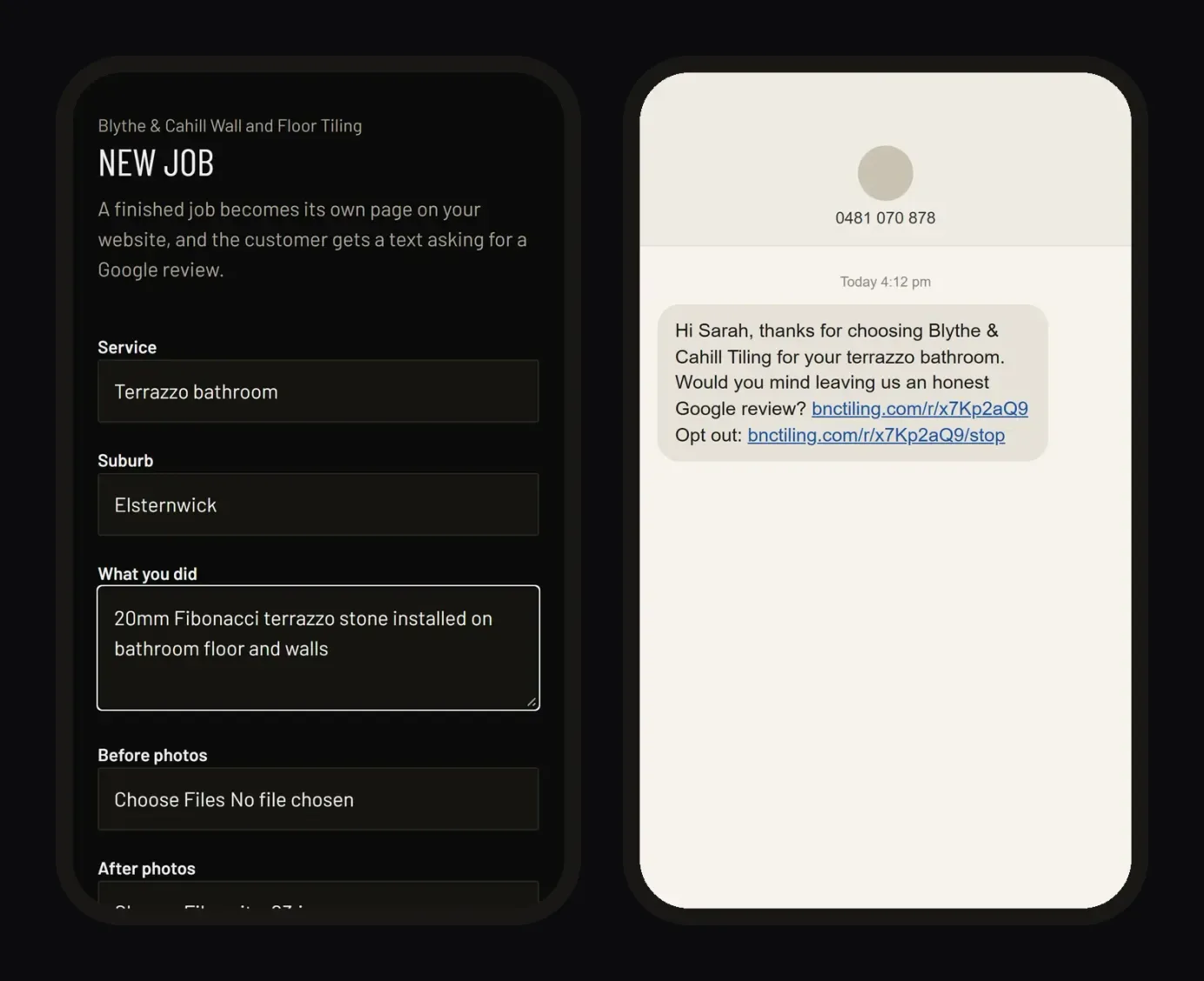
Caption: The job form on the tradie's phone, and the text the customer gets: the business named, one tap to review, an opt-out link.
What should a Google review request text say?
Short, specific and from you. Name the business, name the job, ask for an honest review, give the link, give the opt-out. Something like:
"Hi Sarah, thanks for choosing Blythe & Cahill Tiling for your terrazzo bathroom. Would you mind leaving us an honest Google review? [link] Opt out: [link]"
That is close to the real text in the screenshot above. Notice what it leaves out: no "if you were happy", no star emoji, no "5 stars would mean the world". Those phrases nudge toward positive reviews only, which is the selective asking Google's policy rules out.
| Do | Don't |
|---|---|
| Ask every customer, the same day | Ask only the ones who seemed happy |
| Name the business and the job | Send a generic "rate us" link |
| Link straight to your Google review box | Make them search for you on Maps |
| Ask for an honest review | Ask for five stars |
| Remind once, after a few days | Keep texting until they give in |
| Include an opt-out in every text | Offer a discount or a draw entry for a review |
How many reminders should you send?
One. If the customer has not opened the link after three days, a single gentle reminder catches the ones who meant to and got busy. After that, stop. A second or third reminder turns a favour into pestering, and a pestered customer is not in the mood to write a kind review.
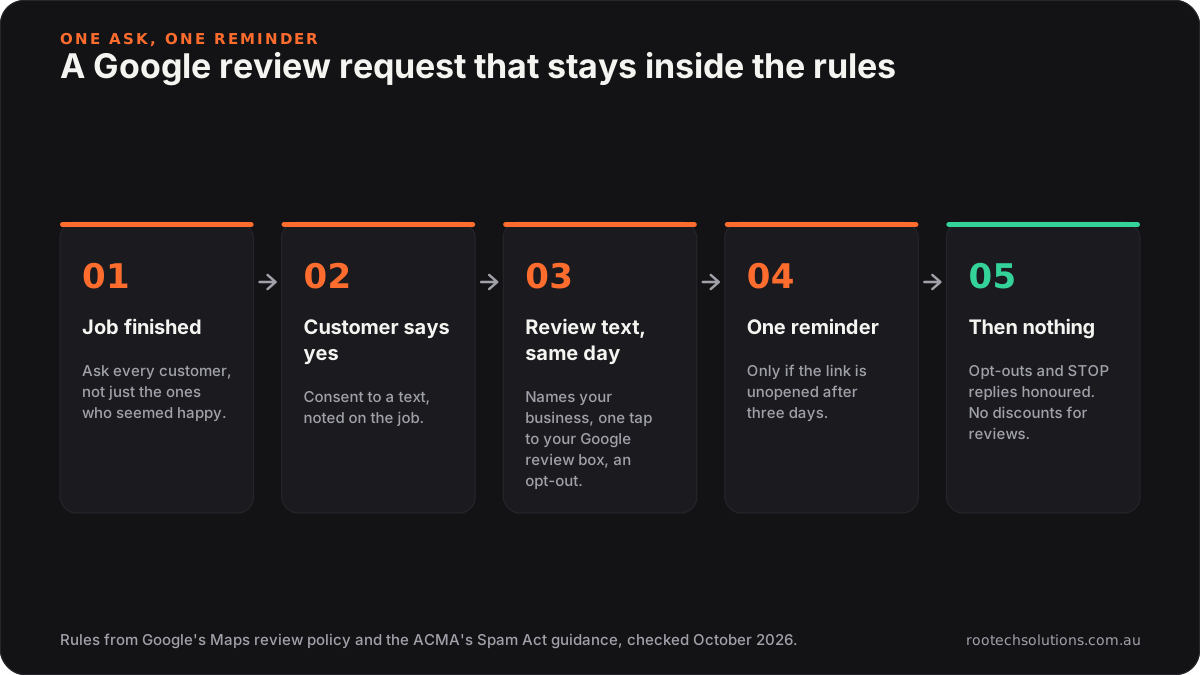
Caption: Ask once on the day, remind once, then let it go.
Review software, your job app, or an automatic text after each job?
All three can work, and the right one depends on what you already run.
Dedicated review software sends requests in bulk and gives you a dashboard of ratings across sites. It suits a business with a front office and a steady flow of customers, and it is another subscription and another login. Check their current pricing and whether you can control who gets asked.
Your job management app (ServiceM8, Tradify, simPRO and the like) already holds the customer's mobile and the job. Some can send messages when a job is marked complete. If yours can send a review link with an opt-out, use it: it is the cheapest option and it is already in your workflow.
An automatic review text tied to a page for the job is the approach we built for tradies with a Rootech website. After each job you spend two minutes on your phone: the service, the suburb, a line on what you did and your before and after photos. A page for that job goes live on your website, and with the customer's OK they get a text naming your business, with a one-tap link to your Google review box. One reminder after three days if they have not opened it, opt-outs and STOP replies honoured, and every customer asked the same way. When the review comes in, it can sit on the page for that job, next to the photos of the work.
The difference is what you get from the same two minutes. A review request on its own gets you a review. The job page also gets you a page on your website for the service and suburb a local customer searches, which we cover in local SEO for tradies.
Do fresh Google reviews help a tradie get found?
They help people choose you, and they give search engines and AI assistants recent, specific evidence about your work. When someone asks for "a tiler in Elsternwick", the businesses with a steady stream of recent reviews mentioning real jobs look alive. The ones whose last review is from 2023 look like they might have shut.
Reviews also feed AI answers. We cover how Google Business Profile and reviews shape what AI assistants recommend in Google Business Profile for AI search. Nobody can promise a ranking from reviews, and we will not. But a profile with recent, honest reviews is easier to recommend than one without.
What does it look like in practice?
Blythe & Cahill Wall and Floor Tiling, a tiling partnership in Melbourne's south-east whose website we built, have run job pages and Google review texts on their site since 23 October 2026. A finished job becomes a page like Terrazzo Bathroom Tiling in Elsternwick, and the customer gets the text shown above. There is no app to install and no login: the tradie's job form is a private link that opens in the phone's browser, and voice-to-text works in every box, so it can be filled in from the ute.
Frequently asked questions
Can I offer a discount for a Google review?
No. Google's policy for Maps reviews prohibits offering payment, discounts, free goods or services in exchange for a review, and treats incentivised reviews as fake content. Ask for an honest review and leave it there.
Can I only ask customers who were happy with the job?
No. Google's policy says businesses must not selectively solicit positive reviews, and the Federal Court found Meriton's practice of keeping review invitations from unhappy guests misleading. Ask every customer the same way.
Do I need a customer's permission to text them a review link?
Yes. Under the Spam Act 2003 a commercial text needs the customer's consent, must identify your business and must include a way to unsubscribe. Asking on the job and noting the yes is the simplest way to get consent.
What if a customer leaves a bad review?
Reply politely and specifically, offer to fix the problem, and keep it short. A calm reply to a fair complaint often reassures the next customer more than another five stars would. Never offer anything in exchange for changing or removing it, which Google's policy also prohibits.
Want every job to ask for its own review?
Job pages and Google review texts are an add-on for Rootech websites. See how job pages and review texts work, or tell us about your jobs: what work you do, which suburbs you cover and roughly how many jobs a week, and you will have the figure before you decide anything.