Local SEO for Tradies: Turn Every Job Into a Page
Local SEO for tradies: why a page for every finished job, titled by service and suburb, beats doorway pages, and how to publish one in two minutes.
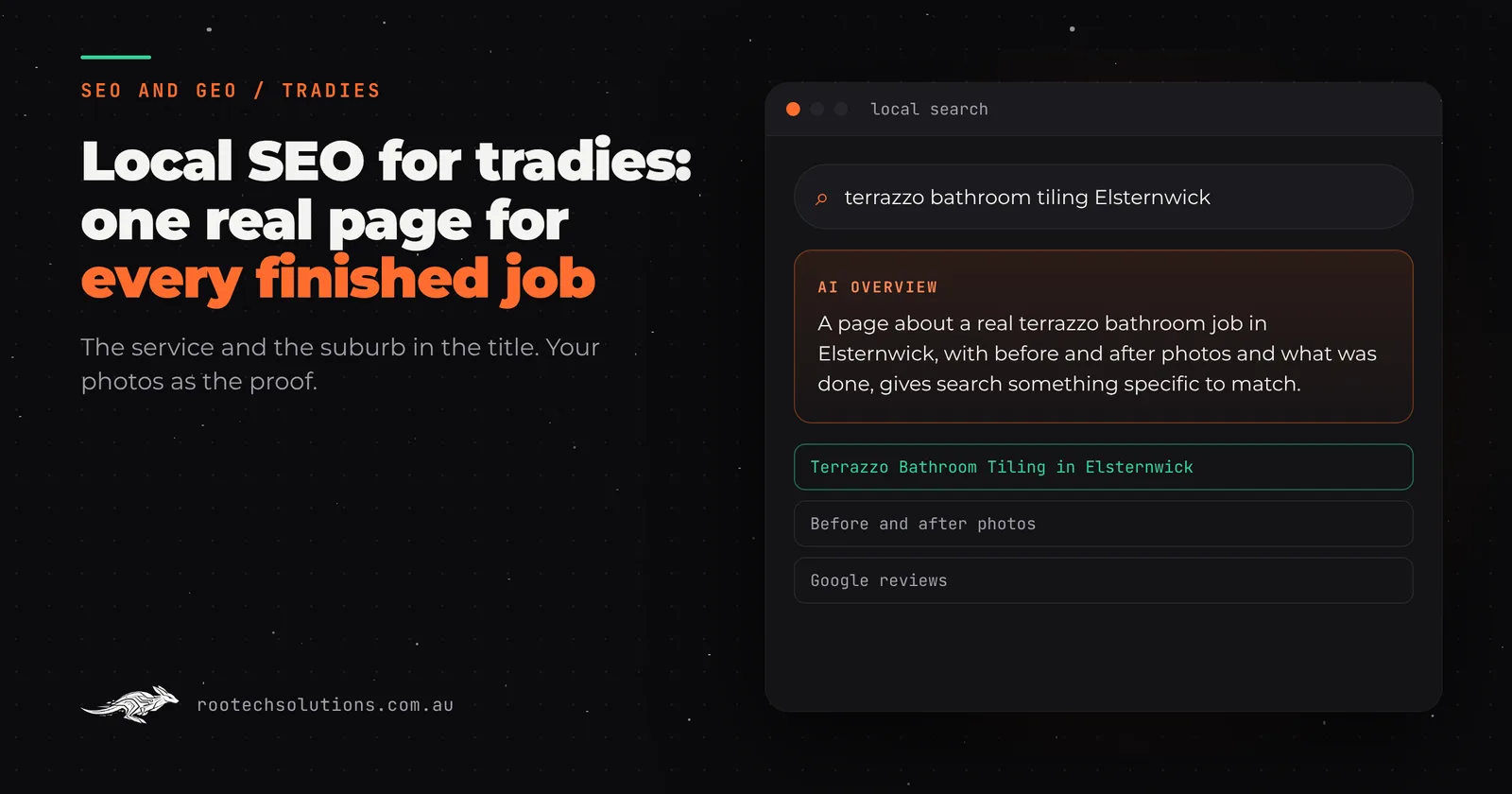
You work in thirty suburbs, but your website mentions five of them, in a list in the footer. When someone in Bentleigh searches for a bathroom renovation, Google has nothing on your site about Bentleigh, or about bathrooms you have done there. Meanwhile the work that would prove you are the right pick sits in your camera roll.
Short answer: The most reliable local SEO for tradies is a real page for every finished job, titled by the service and suburb (for example, "Terrazzo Bathroom Tiling in Elsternwick"), with your own before and after photos and a short write-up of what you did. Each page answers a real local search with proof. Copies of one page with the suburb swapped do the opposite.
What does local SEO mean for a tradie?
Local SEO is getting found when someone nearby searches for the work you do. For a tradie that search is almost always the service plus a place: "switchboard upgrade Coburg", "colorbond fence Werribee", "roof restoration Glenroy". Google tries to show the business most likely to do that job, in that area, well.
Three things do most of the work:
- Your Google Business Profile, with the right categories, service areas, photos and recent reviews.
- Your reviews, recent and specific. We cover getting more of them in Google reviews for tradies.
- Your website, with pages that match what people search, and proof that the work is real.
Most tradie websites are thin on the third. A home page, a services page, a gallery with no captions and a contact form. Nothing on the site says "we did this job, in this suburb, and here is what it looked like".
Why do most tradie suburb pages fail?
Because they are the same page with the suburb name swapped. "Looking for a plumber in Brunswick? We service Brunswick and surrounds" repeated for forty suburbs is what Google's spam policies call doorway pages: "substantially similar pages that are closer to search results than a clearly defined, browseable hierarchy". Google can tell they are the same page, and a site full of them can be held back as a whole.
The alternative is a page that could only exist because of a real job. We wrote about the difference in detail for landscapers in suburb landing pages that get cited by AI. The short version: no job, no page.
| Suburb-swap page | Job page | |
|---|---|---|
| Where it comes from | A template and a list of suburbs | A job you finished |
| Title | "Plumber Brunswick" | "Hot Water Replacement in Brunswick" |
| Photos | Stock, or the same three everywhere | Your before and afters from that job |
| Words | The same paragraph, suburb swapped | What you did, what you found, what you used |
| Risk | Doorway page under Google's spam policies | None, it is a record of real work |
| How many | One per suburb on a list | One per job, so it grows as you work |
What should a job page include?
Enough to show a stranger that you did real work, in their area, that looks like the job they need. In order:
- A title in the words people search. The service plus the suburb: "Terrazzo Bathroom Tiling in Elsternwick".
- A Google description that says the same in a sentence.
- Before and after photos, ideally with a slider so the change is obvious, and the rest in a gallery underneath. More on getting photos right in before and after photos on a tradie website.
- A short write-up: what the customer wanted, what you found, what you did, the materials. Three or four sentences in your own words beats three paragraphs of filler.
- Alt text and captions on every photo, describing what is in it.
- Links to your other job pages and to the matching service page, so Google and visitors can move through your work.
- The review, when it comes in, next to the photos of the job it is about.
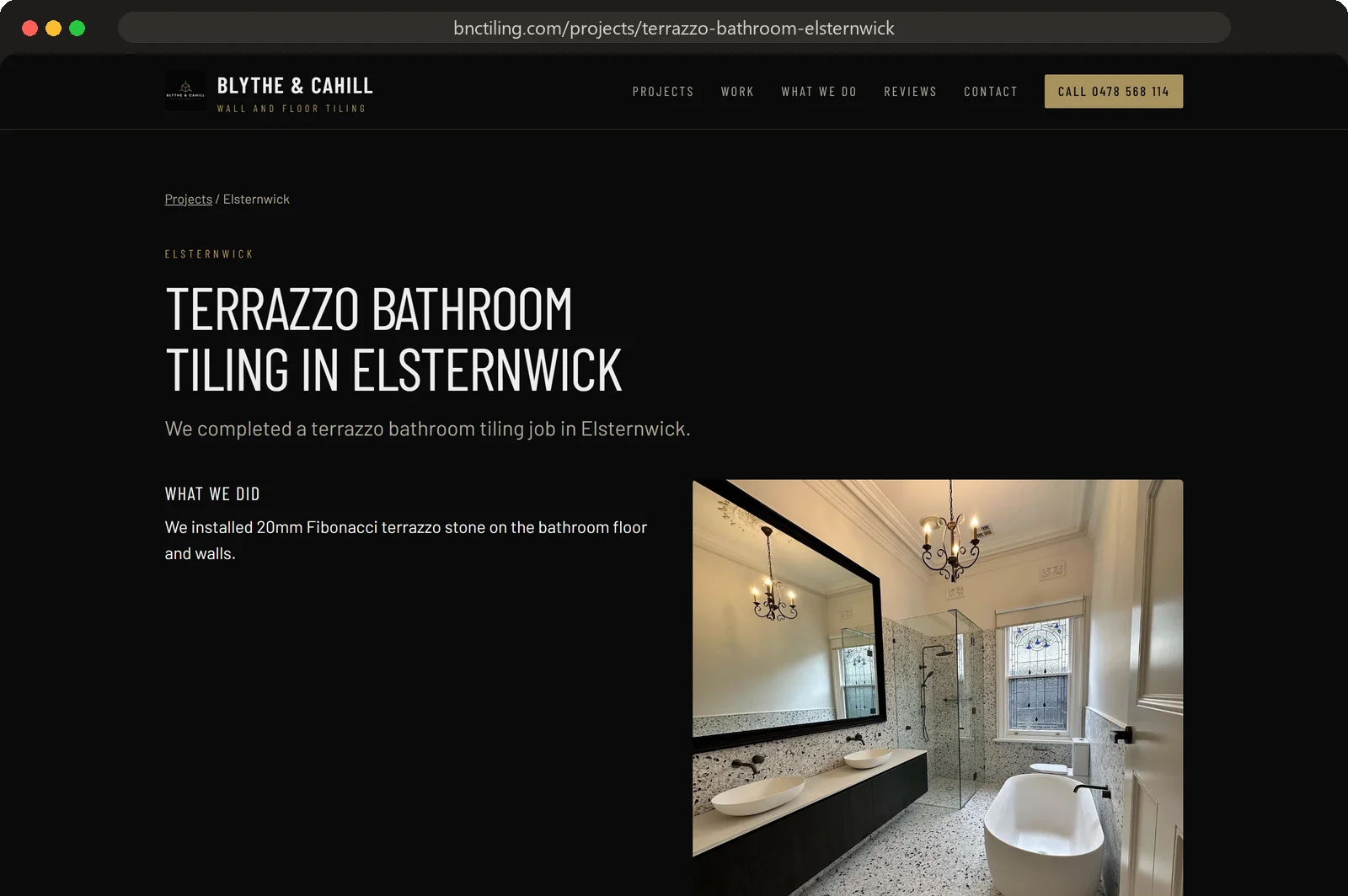
Caption: A real job page: the service and suburb in the title, the before and after, a short write-up of the job.
How do job pages add up to suburb coverage?
One job at a time. A tiler who finishes three jobs a week has well over a hundred real jobs in a year, across dozens of suburbs. Each one becomes a page for a service and a suburb, and each new page links to the others. After a year you have a page for most of the suburbs you actually work in, and the suburbs with the most pages are the ones where you do the most work, which is exactly where you want to be found.
That is the opposite of a suburb list. You are not claiming to cover Bentleigh. You are showing the bathroom you did there.
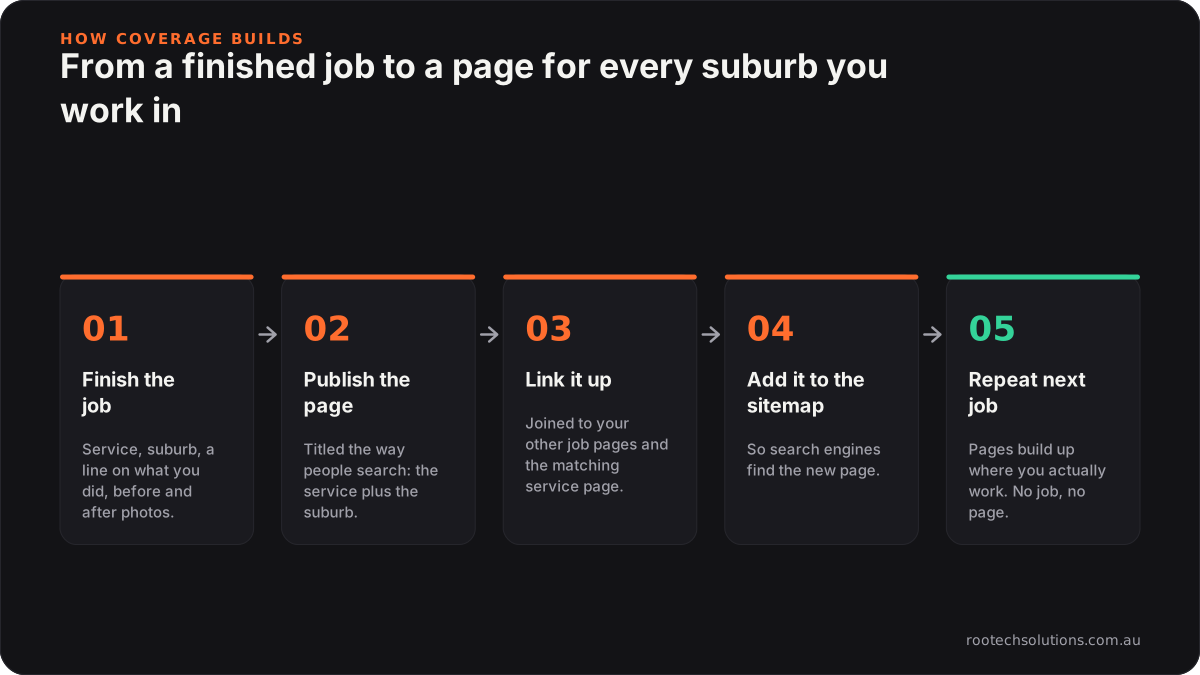
Caption: Coverage comes from the work you already do, one page per finished job.
Why don't tradies already do this?
Time. Writing up a job, resizing photos, picking a title, adding it to the website and linking it up takes an hour if you know how, and most tradies would rather be on the tools or at home. So the photos stay in the camera roll and the website stays the same as the day it launched.
The fix has to take less time than sending a text. That is the whole design brief.
Can AI write job pages without making things up?
Yes, if it is only allowed to tidy what you wrote. The risk with AI-written pages is invention: a made-up "15 years of experience", a stock paragraph about "quality craftsmanship", a measurement you never gave. That is worse than no page, because it is not true, and it reads like every other AI page on the internet.
The job pages we build for Rootech website clients work like this. You give the service, the suburb, a line on what you did and the photos. AI turns your notes into a search-friendly title, a Google description and a short write-up, and describes each photo for captions and alt text. It only uses what you wrote, and checks in the code reject anything made up, such as numbers you did not give or padding.
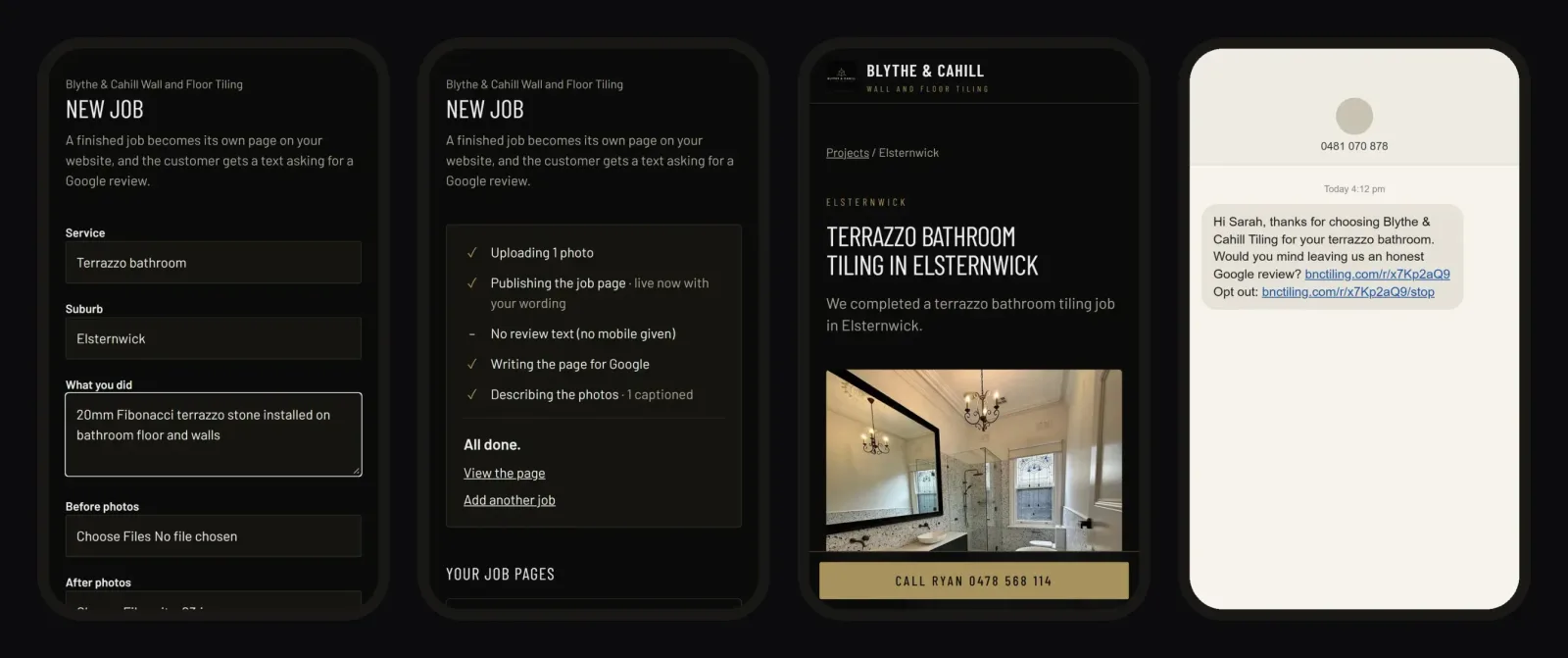
Caption: Fill in the job, watch it publish, the page is live, the review text goes out. All from the phone.
Website builder, job app, or job pages on a custom site?
Each has a place, so it is worth being fair about it.
A website builder (Wix, Squarespace, WordPress) can host job pages, and if you enjoy writing them up and have the time, that is the cheapest route. Most tradies try it, publish four pages, and stop.
Your job management app (ServiceM8, Tradify, simPRO) already holds the job, the suburb and often the photos. It is built to schedule, quote and invoice, not to publish pages to your website, so the information is there but stuck.
Job pages on a custom website connect the two. A short form on your phone after each job, and the page is published to your own site, added to your sitemap and linked to your other job pages, with the review text sent in the same step. That is what Rootech's job pages add-on does, hosted and run for you. It earns its keep when you finish jobs every week, take photos on most of them, and work across more suburbs than your website mentions. If you finish a job a month and rarely photograph it, a few hand-written pages are enough.
What does it look like live?
Blythe & Cahill Wall and Floor Tiling, the Melbourne south-east tilers whose website we built, have run job pages and Google review texts since 23 October 2026. Their projects page fills up as they finish jobs, with pages like Terrazzo Bathroom Tiling in Elsternwick. If you are working on the wider picture, our custom software for Melbourne businesses page covers what else we build.
Will job pages get me to the top of Google?
Nobody can promise rankings, and we will not. What a job page does is give Google a real page for each job you finish, aimed at the service and suburb a local customer searches for, with your own photos as proof the work is real. That is the raw material local SEO runs on. Pair it with a complete Google Business Profile and a steady stream of honest reviews, and you have done the things that are in your control.
Frequently asked questions
Does Google penalise suburb pages?
Google's spam policies target thin, near-identical pages built to rank for a list of places, which it calls doorway pages. A page about a real job in a real suburb, with your photos and what you did, is not that. The rule of thumb is no job, no page.
How long should a job page be?
Long enough to say what the customer wanted, what you did and what you used, usually a short paragraph, plus the photos. Padding a page with general text about your business does not help, and it makes every page look the same.
Should every job get its own page?
Every job you can photograph and describe, yes. Two jobs of the same service in the same suburb are still two different jobs with different photos, and each is evidence of real work. Skip jobs where you have nothing to show.
Do I need to know anything about SEO to run job pages?
No. You fill in the service, the suburb, a line on what you did and your photos. The title, the Google description, the write-up, the alt text, the sitemap and the links between pages are done for you.
Turn your next job into a page
Job pages and Google review texts are an add-on for Rootech websites, hosted and run for you. See how job pages work, or tell us about your jobs: the work you do, the suburbs you cover and roughly how many jobs a week.