Replacing a Microsoft Access Database: Melbourne Options
Microsoft Access replacement for Melbourne businesses: low-code, off-the-shelf or a custom web app, how the data moves, and a test to pick the right one.
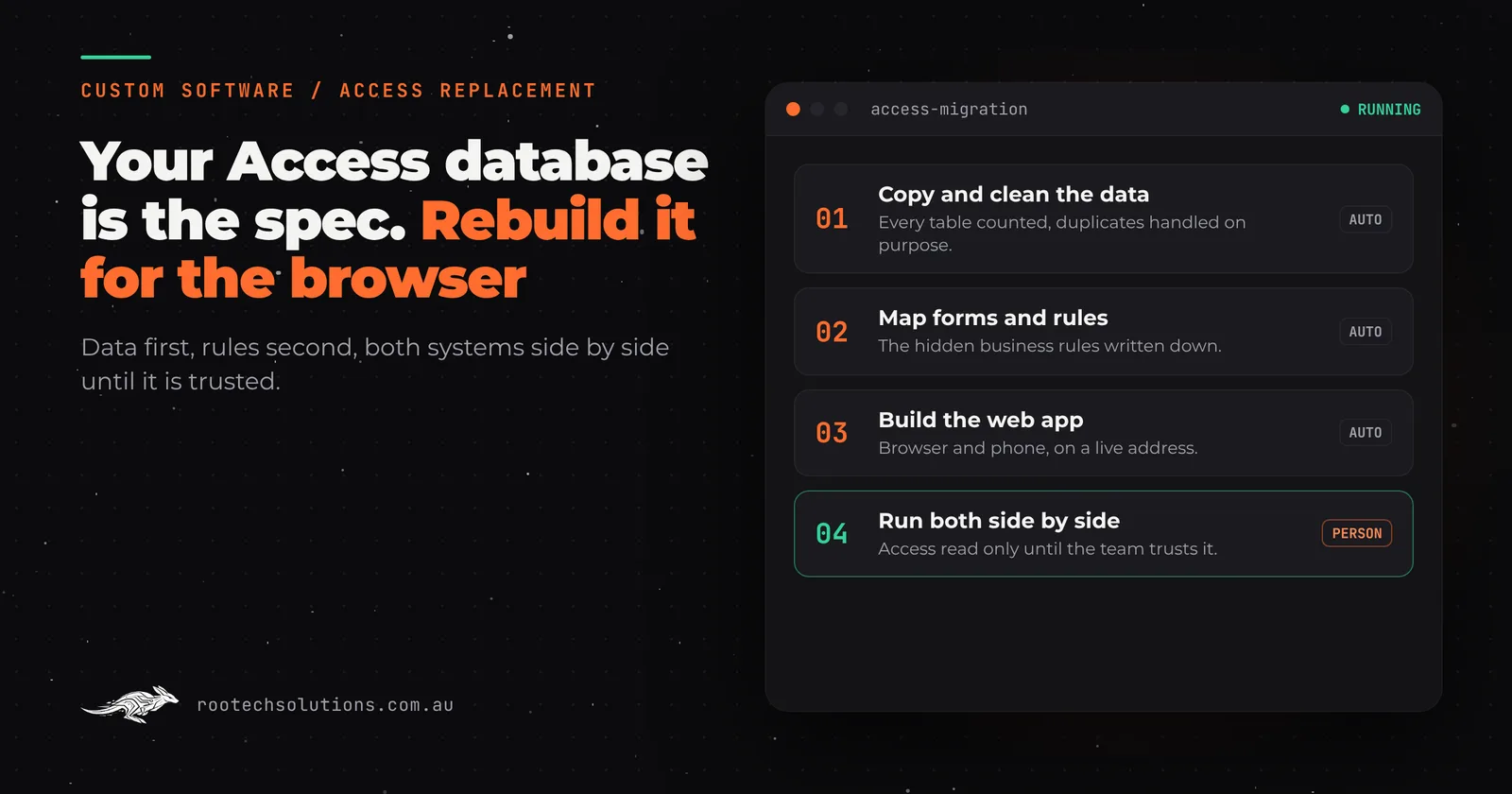
The database that runs your jobs, stock or client records was built in Microsoft Access years ago, by someone who may not work with you any more. It still works, mostly, but only on one PC, only for people who know which button not to press, and nobody can reach it from a phone on site.
Short answer: A Microsoft Access replacement is usually one of three things: a low-code tool for a simple database, off-the-shelf software if your process is standard for your industry, or a custom web app if the database encodes how your business actually works. Move the data first, rebuild the forms and logic second, and run both side by side until the new system has been trusted for a full cycle.
Why are so many Melbourne businesses still running on Access?
Because it worked. Access let a capable office manager or a handy relative build a real database without a developer, and for a business of five or ten people that was a huge step up from paper.
The problems show up later, as the business grows around a tool that was never designed to grow with it:
- It lives on one machine or a shared drive. Staff on site, in the van or working from home cannot use it, so they write things down and someone types them in later.
- Only one or two people understand it. The forms, queries and macros are the business rules, and nobody wrote them down.
- It does not talk to anything. Invoices are retyped into Xero, job details are copied into emails, and stock counts are reconciled by hand.
- Changes are frightening. Every fix risks breaking a query that something else depends on, so nobody makes them.
None of that means you made a bad decision. It means the database did its job long enough for the business to outgrow it.
What are your options for a Microsoft Access replacement?
There are three honest options, and the right one depends on how unusual your process is.
| Option | What it is | Best when | Watch out for |
|---|---|---|---|
| Low-code database tool | A hosted database with forms you configure yourself (Airtable, Zoho Creator, SharePoint lists and similar) | A simple table of records with a few views and little logic | Per-user fees grow with your team; complex rules end up as workarounds |
| Off-the-shelf industry software | A product built for your trade (job management, practice management, inventory) | Your process is close to standard for your industry | You change how you work to fit the software; check their current pricing per seat |
| Custom web app | Software built around your process, in the browser and on phones, connected to your other tools | The database holds rules and steps nobody else's software has | It needs a clear scope and a builder you trust; you own it, so you also decide when to change it |
A quick way to tell which camp you are in: open the database and count the forms that do more than show a table. If there are one or two, a low-code tool will probably do. If your industry has well-known software and your forms mostly match it, try that first. If there are a dozen forms full of buttons, calculations and "if this, then that" logic, those forms are your business, and that is where custom software earns its keep.
Is it a conversion or a rebuild?
It is a rebuild, and anyone who tells you otherwise is selling a conversion tool. The data converts cleanly. The forms, reports, queries and VBA code (the small programs behind the buttons) do not.
That sounds worse than it is. The old database is the best specification you will ever have, because it shows exactly what the business does, every field, every rule and every report someone asked for once. A good rebuild reads all of it, keeps what is used, and quietly drops the reports nobody has opened in five years.
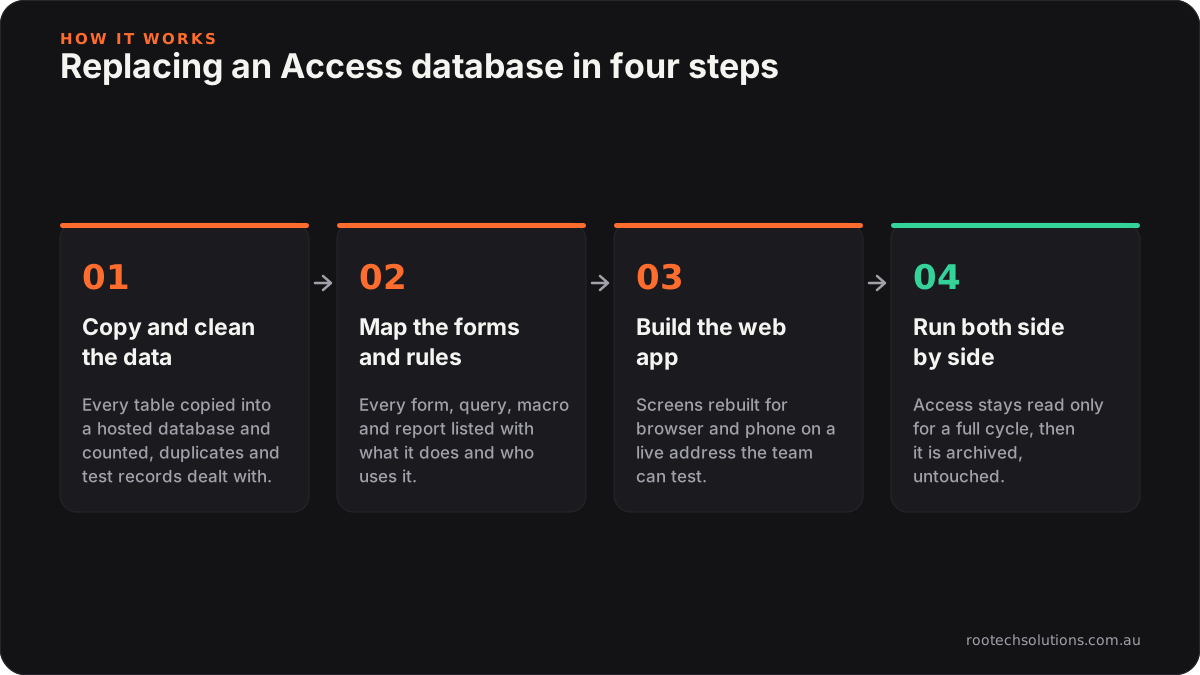
Caption: the data moves first and Access stays switched on until the new system has been trusted for a full cycle.
How does the data move without losing anything?
The data moves first, before a single screen is built, so you can check it is all there.
- Copy and clean. Every table is copied into a proper hosted database. Duplicates, blank records and the "TEST DO NOT USE" customer are found and dealt with on purpose, not by accident.
- Map the rules. Every form, query, macro and report is listed with what it does and who uses it. This is where the hidden business rules come out, such as "jobs over a certain value need a second sign-off".
- Build the web app. The screens are rebuilt for the browser and phone, using the rules from step two, on a live address your team can test as it grows.
- Run both side by side. Access stays switched on and read-only while the team works in the new system for a full cycle, such as a month-end or a full run of jobs. Only then is it archived.
The archived database is kept, untouched. If anyone ever asks "what did we record in 2019?", the answer is still there.
When should you replace Access, and when should you leave it alone?
Leave it alone if it is used by one person, at one desk, for records nobody else needs in real time. A database that works and bothers nobody is not a project.
Replace it when one of these is true:
- People outside the office need it, or are working from paper because they cannot reach it.
- The person who built it has left, and nobody can safely change it.
- You retype the same information into another system (Xero, a CRM, email) more than once a day.
- A customer, insurer or auditor has asked where your data is stored and who can see it, and the honest answer is "a file on Dave's PC".
The last one matters more than it used to. If the database holds personal information about customers or staff, the Australian Privacy Principles are worth reading with it in mind, because a file anyone in the office can copy onto a USB stick is hard to defend.
What does a custom replacement look like when it is done?
A custom replacement is a web app your team opens in a browser or on a phone, with a login for each person and the same records they know. It keeps the parts of the old database that work and fixes the parts that never did.
In practice that usually means:
- One login per person, with permissions, so the apprentice can update a job but not see wages.
- Phone screens for the people on site, so jobs, photos and sign-offs are recorded once, where they happen.
- Connections to the tools you already run, such as Xero for invoices or Google Workspace for email, so nothing is retyped.
- Backups and an audit trail, so you can see who changed what, and restore yesterday's data if you need to.
Our booking and checklist platform for Kaladi Kitchens is a good picture of the shape: members book any kitchen at any location from their phone, and every session opens and closes with a photo-backed checklist. That is the kind of work an Access database tries to do from one desk.
What does it cost to replace an Access database?
Every Rootech build is fixed price, quoted after a free call and a look at the database itself, because the honest number depends on how many forms and rules it holds. Most builds ship in two to four weeks. Running costs afterwards are usually small: hosting is typically under $50 a month, and if the new system uses AI (for example, to read supplier invoices), AI usage typically runs $20 to $200 a month depending on volume.
You own all of it: the code, the hosting accounts and the data are in your name, and launch comes with a handover of the code, documentation and credentials. More on how we approach this kind of work is on our business software page.
Frequently asked questions
Can I just move my Access database to the cloud?
You can put the file on a cloud drive, but a desktop database file being synced while several people have it open is asking for conflicting copies and slow screens. Moving the data into a hosted database is the cloud move that actually works; the forms then need rebuilding for the browser.
Will we lose any of our old records?
No, if the migration is done properly. Every table is copied and counted before the new system goes live, the old database is kept as an archive, and both run side by side until the team trusts the new one.
Is a low-code tool good enough?
Often, yes, for a simple list of records with a few views. It stops being good enough when the database holds real business logic, when per-user fees start adding up, or when you need it to connect tightly to other software.
How long does an Access replacement take?
Most Rootech builds ship in two to four weeks. A database with many forms, reports and integrations sits at the larger end, and the side-by-side period adds a few weeks of normal work before Access is switched off.
Do you work with businesses outside Melbourne?
Yes. Rootech is a Melbourne studio and works Australia-wide; outside Melbourne, discovery and reviews happen over video and the build is in the cloud. Melbourne businesses can meet in person if they prefer.
If your business runs on an Access database or a spreadsheet nobody wants to touch, book a free call. We will look at what it does, tell you honestly whether low-code, off-the-shelf or custom is the right move, and give you a fixed price if it is ours to build. Melbourne businesses can see more on our custom software in Melbourne page, and if you are weighing up doing it yourself, DIY no-code versus hiring an agency is honest about when that is the better call.