AI Software for Law Firms: LEAP, Smokeball or Custom AI?
LEAP, Smokeball and custom AI compared for Melbourne law firms, plus the questions to ask any AI vendor before you buy, and where built-in AI stops.
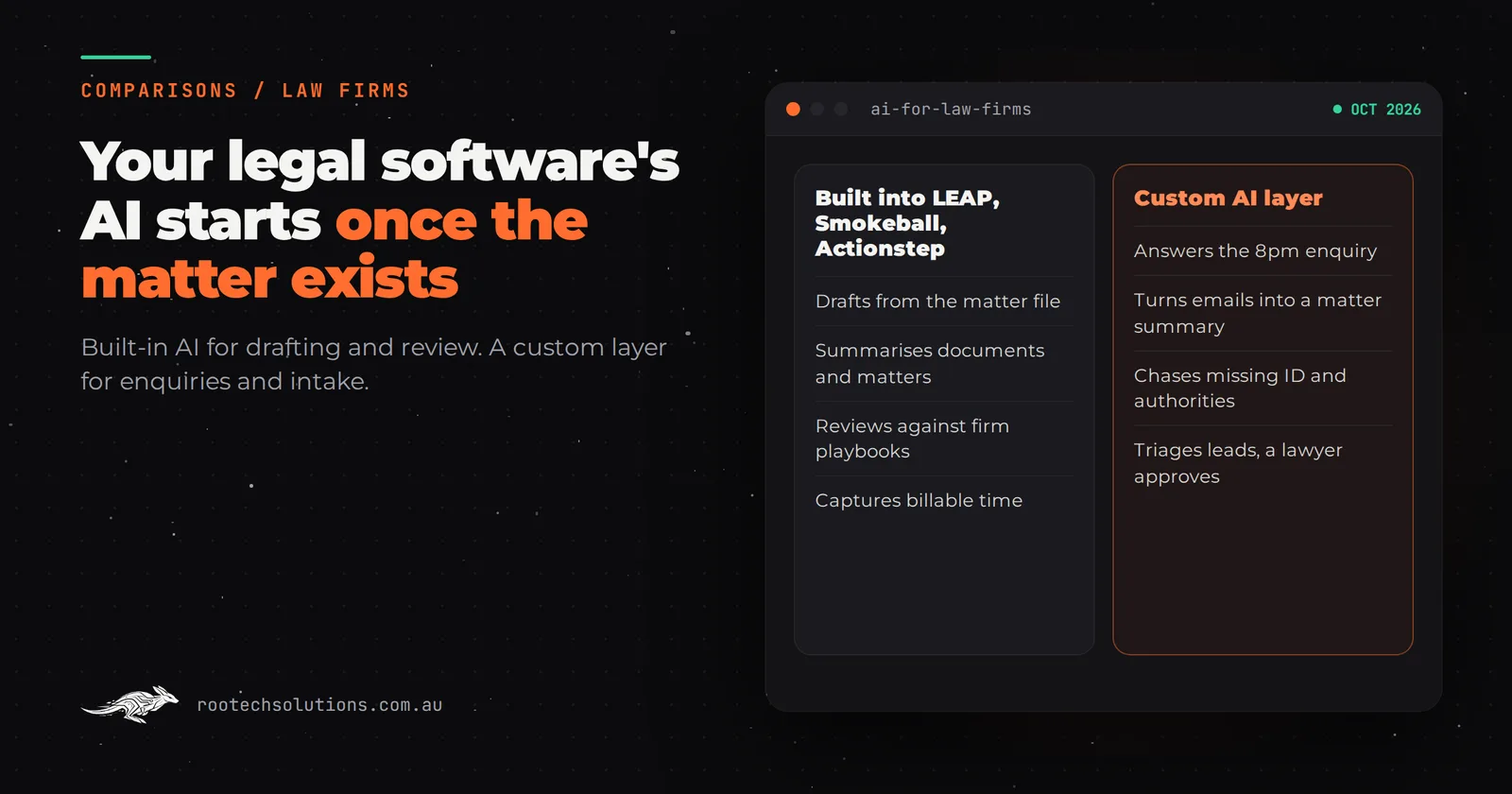
Your firm already pays for LEAP, Smokeball or Actionstep, and all three now ship AI inside the product. So when you search for AI software for law firms, the real question is narrower: is the AI you already have enough, or is there work it will never reach? For most Melbourne firms, the answer turns on what happens before a matter exists.
Short answer: For work inside a matter (drafting, summarising, reviewing documents, recording time), the AI built into LEAP, Smokeball or Actionstep is the right AI software for a law firm, and you are probably already paying for it. Custom AI earns its place before and around the matter: answering enquiries, structuring intake, chasing clients for documents and triaging leads, feeding clean data into your practice management system.
What AI is already built into LEAP, Smokeball and Actionstep?
All three platforms now include AI that works on the data already inside a matter. Here is what each vendor says its AI does, checked against their own sites in October 2026.
| Platform | Built-in AI (vendor's own naming) | What it works on |
|---|---|---|
| LEAP | Matter AI, LawY, AutoTime | Questions, summaries and drafting grounded in the matter file; legal research and drafting with optional verification by Australian lawyers; automatic time capture |
| Smokeball | Archie AI, AutoTime, intake forms | Matter and document summaries, email drafting in Outlook, drafting in Word, LawY guidance, spotting conflicting terms between documents, firm playbooks; billable time descriptions |
| Actionstep | Actionstep Intelligence (Trace, Acumen) | Passive time capture that drafts entries for review; firm and fee earner performance dashboards |
LEAP describes its AI as embedded with matter context rather than sold as a separate add-on. Matter AI answers questions about, summarises and drafts from what is already in the matter file. LawY handles legal research and drafting, with the option of having an answer checked by a qualified Australian lawyer. AutoTime captures time automatically.
Smokeball puts most of its AI into Archie, a matter assistant that summarises documents and whole matters (meetings, deadlines and tasks included), drafts emails in Outlook and documents in Word with the matter's context, compares documents for conflicting terms, and reviews documents against rules the firm sets. Smokeball has integrated LawY into Archie for Australian legal research, and its AutoTime feature writes billable work descriptions. Smokeball also offers custom intake forms by practice area.
Actionstep launched Actionstep Intelligence inside the platform. Trace captures billable work across email, documents and desktop tools and drafts time entries for a fee earner to approve; Acumen adds business intelligence dashboards.
If your pain is drafting speed, document review or lost billable time, switch these on before you spend a dollar on anything custom. They sit next to your precedents, inside security arrangements you have already accepted.
Where does the built-in AI stop?
At the edge of the platform. Every feature above works on a matter that already exists, data that is already filed, or a lawyer who is already logged in. The expensive leaks in a small firm usually happen earlier and outside.
The 8pm enquiry. A buyer who has just signed a contract of sale emails at 8pm asking whether you can act and what it costs. There is no matter yet, so nothing in your system answers. By 9am they have emailed two other conveyancers.
The intake that gets typed twice. Someone fills in your website form, a receptionist reads it, emails a fee earner, and when the matter opens somebody types the parties, property address and key dates in again. An intake form inside the platform captures what a client types into it; the free-text email, or the PDF attached to a web enquiry, is still someone's job to read.
The document chase. The matter is open and the system knows the ID, the signed authority and the contract are missing. What it does not do well is send the third reminder that says "thanks for the contract, we still need your ID and the signed authority", in plain English, adjusted to what the client actually sent back.
What does a custom AI integration for a law firm actually do?
A custom AI integration sits between the client and your practice management system. It handles the unstructured, conversational work and hands a fee earner something tidy to approve.
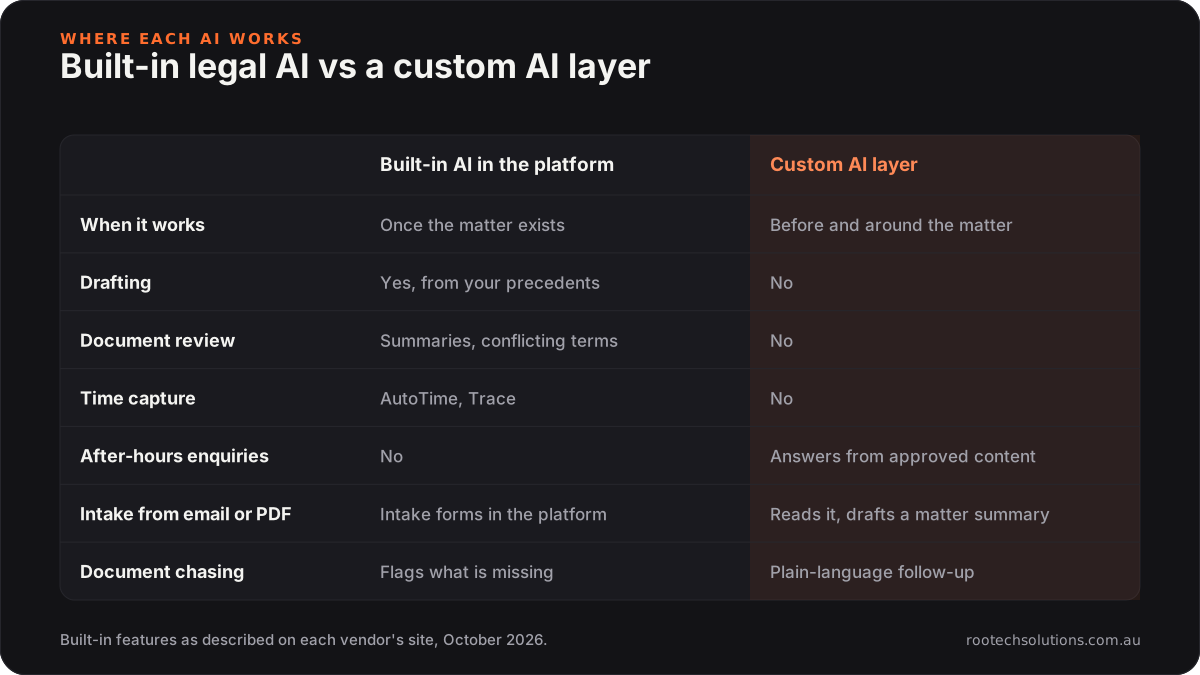
Caption: The built-in AI works inside the matter; a custom layer works on everything that arrives before it.
Four jobs, in practice:
- Answer enquiries from approved material. Website chat or SMS answers questions about your process, your fixed fees where you publish them, and what to bring, using only content a principal has signed off. It never gives legal advice on the client's facts; it books the call.
- Structure intake. It reads the web form, email or attachment, pulls out parties, property or matter details, key dates and the service needed, checks for an existing client record, and drafts a matter summary for a fee earner to approve before anything is created in LEAP, Smokeball or Actionstep.
- Chase documents. It sends a checklist, tracks what has arrived, and follows up on what has not, in plain language that acknowledges what the client already sent.
- Triage. It tags each enquiry by matter type and urgency, routes it to the right person, and politely declines work you do not do.
What do Victorian conduct rules mean for using AI in a law firm?
They mean the lawyer stays responsible, client data stays out of public chatbots, and the client knows when AI was used. In December 2024 the Victorian Legal Services Board and Commissioner, with the Law Society of NSW and the Legal Practice Board of WA, issued a joint statement on the use of AI in Australian legal practice. Its principles map straight onto how a custom build should be designed:
- Confidentiality. The statement says lawyers cannot safely enter confidential, sensitive or privileged client information into public AI chatbots. A custom build runs through business AI services under agreements that exclude training on your data, and you check those terms before any client data flows.
- Judgement stays with the lawyer. Lawyers cannot rely on AI output as a substitute for their own judgement, and must supervise how staff use it. So the intake AI drafts and a fee earner approves; the enquiry bot answers process questions, not legal ones.
- Transparency. The statement expects lawyers to record and disclose to clients when and how AI was used in a matter. The build logs every AI action against the enquiry or matter, which makes that disclosure easy.
- Costs. AI should not push a client's costs above traditional methods. An intake layer saves admin time rather than creating billable time.
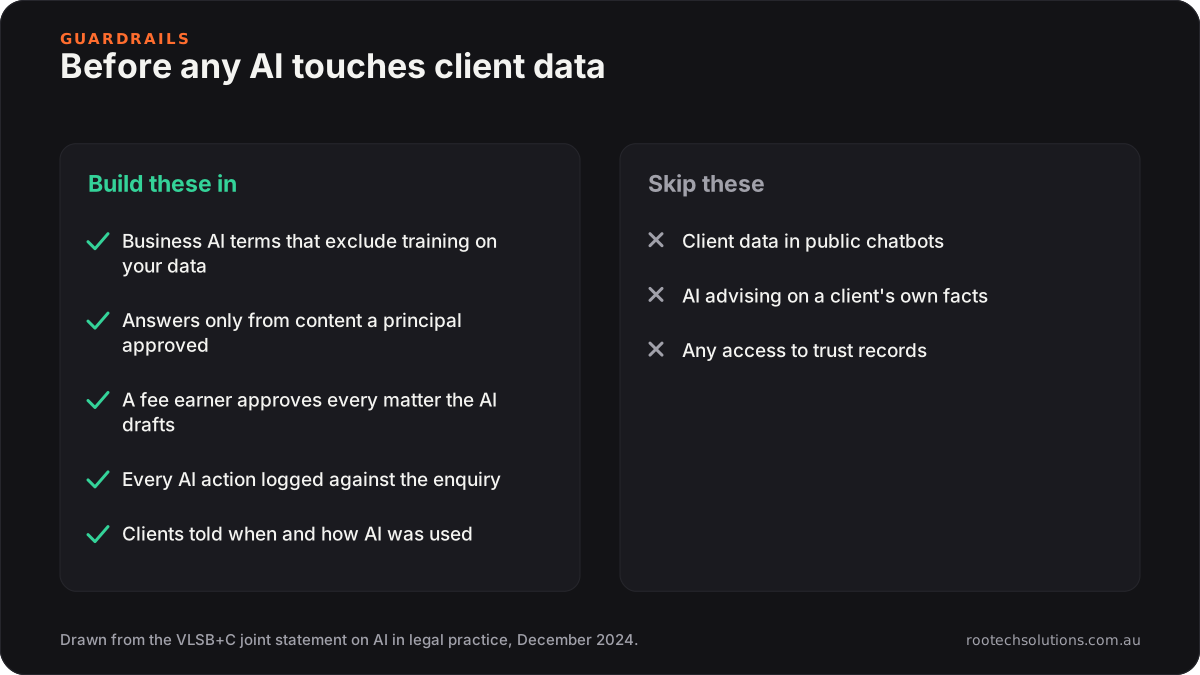
Caption: Design the guardrails first; the joint statement already tells you what they are.
Trust accounting stays where it is. A custom intake layer has no business touching trust money or trust records, and a well-scoped build never does.
Which questions should you ask an AI legal software vendor?
Seven questions separate useful AI from a good demo, whether you are talking to LEAP, Smokeball, Actionstep or a custom builder:
- What data can the AI actually see? Built-in tools work on the matter they are opened in. A custom layer needs your inbox, web forms and client records to be useful before a matter exists. Ask exactly which systems it reads and which it writes to.
- Is our data used to train anything? Get the answer in writing. Business AI services can be contracted so your data is excluded from training; public chatbots cannot give you that promise.
- Who checks the output? The conduct rules put responsibility on the lawyer, so ask what the product does to make review easy: does it show its sources, flag low confidence, and log every action it took?
- What does it do outside a matter? Most legal AI stops at the matter edge. If your bottleneck is enquiries, intake and document chasing, ask specifically what happens to an email that has not become a matter yet.
- How is it charged? Per seat, per matter or per use? Ask what a busy month costs, not just the base plan, because AI usage pricing rarely behaves like a software licence.
- What does it refuse to do? A serious vendor can name what its AI will not answer, and that list should include legal advice on a client's own facts.
- Who owns it, and what keeps it running? For custom work, you should own the code and the approved content, and you should know the ongoing maintenance cost before you sign anything.
Write the answers down before the demo, not after, because every vendor sounds convincing live and the differences only show up in writing.
Which AI software should a law firm choose: built-in or custom?
Choose by where the hours go, not by which demo looked smarter.
| Your bottleneck | Start with | Why |
|---|---|---|
| Drafting and reviewing documents | Built-in AI (Matter AI, Archie) | It already has the matter, the precedents and the correspondence |
| Unrecorded billable time | AutoTime or Trace | Purpose-built, inside the system that bills |
| Enquiries going cold overnight | Custom AI enquiry and intake layer | No matter exists yet, so the platform cannot help |
| Re-typing intake into the system | Custom intake integration | It reads the emails and attachments that arrive before a matter exists |
| Chasing clients for documents | Custom document chaser | Needs plain-language, adaptive follow-up |
Most firms land on both, with the custom layer writing into the platform so nothing is typed twice. The intake side matters for conveyancing in particular, which we covered in whether AI scares off conveyancing clients.
What does a custom intake build cost a Melbourne law firm?
Most small firm builds land between $2,000 and $6,000 as a one-off estimate, plus roughly $100 to $300 a month for AI usage, hosting and upkeep. A typical build ships in two to four weeks:
- Week one: map your enquiry types, fee scales you are happy to publish, conflict and existing-client checks, and the list of things the AI must never answer.
- Weeks two and three: build the enquiry assistant, the intake extractor and the document chaser, and connect them to your website, inbox and practice management system through its supported integrations.
- Final week: test against a few months of your real past enquiries before a client ever sees it.
A fee earner approves every matter the AI drafts, and anything that looks like a request for advice, a complaint or a dispute goes straight to a person. When a fee changes or you add a practice area, the approved content changes with it. If you run a handful of matters a month and the inbox is under control, the numbers will not stack up yet, and we will say so.
If you are weighing a no-code chatbot platform against a build, chatbot platform vs custom AI agent walks through that decision, and our Melbourne custom software page covers how we work with local firms.
Frequently asked questions
Does LEAP have AI built in?
Yes. LEAP's own AI information page lists Matter AI for questions, summaries and drafting from the matter file, LawY for legal research and drafting with optional verification by Australian lawyers, and AutoTime for automatic time capture. LEAP says these are included rather than sold as a separate add-on, but check your own plan.
Can an AI intake assistant give legal advice to enquirers?
It should not. A well-built intake assistant answers process questions from content a principal has approved, such as what documents to bring or how long a typical matter takes, and books a call for anything about the person's own circumstances. That keeps the lawyer's judgement where the conduct rules put it.
Is it safe to put client information into an AI tool?
Not into a public chatbot. The Victorian Legal Services Board and Commissioner's joint statement says confidential or privileged client information cannot safely go into public AI tools. Business AI services can be used under terms that prevent your data being used for training, and those terms are something you check before any client data is connected.
Will a custom AI layer work with Smokeball or Actionstep, not just LEAP?
Yes. The layer writes structured intake into whichever platform you use through its supported integrations. Where a platform does not expose what is needed, the AI prepares the matter summary so a person enters it in one step instead of retyping from scratch.
What questions should we ask before buying AI software for our firm?
Start with the seven in this article: what data the AI can see, whether your data trains anything, who checks the output, what it does outside a matter, how it is charged, what it refuses to answer, and who owns the code and content. If a vendor cannot answer the first two in writing, walk away.
Not sure which side your bottleneck sits on?
Book a free AI workflow audit. We will look at your last few weeks of enquiries and matters, tell you which built-in features you should switch on first, and only scope a custom build if there is work your platform cannot reach. The audit fee comes off your first project if you go ahead.