Where Should an HVAC Business Start With AI Automation?
AI automation for HVAC businesses, sequenced around Melbourne's seasons: after-hours call capture first, pre-season service reminders second, quotes third.
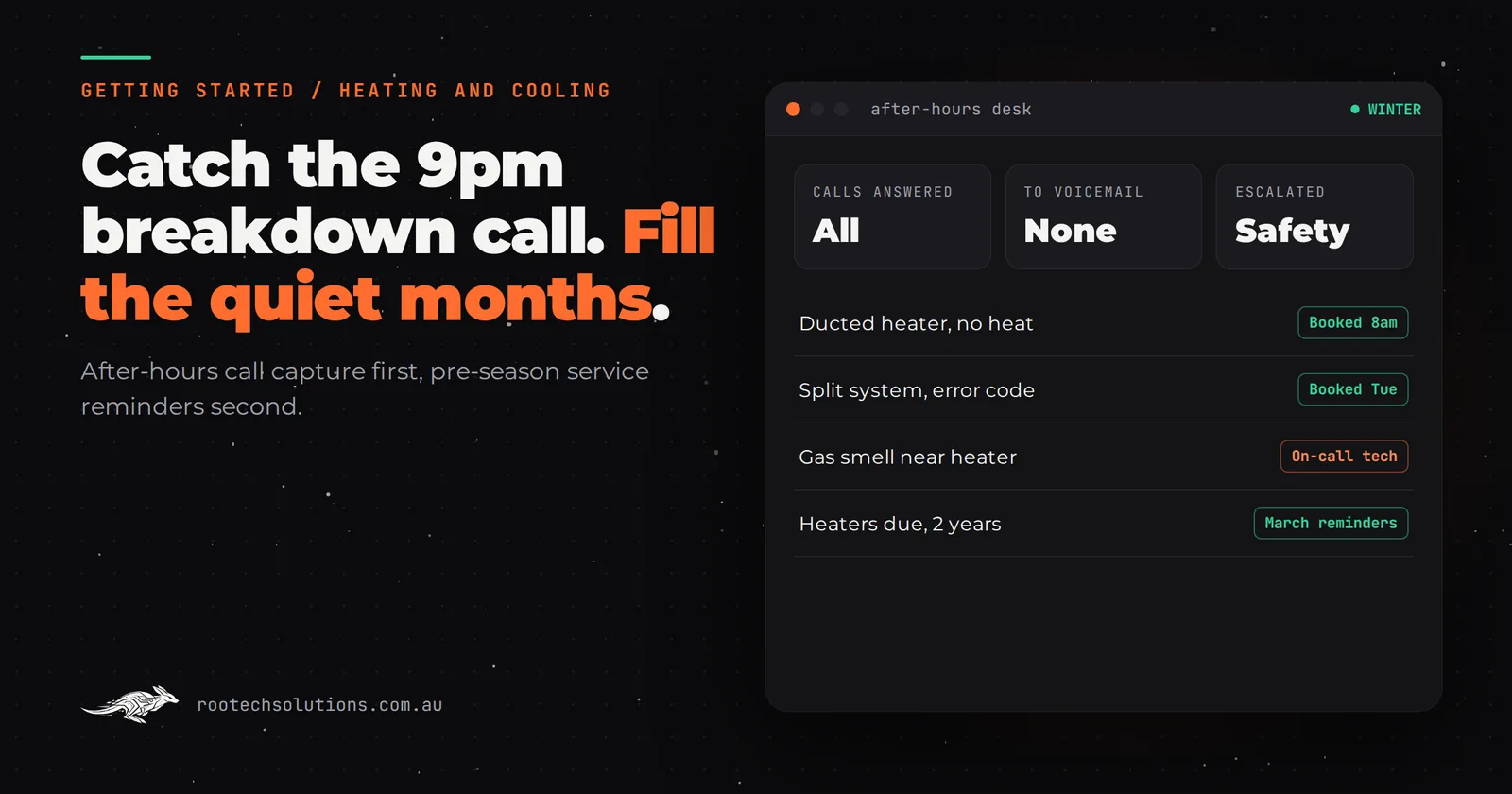
The first cold snap in May fills your voicemail by Sunday night. The first 38-degree day in January does it again with split systems and evaporative coolers. Between those peaks, the phone goes quiet and the customers who should be booking a service are not hearing from you at all. AI automation for HVAC businesses works best when it is planned around those peaks.
Short answer: For most heating and cooling businesses, the first AI automation is after-hours call capture: an AI receptionist that answers, triages and books breakdown calls during the peaks. Second is pre-season service reminders that fill the quiet months. Third is drafting and following up install quotes. Keep unit sizing, safety judgement and warranty calls with your technicians.
Why does HVAC automation start with the calendar, not the software?
Because an HVAC business has two peaks and two troughs, and each automation earns its money in a different part of the year. A heating breakdown at 9pm in July is urgent; the homeowner calls until someone answers. An aircon service in March is a nice-to-have nobody thinks about unless prompted.
So the question is not just "what do we automate first?" but "which leak costs us most, and in which months?" For most firms it looks like this.
| Season in Melbourne | What leaks | Automation that fixes it |
|---|---|---|
| May to August (heating peak) | After-hours breakdown calls going to voicemail | AI call capture and triage, books the next slot |
| September to November (quiet) | Cooling services nobody prompted customers to book | Pre-summer service reminders |
| December to February (cooling peak) | Same after-hours problem, aircon and evaporative breakdowns | The same call capture, with summer scripts |
| March to April (quiet) | Gas heater services left until the first cold night | Pre-winter service reminders |
| All year | Install quotes sent late and never followed up | Quote drafting from site notes, automatic follow-up |
What AI automation for HVAC businesses comes first, second and third?
The order follows the money: lost breakdown jobs first, empty quiet months second, slow quotes third.
- After-hours call capture and triage. An AI receptionist on your existing number after hours. It asks the address, heating or cooling, system type and brand, what is happening, and whether anyone is vulnerable (elderly, infants, medical conditions). It books the next available slot from your job system or texts the on-call tech with a structured job card. This comes first because a breakdown caller rarely waits for a callback.
- Pre-season service reminders. Energy Safe Victoria recommends gas heaters are serviced at least every two years by a qualified gasfitter, and its Be Sure campaign notes that rental providers must ensure a gas safety check every two years. That gives you a reason to contact past customers, and a property manager channel, that most trades don't have. An automation reads your job history, finds every heater serviced or installed about two years ago, and texts the customer in March with booking options. Repeat in September for cooling.
- Install quote drafting and follow-up. After a site visit, the technician's notes and photos become a draft quote in your template for you to check and send the same day, followed by an automatic check-in a few days later. The judgement on unit size and ductwork stays yours.
Skip for now:
- Unit sizing and load calculations. These need site knowledge and your experience. AI can format the quote; it should not choose the system.
- Warranty and existing-customer complaints. These customers want someone who knows their system. Route them to a person.
- Dispatch optimisation. Worth doing once leads are arriving reliably and in a structured format. Not before.
What should an AI receptionist never do on a heating call?
It should never make a safety judgement. Heating calls involve gas, and the AI's job is to recognise the risky ones and get them to a person fast, not to reassure anyone.
Write the escalation list with your licensed gasfitters before the AI takes a single call. At minimum, a caller who mentions a gas smell, headaches or dizziness near a heater, a pilot that keeps going out with a smell, or scorching near a flue gets your scripted safety instruction straight away and is escalated to the on-call person, not booked into Thursday. Everything else is routine triage.
Is simPRO, AroFlo or ServiceM8 enough, or do you need custom AI?
Your job management system is the right home for jobs, schedules, quotes and invoices, and you should not replace it. simPRO, AroFlo, ServiceM8 and Fergus are all built around that job lifecycle. Check whether your plan already handles recurring service jobs before paying for a custom reminder.
Custom AI earns its keep for the parts these systems are not designed to do:
- Answering the phone at 9pm in a conversation, triaging by your rules, and creating the job in your system.
- Choosing who to remind and how. For example: gas heaters serviced around two years ago, excluding customers with an open complaint, with landlords and property managers messaged differently from owner-occupiers.
- Turning site notes and photos into a draft quote in your template, so the quote goes out the same day.
If the off-the-shelf reminder in your job system already reaches the right customers at the right time, use it.
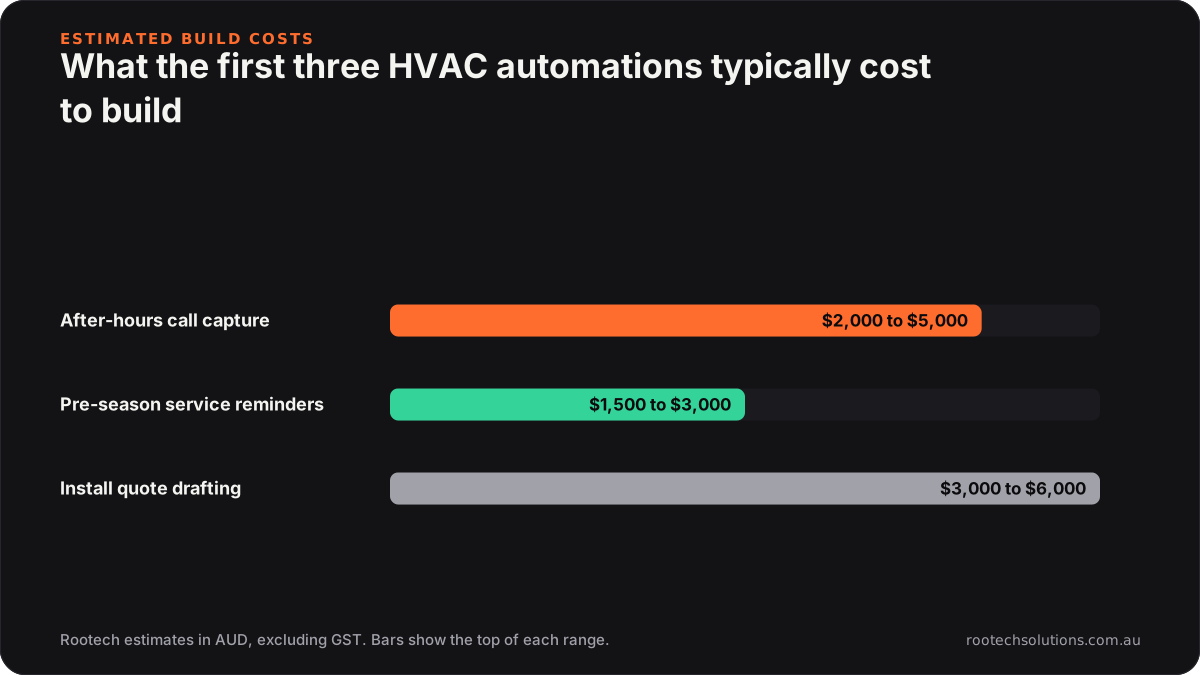
Caption: Call capture usually costs the most of the first two builds, and it is the one that saves breakdown jobs.
What does the build look like?
A custom layer on top of your existing phone number and job system, usually live in two to four weeks, timed to land before the next peak rather than in the middle of it.
- Scope: after-hours AI receptionist with your triage and safety escalation rules. Reminders and quote drafting as later phases.
- Integrations: your phone provider (calls divert after hours; you keep your number), simPRO, AroFlo, ServiceM8 or Fergus for bookings and job history, SMS, and Xero or MYOB only if invoicing needs it.
- Cost, as estimates: after-hours call capture typically lands between $2,000 and $5,000 to build. Service reminders are usually $1,500 to $3,000, and install quote drafting with follow-up around $3,000 to $6,000. Running costs typically sit between $150 and $400 a month, mostly call minutes and AI usage, with hosting usually under $50.
- Human in the loop: every safety escalation, every vulnerable customer, every warranty call and every quote before it sends.
For the full cost and payback maths see what AI automation costs a Melbourne HVAC business. Quote drafting from documents is a pattern we have built before: our AI takeoff estimator for Logic Building Co turns construction plans into measured quantities and a draft estimate for a person to review, which is the same shape as notes-to-quote for an install.
What can you do this week before winter or summer arrives?
Run your own pre-season campaign by hand once. It tells you whether automating it is worth paying for.
- Export your customer list from your job system with last service date and system type.
- Filter for gas heaters last serviced or installed around two years ago (or cooling systems, if summer is next).
- Send a short, personal SMS with a link or number to book. Mention the reason plainly: servicing every two years is what Energy Safe Victoria recommends.
- Count the bookings. If a manual send fills a meaningful chunk of a quiet fortnight, automating it is an easy decision.
While you are at it, call your own business number at 8pm. Hearing what a customer hears is the fastest way to know whether after-hours capture should come first. Our post on how heating and cooling businesses get found in AI search covers the other side: being the business they call.
Frequently asked questions
Will customers hang up on an AI receptionist?
Some will, especially regulars. Most breakdown callers at night want to know someone will come, and a fast, clear answer with a booked time is better than voicemail. Make it easy to reach a person, and say up front that it is an assistant.
Can the AI book jobs straight into simPRO or ServiceM8?
Usually yes, through the system's supported integration, though the details differ by system and plan. Where direct booking isn't possible, the AI creates a structured job request your office converts in one click the next morning.
Is service reminder automation worth it for a small HVAC business?
If you have a few hundred past customers with gas heaters or split systems, it usually is, because the quiet months are where a small team has spare capacity. Try one manual campaign first; if it books work, automation makes it happen every season without anyone remembering.
Does this replace an on-call technician?
No. It answers and triages so the on-call tech only gets woken for jobs that justify it, with the address and details already captured. The decision to go out tonight stays with a person.
Want this in place before the next peak?
We will look at your after-hours calls, your job system and your past customer list, and tell you which automation to build first and when it needs to be live. Book a free AI workflow audit. The audit fee comes off your first project if you go ahead.