Trade Show Lead Capture at Perth Expos, Built With AI
Stop losing trade show leads to a stack of business cards. How AI lead capture apps score, enrich and follow up Perth expo leads before you fly home.
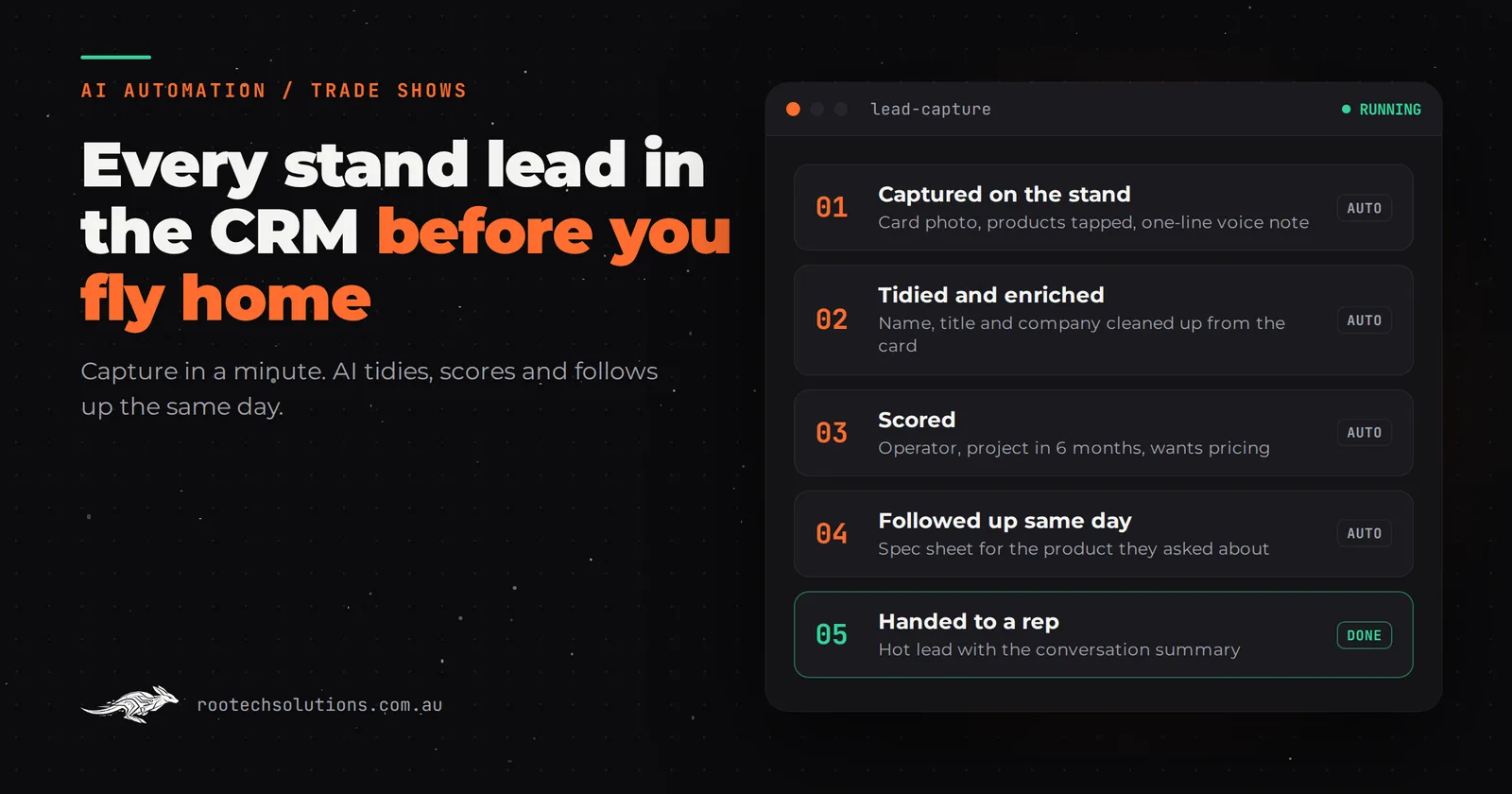
Three days on a stand at a Perth expo, two hundred conversations, and on the flight home you have a lanyard full of business cards, a few scribbled notes on the back of brochures and a badge-scan export nobody has opened. By the time someone types them into the CRM, the warmest leads have taken a meeting with the stand across the aisle.
Short answer: AI trade show lead capture means recording each lead on the stand in under a minute (badge, card photo or a short form), letting AI tidy, enrich and score it against your sales criteria, then sending a personalised follow-up the same day while a person handles the hot ones. Built properly, every lead is in your CRM before the stand is packed.
Why do trade show leads go cold?
Because capture and follow-up are separate jobs done days apart by tired people. Most exhibitors lose leads in three predictable places:
- Capture is inconsistent. One rep scans badges, another takes cards, a third remembers names. Notes about what the visitor actually wanted rarely survive.
- Data entry waits until after the show. Someone types up cards the following week, by which time nobody remembers which "Michael from a mining contractor" was the serious one.
- Follow-up is generic and late. A "thanks for visiting our stand" email goes to everyone, a week later, with nothing about the product they asked about.
For exhibitors flying in to Perth from the east coast, there's a fourth: the team is travelling on the day the follow-up should go out. Fast follow-up matters as much after an expo as it does for any other enquiry.
What does an AI lead capture system do?
It joins the stand to the CRM so nothing waits for a person to retype it. Here is the flow, step by step.
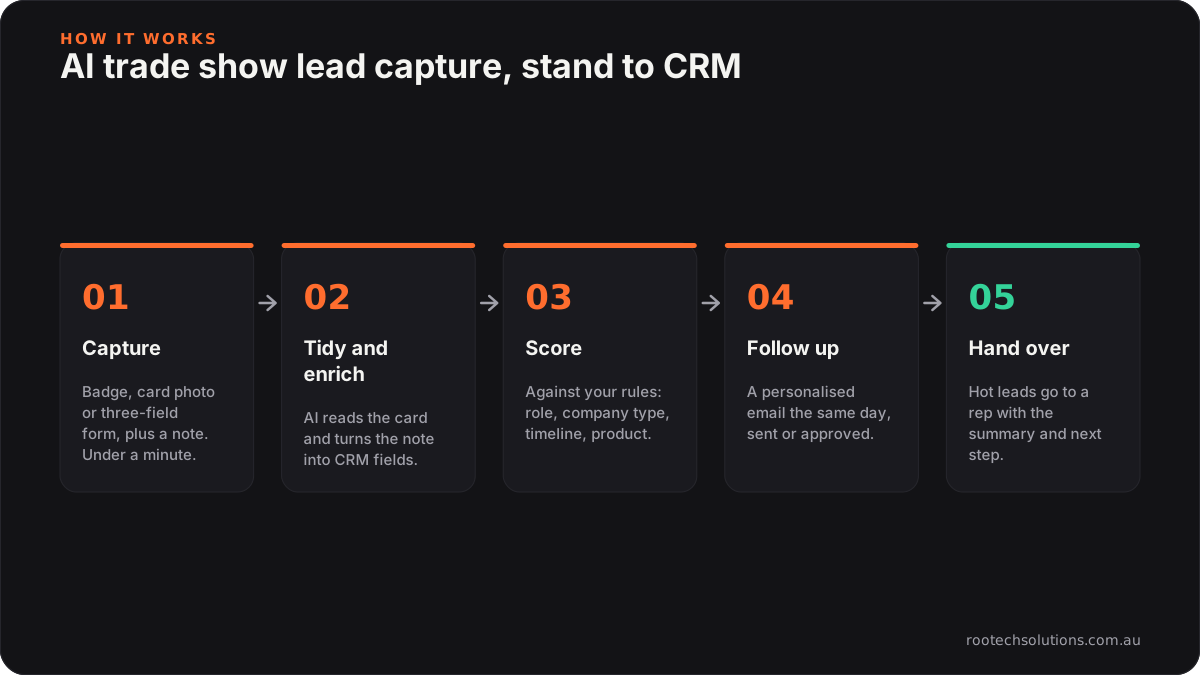
Caption: The AI does the tidying, scoring and drafting. People do the conversations and the hot follow-ups.
| Step | What happens | Who does it | | --- | --- | --- | | 1. Capture | Badge scan, a photo of a business card, or a three-field form on a tablet, plus a voice or typed note | Rep, in under a minute | | 2. Tidy and enrich | AI reads the card photo, fixes names and titles, matches the company, and turns the rep's note into structured fields | AI | | 3. Score | Each lead is scored against your criteria: role, company type, timeline, product interest | AI, with rules you set | | 4. Follow up | A personalised email the same day with the spec sheet or case study for what they asked about | AI drafts, sent automatically or after approval | | 5. Hand over | Hot leads go to the right rep with the conversation summary and a suggested next step | Person |
Capture: one minute, three fields, and the note that matters
The capture step is deliberately small. A rep should be able to record a lead while still talking to the next visitor: scan or photograph, tap the products discussed, and say a sentence into the tablet. "Wants pricing for two units for a Pilbara site, decision in Q2." That sentence is the most valuable data you collect at a show, and it's exactly what gets lost on the back of a business card.
If you use an interactive display on the stand, it can capture leads too: a visitor who explored a product taps "email me the specs" and leaves their details. We cover that in interactive trade show displays for Perth exhibitors.
Tidy, enrich and score: the part AI is good at
Turning a photo of a card and a mumbled note into a clean CRM record is precisely the kind of reading and structuring work modern AI does well. It extracts names, titles and contact details, standardises company names, pulls the timeline and product interest out of the note, and scores the lead against rules you agree up front (for example: operator or EPCM contractor, a project in the next six months, interest in a specific product line).
Scoring is a recommendation, not a verdict. The rules are yours, you can see why a lead scored the way it did, and a rep can override it.
Follow-up: the same day, about what they asked
The follow-up email is drafted from the lead's own record: their name, the product they looked at, the question they asked, the right attachment. You choose whether it sends automatically or waits for a rep to approve it. Either way it goes out the same day, not the week after, and it reads like a reply rather than a mail merge.
Should you use the venue's badge scanning or a custom app?
Use the organiser's lead retrieval service if all you need is a list of badge scans. Build a custom lead capture app, or an AI integration on top of the export, when you want the notes, scoring and follow-up to happen without anyone retyping.
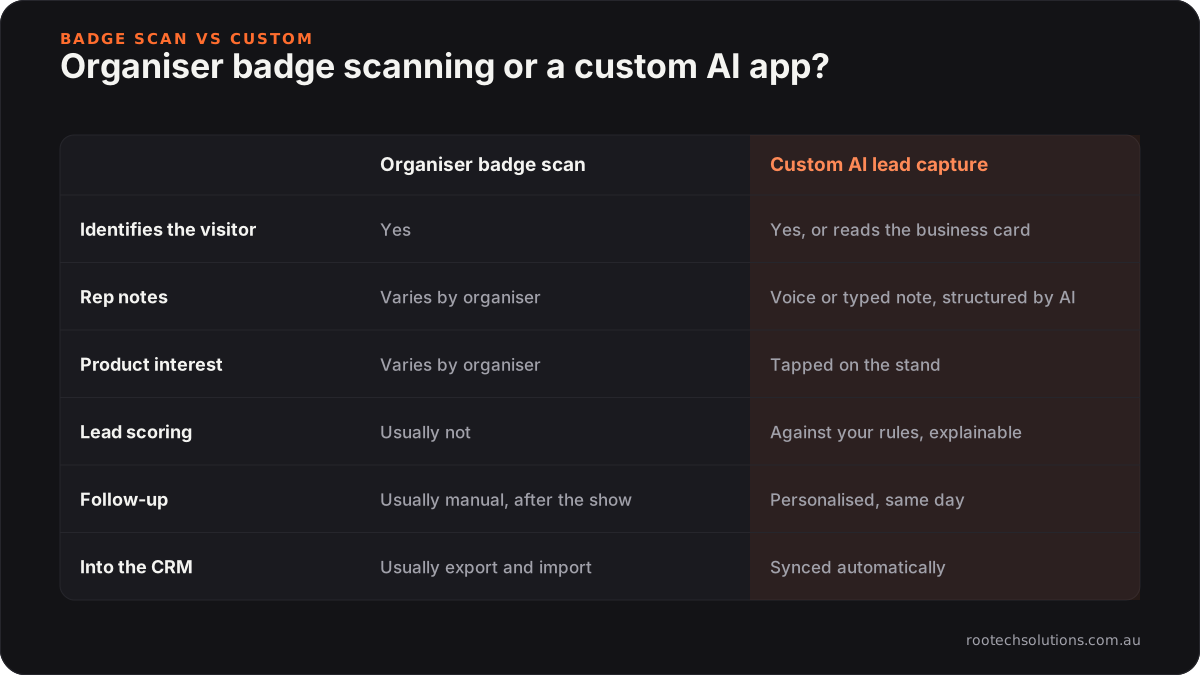
Caption: The two work together: the badge scan identifies the visitor, the custom layer turns it into a qualified lead with a follow-up.
The two aren't exclusive. Many exhibitors scan badges with the organiser's app for identification, then run a custom AI layer that merges the export with the reps' notes, scores everything and starts the follow-up. The integration point is just the export file or the organiser's API, where one exists. Ask the organiser what their lead retrieval includes and what format it exports.
What does it connect to?
Your CRM, your email and your content. Typical integrations are HubSpot, Salesforce, Pipedrive or Zoho for the CRM; Microsoft 365 or Google Workspace for sending; and a folder of spec sheets and case studies the AI is allowed to attach. If you already use the CRM's own mobile app at events, the AI layer can sit behind it rather than replace it.
How long does it take to build, and what does it cost?
A lead capture app with AI tidying, scoring and same-day follow-up typically takes two to four weeks to build at a fixed price, so start a month or so before your show. As an add-on to an interactive display it is usually a smaller job, because the display already has a capture step. Running costs are low: AI usage scales with the number of leads (a few hundred leads a show is a small bill, typically within $20 to $200 a month even in a busy month) and hosting is usually under $50 a month.
Rootech is Melbourne-based and builds custom software and AI integrations for Perth and WA businesses remotely. A lead capture app needs nothing installed at the venue: it runs on your team's phones or a stand tablet, works offline in a busy hall, and syncs when it has a connection.
What about privacy?
You're collecting personal information, so treat it that way. Tell visitors what you'll do with their details, only collect what you need, keep it in systems you control, and make it easy to unsubscribe from follow-up emails. The OAIC's guide to the Australian Privacy Principles explains the obligations for businesses covered by the Privacy Act, and the ACMA's spam rules cover consent and unsubscribe requirements for marketing emails. Build both into the capture step, not after the show.
Frequently asked questions
Can AI read business cards accurately?
Modern AI reads clear card photos very reliably, including names, titles, phone numbers and emails. It struggles with glare, tiny print and handwritten notes, which is why the app shows the rep the extracted details to confirm in a tap. A wrong email caught on the stand costs nothing; one found a week later costs the lead.
Does the follow-up email send automatically?
It's your choice. Many exhibitors auto-send the standard "here's the spec sheet you asked about" email and hold anything for hot leads for a rep to approve. Either way, the AI drafts every email from the lead's own record, so it's specific to what they discussed.
Will this work with our existing CRM?
Almost certainly. HubSpot, Salesforce, Pipedrive and Zoho all have APIs that a custom lead capture app can write to, including custom fields for show, product interest and lead score. If your CRM can import a spreadsheet, there's a way in.
Is it worth building for one show a year?
Often yes if that show is a big part of your pipeline, such as an operator-heavy event where a handful of leads are worth more than the stand. If the show produces only a few dozen casual contacts, a well-run spreadsheet and a disciplined same-day follow-up habit may be enough.
Make your next expo's leads land before you do
We build lead capture apps and AI follow-up that put every stand conversation in your CRM, scored and followed up, before the stand is packed. Book a free call with your show list and CRM, and we'll map how your leads move today and where they go cold.