Touchscreens That Run Themselves at a Gold Coast Home Show
Trade show exhibitors on the Gold Coast: how to build stand tech that runs unattended all day, works without venue Wi-Fi, recovers from crashes.
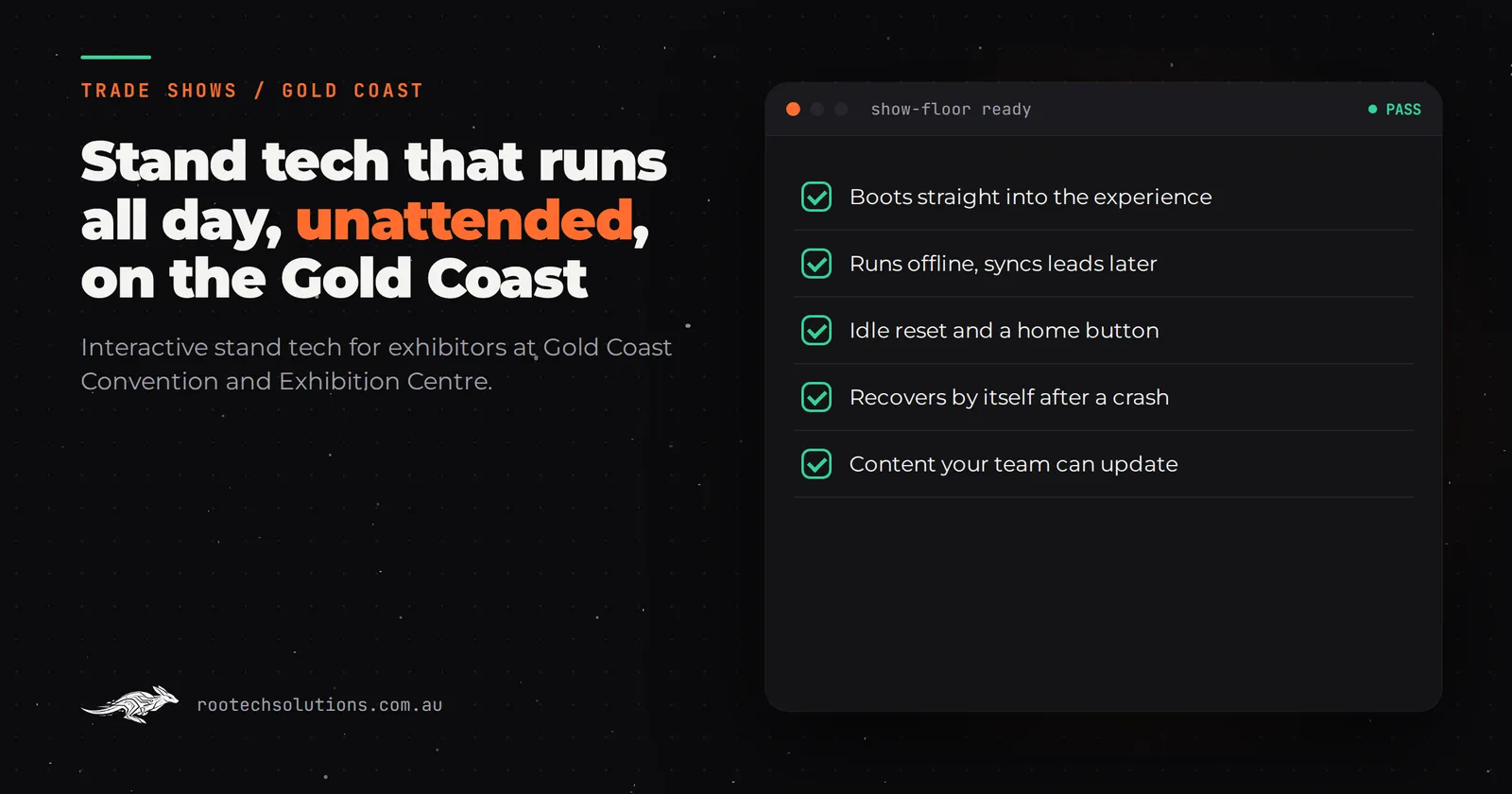
You have spent five figures on floor space at a Gold Coast home show, and on day one you learn the maths: two serious conversations an hour if you are lucky, and a hundred visitors walking past your stand while your best people are mid-sentence. A touchscreen that needs a staff member standing next to it solves nothing. What you need is stand tech that runs itself, all day, for three days, while your team does the talking.
That is the difference between a touchscreen that impresses on setup day and one that still earns its keep at 3pm on Sunday. The unattended part is not a nice-to-have. It is the whole point.
Short answer: An unattended trade show touchscreen works because it is built to run without a person: it boots straight into the experience, plays an attract loop, resets itself, runs offline, recovers from crashes, and captures leads on screen. Software only, expect roughly $5,000 to $60,000 depending on how custom the content is, built to run all day without a babysitter.
Why a Gold Coast home show punishes stand tech that needs staff
Home shows are not quiet trade events. Families come through in a steady stream, most are comparing a dozen builders, renovators and pool companies in a single afternoon, and almost every visitor has the same first question: "what do you actually do, and what does it cost?"
Your team can answer that about ten times an hour. A screen answers it a hundred times an hour, and never gets tired or hungry. The right division of labour is this: the touchscreen handles the explaining, the qualifying and the lead capture, and your people handle the conversations that only a person can have.
That is exactly what happened on the CoolIT Systems stand, where a touchscreen installation lets visitors explore a liquid-cooled data centre rack with their fingers. The outcome the client reported: the stand explains itself, and the team spends its time on the conversations that follow. The screen did not need a presenter. Neither should yours.
Gold Coast shows run at the Gold Coast Convention and Exhibition Centre at Broadbeach, and the pattern is the same whether you are at a home and building show or a food and wine expo: crowded aisles, a browsing crowd, and a team that is flat out from open to close. Other touchscreen installations around Australia that generate leads solve the same problem in different formats.
What does a visitor see in the first five seconds?
Someone walking past your stand gives you about two seconds before they commit. An unattended touchscreen has to earn the touch in that window, with no one pointing at it.
- An attract loop: a short, bright, moving screen that cycles on its own. Not a static slide with your logo. Something moving, from a metre away, that says "touch me".
- One visible action: a single obvious thing to touch, not a menu of six.
- A fast first payoff: the first tap should change the screen within a second. Visitors abandon slow screens at the same rate they abandon slow websites.
A 30 to 60 second visit is the design target. Pick your product, explore it, tap to leave your details, done. Anything longer and you lose the queue forming behind them.
What stops an unattended touchscreen from breaking at 2pm?
This is the part most exhibitors never think to ask about, and it is where the cheap builds fail. An unattended screen has to handle everything a person standing next to it would normally handle. The checklist that matters:
- Boots straight into the experience. No desktop, no browser bar, no login. Power on, experience starts.
- Home button and idle reset. After 30 or 45 seconds of no touch, the screen returns to the attract loop, clean. Without this, by mid-morning the screen sits on whatever the last visitor left it on, a half-finished form or a dead-end page.
- Offline first. Venue Wi-Fi is shared with thousands of people and their phones. Everything the visitor sees must live on the device. The only thing that should ever need the network is sending the leads, and that can queue and send later.
- Crash recovery. If the app hits an error, it restarts itself back to the start of the experience, not to a blank screen an attendant has to fix.
- Lead capture built in. Name, phone or email, and one qualifying question, captured on screen and stored locally until it can be sent. No paper forms, no "we'll email you".
- Content your team can edit. Prices, opening specials and images change between shows. Your team should be able to swap those without calling a developer.
Every one of those is a decision made during the build, not on show morning. Rootech builds them in as standard on every installation.
Can a screen really do the job of a staff member?
Partly, and it is worth being honest about which part. The screen handles the self-service: explaining a product visitors cannot otherwise see, showing options and prices, and taking details from people who are happy to browse alone. It does not handle objection handling, quoting or reading a buyer's face. That stays human.
The computer vision game built for Nutrien shows how far the self-service end can go: a camera tracks visitors' bodies and turns their movement into the game. Visitors walk up, move, and play, with the camera doing the work a controller used to do, for the whole run of the show. No staff member explaining rules, no controllers to wipe down or lose.
The middle ground is the most useful one for a home show: a screen that walks a visitor through your range, asks the two questions that tell you whether they are building next year or just dreaming, and hands the warm ones to your team.
What does an unattended touchscreen cost?
Indicative software-only prices, excluding GST, with hardware hired separately (check current hire rates with the hire company):
| Build type | Indicative cost (AUD) | Right for |
|---|---|---|
| Templated content touchscreen app | $5,000 to $15,000 | Brochures, videos, a quiz and lead capture in a proven template |
| Custom touchscreen with video and animation | $15,000 to $30,000 | Your own product story, designed for your stand |
| Bespoke 3D product touchscreen | $25,000 to $60,000 | A product visitors can explore and configure in 3D |
| Computer vision or motion game | $30,000 to $80,000 | Pulling a crowd, not just informing one |
| Lead capture with CRM integration (add-on) | $4,000 to $12,000 | Getting details from screen into your CRM same day |
The unattended features above are engineering, not extras: they are part of building the thing properly. If a quote treats "runs offline and resets itself" as an optional line item, ask why.
How long does it take and how do you brief it?
A focused unattended touchscreen build typically ships in two to four weeks. The brief that makes it work is short, and you can answer every part of it without a technical background:
- What product or problem should the screen explain without a person?
- What are the two or three questions a visitor must answer before your team would call them a lead?
- What content will change between shows?
- Which CRM or inbox do the leads land in?
If you have not been through the process before, the guide to immersive installations in Australia: a buyer's guide covers the wider options and where they fit. And when the build is done, test it the hard way before show day, because the one test that matters is whether it survives a full day of strangers mashing it.
Should you reuse it at your next show?
Yes, and this is where unattended tech pays back properly. A build made to run without a presenter is, almost by definition, a build made to be reused: same offline-first setup, same attract loop, content swapped for the next show. The 3D model and the lead capture flow carry across unchanged. Rootech delivers remotely from Melbourne, so the next show in another city is a content update, not a rebuild. A motion game built for a Sydney caravan and camping show, for example, runs unattended for the whole show once it is set up.
Frequently asked questions
Does the touchscreen need the venue's Wi-Fi?
No. Everything a visitor sees runs on the device. Lead data is stored locally and sent when a connection is available. Counting on venue Wi-Fi is the single most common way unattended builds fail.
Should we hire or buy the screen hardware?
For a single show a year, hire locally and check current rates with the hire company. If you exhibit several times a year, owning often works out cheaper, and Rootech sets the software up with your team over a call so it travels well.
How big should the screen be?
Bigger than you think: the screen competes with aisle traffic for attention, and the attract loop has to read from a few metres away. Match the size to the stand, and let the first five seconds decide whether it earns a touch.
What happens if a visitor messes with it?
The idle reset handles it. After a short timeout the app returns to the attract loop with a clean state, and crash recovery restarts the experience if anything goes wrong. No attendant required.
How do leads get off the screen?
Captured on the touchscreen, stored on the device, and pushed to your CRM or inbox the moment a connection allows. On the Syngenta stand, growers played through the range and left their details at the end of the game while the team talked to the next visitor.
The takeaway
Unattended is not a feature you add. It is the standard the build has to meet: boot into the experience, run offline, reset itself, recover from crashes, capture every lead, and let your team do the parts only people can do. Get that right and one touchscreen at a Gold Coast home show can out-work the two staff members you would otherwise park in front of it.
If you are exhibiting on the Gold Coast and want a screen that runs itself while your team sells, book a free call with Rootech. We will look at your product, your show and your stand, and tell you what an unattended build would take. Book a free call.