Interactive Trade Show Displays for Perth Exhibitors
Touchscreens, motion games, AR and VR for Perth expos at PCEC and Claremont Showground: which interactive display fits your goal, and how to brief it.
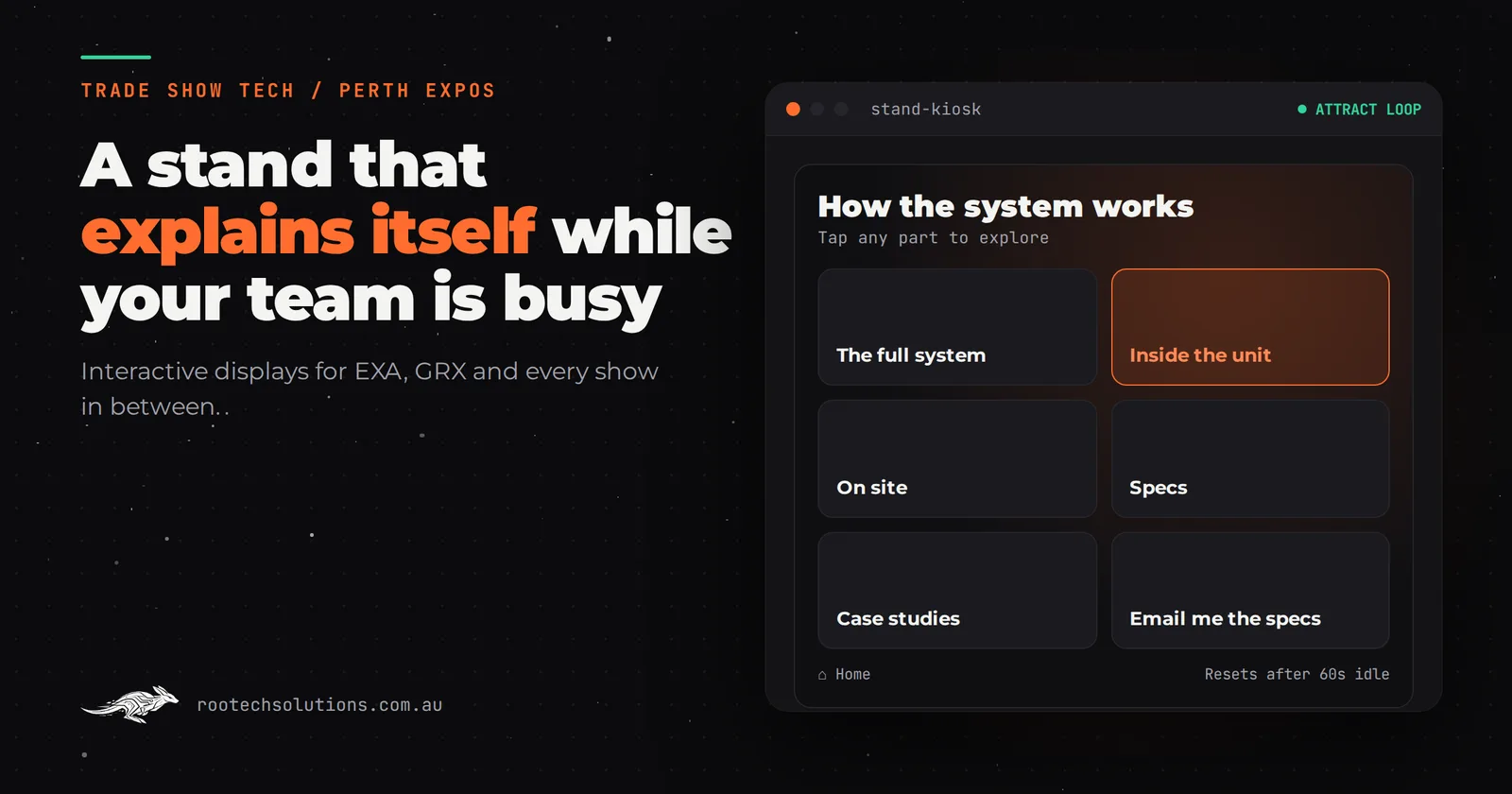
You've paid for the floor space at a Perth expo, the stand is booked, and the product you're selling is a pump, a processing plant, a subsea system or a service nobody can see. A banner and a brochure rack won't explain it, and your two best people can only talk to two visitors at a time.
Short answer: The best interactive trade show display for a Perth expo is the one that explains your product in the time a visitor gives you, usually under a minute, and keeps working when your team is busy. Touchscreens suit complex products, motion and computer vision games pull crowds, AR suits products too big to bring, and VR suits environments. Build it to run unattended and to capture leads.
Why are interactive displays worth it at Perth trade shows?
Perth's big shows sell things that don't fit on a stand. Energy Exchange Australia (EXA), the upstream oil and gas event formerly known as AOG Energy, runs at the Perth Convention and Exhibition Centre and returns on 2 to 4 March 2027. Its 2026 edition had 221 exhibitors covering oil and gas, decommissioning, offshore wind, carbon capture, hydrogen, and data and AI. The Global Resources Innovation Expo (GRX) brings mining and METS suppliers to the same venue. Consumer shows like the Perth Home Show at PCEC and the Perth Caravan and Camping Show at Claremont Showground fill the halls with buyers comparing a dozen similar products in an afternoon.
In every one of those rooms, the exhibitor's problem is the same: the product is big, technical or invisible, and a visitor walking the aisle decides in seconds whether to stop. An interactive display does three jobs a static stand can't:
- It stops people. Movement and something to touch pull visitors in from the aisle.
- It explains the product without a salesperson. A visitor drills into the part they care about and skips the rest.
- It starts the conversation at the right place. By the time your team says hello, the visitor has already shown them what they're interested in.
Which interactive display fits which goal?
Pick the format by what you need the visitor to understand, not by what looks most impressive in a showreel.
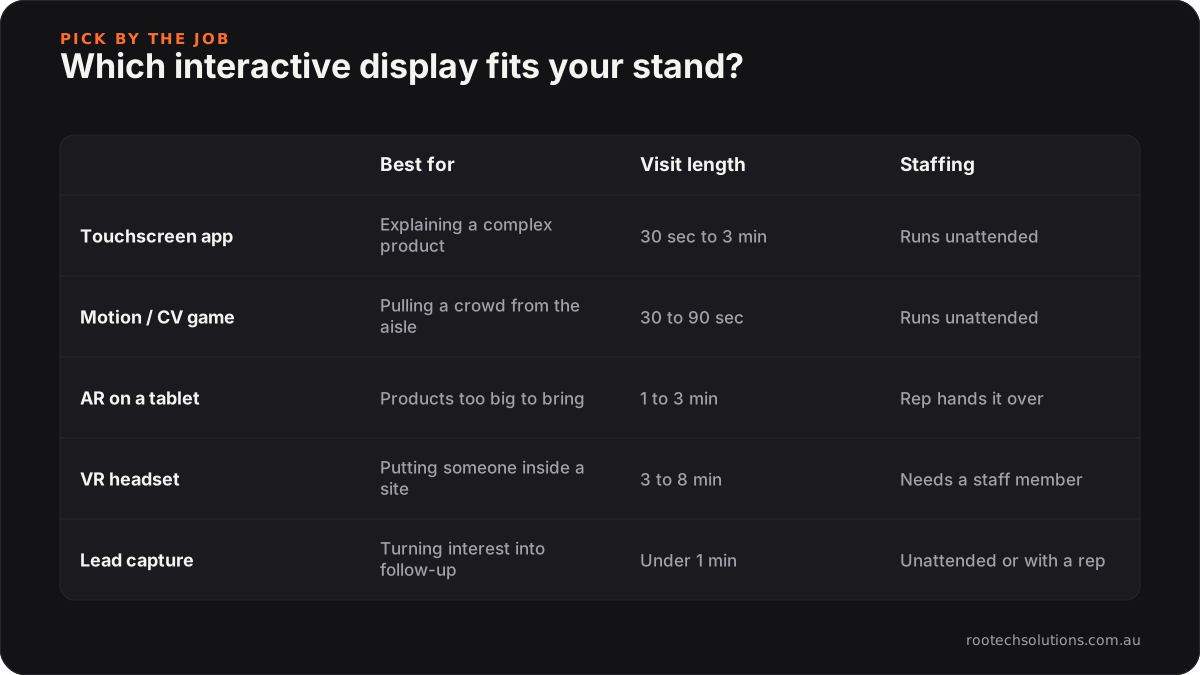
Caption: Choose the format by the job it has to do on the stand, then design the content around a visit that lasts under a minute.
| Format | Best for | Visitor time | Staffing | Watch out for | | --- | --- | --- | --- | --- | | Touchscreen app | Explaining a complex product or system, catalogues | 30 seconds to 3 minutes | Runs unattended | Too much text; it is not a website | | Motion or computer vision game | Pulling a crowd, brand recall, families at consumer shows | 30 to 90 seconds | Runs unattended | Lighting and people walking through the frame | | AR on phone or tablet | Products too big or too far away to bring | 1 to 3 minutes | A rep hands over the device | Tracking in bright halls | | VR headset | Putting someone inside a site, plant or role | 3 to 8 minutes | Needs a staff member | Throughput: one person at a time | | Lead capture kiosk or app | Turning interest into a follow-up | Under 1 minute | Runs unattended or with a rep | Asking for too much information |
Touchscreen apps: when the product is complex
A large touchscreen running a purpose-built app is the workhorse of an industrial stand. The visitor opens up the product, taps the part they care about, and sees how it works. For CoolIT Systems, a liquid cooling manufacturer, we built a touchscreen installation (delivered through Braveshell) with a 3D data centre rack a visitor can open up, from the cold plates on the servers to the coolant distribution units feeding them, plus a product catalogue. It boots straight into the experience, has a home button on every screen and resets when someone walks away. The stand explains itself, and the team spends its time on the conversations that follow.
The same pattern suits a lot of what's sold at PCEC: a processing circuit, a subsea system, a hydrogen plant, a piece of mining equipment that weighs more than the stand.
Motion and computer vision games: when you need a crowd
A camera that tracks people's bodies turns the visitor into the controller. No touching, no instructions, and it works from across the aisle because people can see someone else playing. For Nutrien's Nutrients 4 Revolution installation (also through Braveshell) a camera follows the player's movement and the crop grows with them, explaining crop nutrition without a brochure. Sammy the Snowman, a life-size character who notices and waves back at shoppers, ran every trading hour of a holiday season in a busy mall.
This format suits consumer shows where families walk the halls, and any stand where the first problem is getting noticed.
AR: when the product is too big to bring
Augmented reality puts a scale model on a table or the floor through a phone or tablet. For Shell we built an AR app that places a deep water production platform on any surface, with hotspots that explain each part of the system from the seabed up. For Bayer, an AR activation plays out a crop protection product's effect over the real world in seconds instead of weeks. Both run on standard phones and tablets and can be used by reps without a technician.
VR: when the visitor needs to be inside it
VR is the strongest format for showing an environment: a plant, a mine site, an offshore facility, a job. Experience the Energy takes people onto energy sites they would otherwise never see, with session flow tuned for events: fast start, short runtime, easy handover. The trade-off is throughput. One headset serves one person for several minutes, so VR works best as the second step after a touchscreen or a game has already done the filtering.
What makes an interactive display work on a show floor?
The difference between a display that runs for three days and one that's switched off by lunchtime on day one is almost entirely in the boring parts. Brief for these explicitly:
- Unattended operation. It boots straight into the experience, has no visible desktop, recovers by itself if anything crashes, and returns to an attract loop when nobody is using it.
- A visit that fits the aisle. Assume 30 to 60 seconds. Every screen should make sense on its own, with big targets and almost no text.
- A home button everywhere and an idle reset. The next visitor should never land halfway through someone else's session.
- Offline first. Venue Wi-Fi is shared with thousands of people. The experience should run without the internet and sync leads later.
- Content you can update. Product specs change between shows. A simple content file or admin screen means you don't pay for a rebuild every time.
- Lead capture built in. If the display creates interest but nothing records it, the stand forgets it by Friday. We cover this in trade show lead capture with AI.
Do you need a Perth-based developer to build one?
No. What matters is that the software is built and tested for the show floor and arrives ready to run. Rootech is based in Melbourne and delivers custom software for Perth and WA businesses remotely: discovery and reviews over video, builds tested on the same hardware model you'll use, and the installation shipped pre-configured and set up with your team over a call. We only travel for the rare install that cannot be done any other way.
Perth is two to three hours behind Melbourne depending on daylight saving, which works in your favour during a show: we're online before your stand opens, so a content change requested at the end of day one can be ready for day two.
How do you brief an interactive trade show display?
A good brief fits on one page. These five steps get you there.
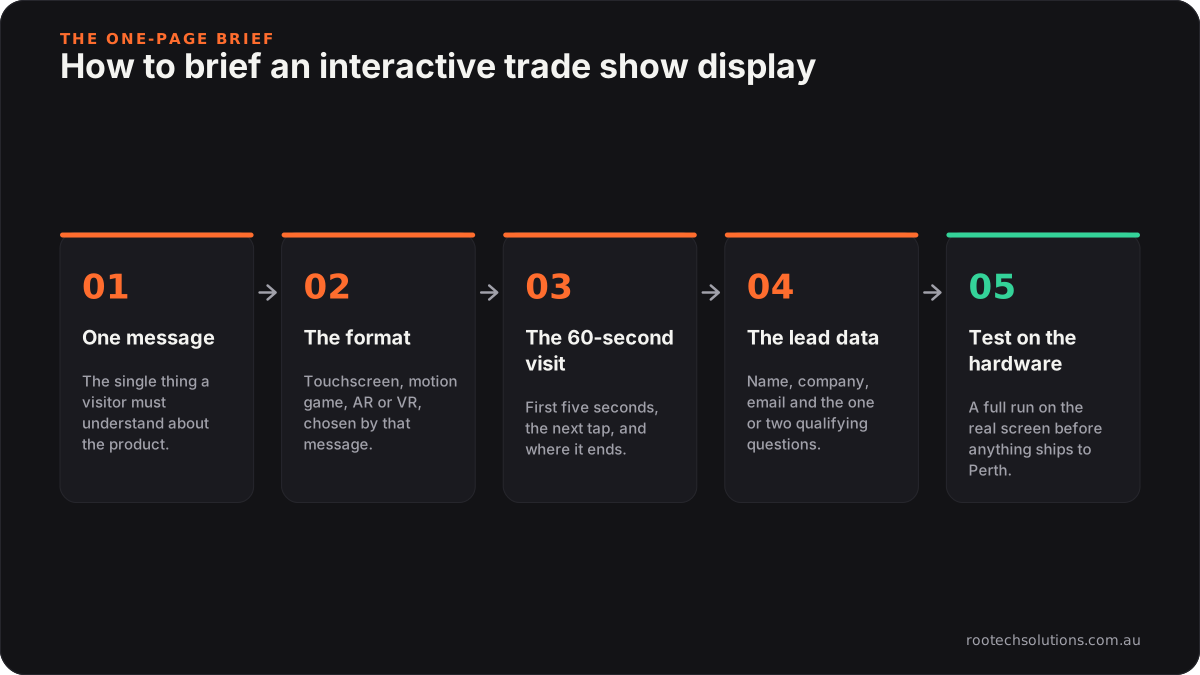
Caption: Most of a good brief is deciding what to leave out.
- The one thing a visitor must understand. "Our system cools a rack with liquid, not air" is a brief. "Showcase our full range" is not.
- The format. Use the table above. If you have two goals (pull a crowd, then explain), that's often two experiences.
- The 60-second visit. Sketch what someone sees in the first five seconds, what they tap or do next, and where it ends.
- The lead data. Name, company, email, and the one or two questions your sales team actually uses to qualify.
- The hardware and the test. Screen size, orientation, touch or camera, and a full run on the real hardware before it ships.
Most touchscreen builds take four to eight weeks from brief to the stand, so book the build once your floor space is confirmed rather than the month before. Cost depends mostly on whether the content is 3D, how many screens and products it covers, and whether it captures leads; we break that down in what a trade show touchscreen costs.
Can you reuse an interactive display across shows?
Yes, and you should plan for it. A well-built app is software, not a printed panel: the same experience can run at EXA in March, at GRX, at an east coast show later in the year, in your reception and on a sales tablet. Ask for the content to be editable and for the app to run on hardware you can hire in any city, and the cost spreads across every event you attend.
Frequently asked questions
What size screen do I need for a trade show touchscreen?
It depends on the stand and how many people should be able to watch. A single visitor app works on a 32 to 43 inch touch display at standing height; a crowd-pulling experience usually goes on a 55 inch screen or larger. Decide the screen before the design starts, because layout and button sizes are designed for a specific size and orientation.
Can I hire the hardware in Perth instead of shipping it?
Usually, yes. Touchscreens, kiosks and large displays are available from AV hire companies in Perth. The software is then installed and tested on the same model before the show, which is why the hardware choice should be locked in early.
Will an interactive display work without internet at PCEC or Claremont Showground?
It should. A well-built trade show app runs entirely offline and stores leads on the device, syncing them to your CRM when a connection is available. Treat venue Wi-Fi as a bonus, never a dependency.
Do interactive displays actually generate leads?
They create the conversation; the lead only exists if something captures it. Build a short capture step into the experience, such as emailing the visitor the spec sheet for the product they explored, and connect it to your CRM so follow-up starts the same day.
How far ahead should we start?
Two to three months before the show is comfortable for a custom touchscreen app, which leaves time for content sign-off and a hardware test. A simpler update to an existing app can be done in a few weeks.
Planning a stand for a Perth expo?
We build touchscreen apps, computer vision installations and AR experiences that explain a complex product on a stand without a salesperson, and the lead capture that turns the interest into follow-up. Book a free call and we'll look at your product, your show and your stand with you, and tell you honestly which format is worth building, before you spend a cent.