Touchscreen Installations That Generate Leads in Australia
Turn a touchscreen installation into a lead generator: earn the ask, capture the right fields, sync to your CRM and follow up the same day. Fixed price.
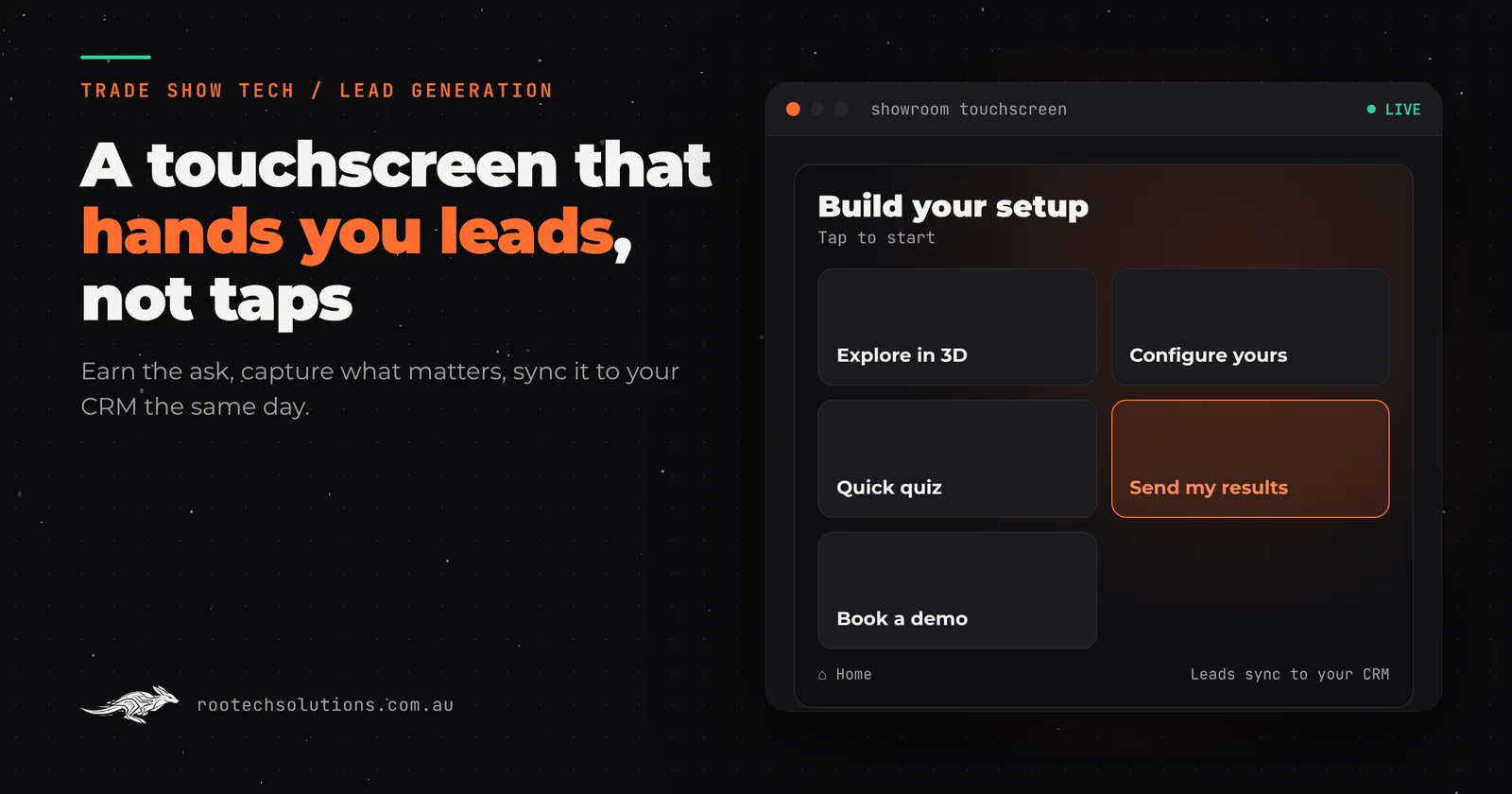
Most touchscreens on stands, in showrooms and in reception areas are brochures with a power cable. People tap them, look at a few pages, and walk away. Nobody knows who they were, what they looked at, or whether they were ready to buy. The screen cost real money and produced zero leads.
Short answer: A touchscreen installation generates leads when it gives the visitor something worth their time first (a product they can open up, a game, a configurator, a quiz with a personal result), then asks for a few details in exchange for something they want, and sends those details straight to your CRM with a record of what they explored. Rootech builds the lead capture and CRM integration as an add-on, typically $4,000 to $12,000, software only, excluding GST.
Why do most touchscreen installations not generate leads?
Because they were designed to show content, not to start a conversation. The usual failures:
- The form comes first. "Enter your email to continue" before the visitor has seen anything. Most people walk away, and the ones who stay give a fake address.
- There is nothing to trade. If the screen shows what is in the brochure, there is no reason to leave details. The brochure is free.
- The data stays on the device. Leads sit in a spreadsheet on the kiosk until someone exports it after the event, by which time they are a week cold.
- No context travels with the lead. A name and an email, with no idea which product they spent three minutes on.
- Nobody can tell if it worked. No numbers on how many people used it, how far they got, or where they dropped off.
All five are design and software problems, which means all five can be fixed before the screen goes on the stand.
How does a touchscreen turn a visitor into a lead?
By following the same five steps every time: attract, engage, earn the ask, capture, hand off.
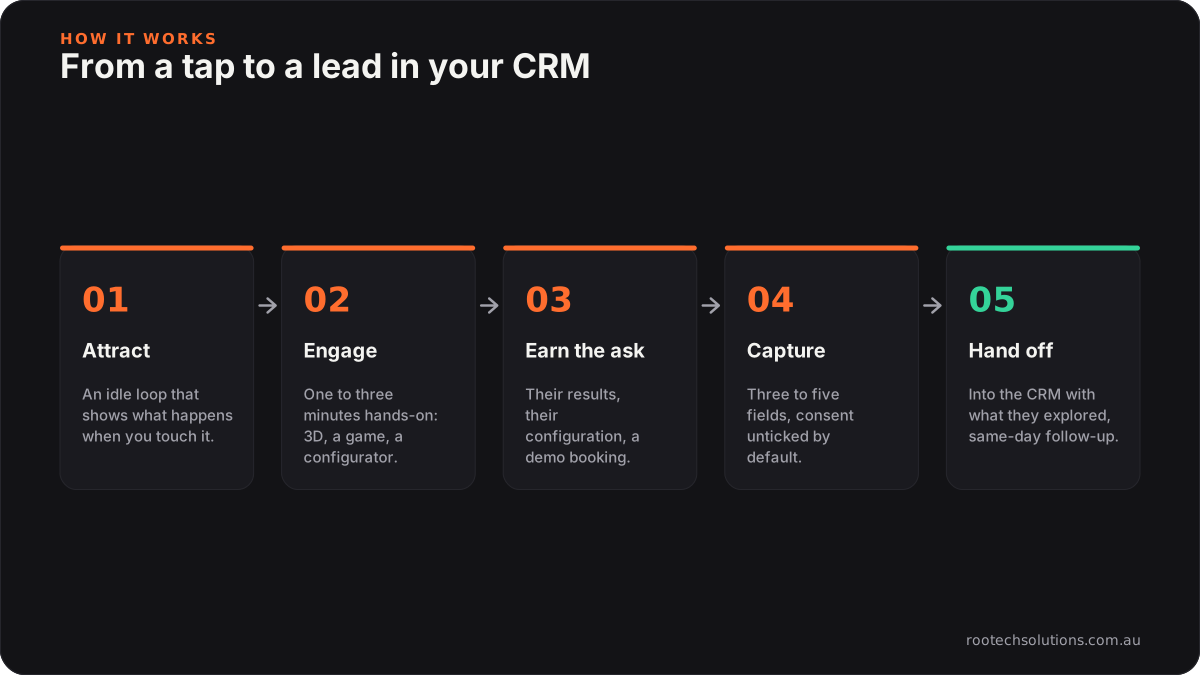
Caption: The ask comes after the visitor has had something worth their time, not before.
| Step | What the screen does | What it looks like |
|---|---|---|
| 1. Attract | An idle loop that shows what happens when you touch it | A product spinning open, a game being played, a question on screen |
| 2. Engage | Something hands-on that takes one to three minutes | Open up a 3D product, play a game, build a configuration, answer a quiz |
| 3. Earn the ask | A reason to leave details | "Email me this configuration", "send my results", "enter the draw", "book a demo" |
| 4. Capture | Three to five fields, with clear consent | Name, email, company, one qualifying question |
| 5. Hand off | The lead lands in your CRM with context | Tagged with what they explored, routed to the right rep |
The Syngenta Match & Win game is the pattern in practice. Growers pick their soil zone, match brand cards to grow a wheat field, take a quick quiz and leave their details at the end, while the stand team talks to the next one. The game earns the ask: by the time the form appears, the player has played and learned something.
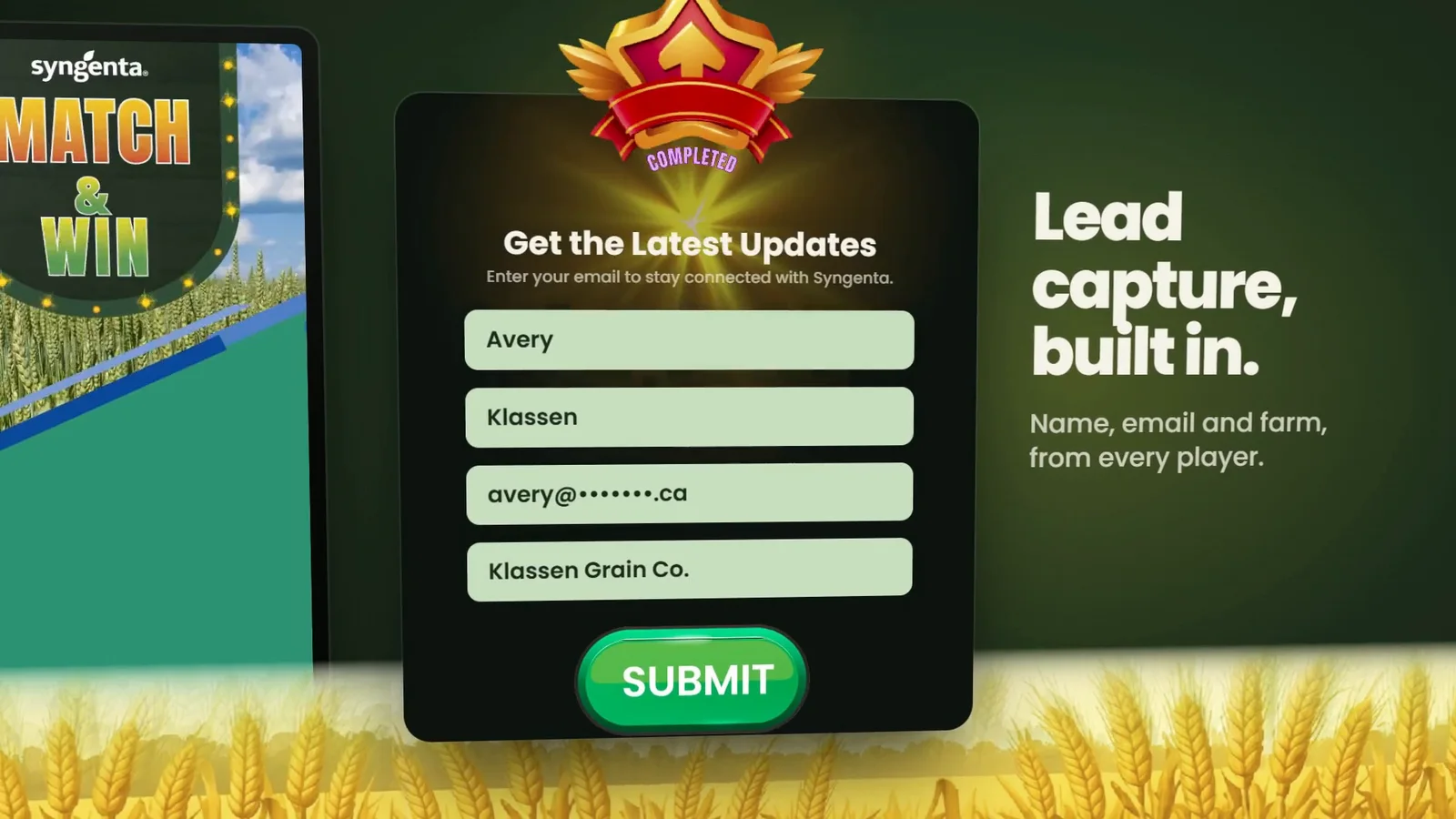
Caption: Syngenta's Match & Win: four fields, after the game, not before it.
What should the touchscreen ask for?
As little as you can act on. Every extra field costs you completions. Pick fields by what your sales team actually does next:
| Setting | Fields worth asking | The one qualifying question |
|---|---|---|
| Trade show or expo stand | Name, email, company | "When are you looking to buy?" or "Which product line?" |
| Showroom or display suite | Name, email, phone | "Which unit or model interested you?" (often captured automatically from what they opened) |
| Reception or retail floor | Name, email | "Would you like someone to call you?" |
| Visitor centre or museum | Email only | "Send me this?" (an opt-in, not a sales lead) |
The best qualifying data is the data the visitor never has to type. If they spent most of their session on one product, configured a particular model, or scored highly on one part of a quiz, the software records it and the lead arrives with it. That is the difference between "someone visited" and "an operations manager spent four minutes on the commercial range and wants to talk in the next quarter".
On a showroom screen like the Minto Apartments sales office touchscreen, buyers explore a 3D model of the building, open the floor plan of any available unit and see the neighbourhood around it, so the conversation starts from a unit they have already picked.
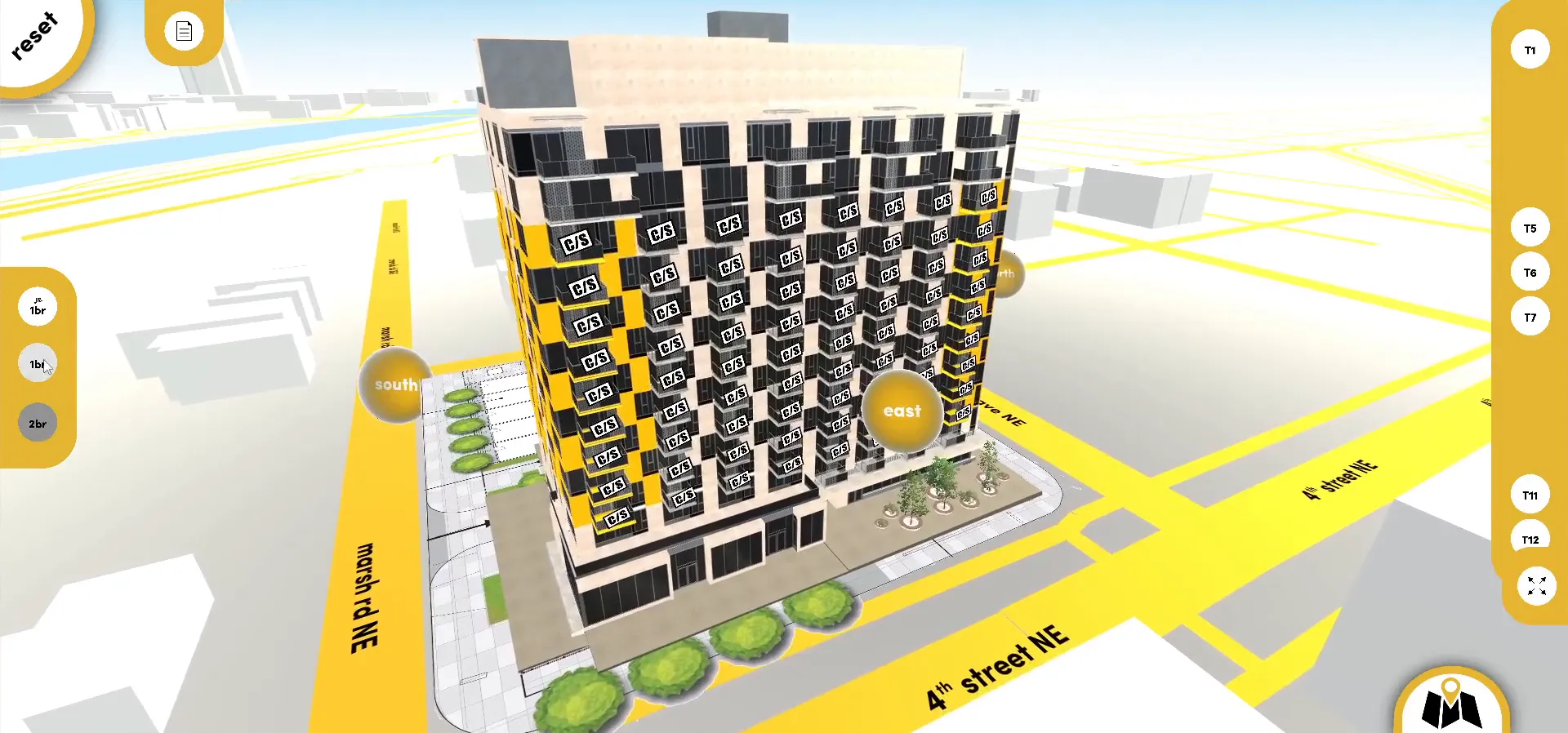
Caption: Minto's sales office screen: what the buyer explores is the qualifying data.
How do touchscreen leads get into the CRM?
Directly, as they happen, with a fallback for bad venue wifi. A lead capture build should:
- Sync each lead to your CRM (HubSpot, Salesforce, or whatever you run) as it is captured, tagged with the event or location, the screen and what the visitor explored.
- Queue leads on the device when the network drops. Venue wifi is unreliable, so leads are saved locally and sent when the connection returns, with nothing lost and nothing doubled.
- Match existing contacts so a returning customer updates their record instead of creating a duplicate.
- Route hot leads to a person. A lead that answered "this quarter" goes to a named rep with a notification, not into a general list.
- Trigger the follow-up. The configuration they built, the results they asked for, or a short note from the rep, sent the same day. We cover AI-drafted follow-up in same-day AI follow-up for Adelaide food and wine expos and the stand-side capture flow in trade show lead capture at Perth expos.
Speed matters after an event as much as it does for any other enquiry. A lead that hears from you the same day remembers your stand.
What are the privacy and consent rules for touchscreen lead capture?
Treat a touchscreen form like any other form that collects personal information. Under the Spam Act 2003, commercial emails and texts need consent, must identify the business and must include a way to unsubscribe, and unsubscribe requests must be honoured within five working days (ACMA). How you collect and handle personal information is covered by the Australian Privacy Principles. In practice that means:
- A marketing consent checkbox that is not ticked by default, separate from "send me my results".
- A short line saying who is collecting the details and what you will do with them, with a link to your privacy policy.
- Every follow-up email naming your business, with a working unsubscribe.
- Nothing left on the device after the event: leads synced, local data cleared.
If you run a prize draw, check the rules for trade promotions in each state you run it in. This is general information, not legal advice.
How do you know if the touchscreen is working?
Measure the funnel, not just the leads. A good installation records, without storing anything personal it does not need:
- Sessions: how many people touched the screen, by hour and by day.
- Depth: how far each session got, and which screens people spent time on.
- Completion: how many reached the ask, and how many said yes.
- Lead quality: which leads became meetings, from the CRM, so next time you know which product and which question pulled in buyers.
That turns the next show's brief from a guess into an edit: move the ask, cut a screen nobody visited, change the qualifying question.
What does a lead-generating touchscreen cost?
The screen software and the lead capture are priced separately, so you can add capture to a touchscreen you already have. Indicative ranges, in AUD, software only, excluding GST:
| Build | Indicative range |
|---|---|
| Templated content touchscreen app | $5,000 to $15,000 |
| Custom touchscreen with video and animation | $15,000 to $30,000 |
| Bespoke 3D product touchscreen | $25,000 to $60,000 |
| Lead capture with CRM integration (add-on) | $4,000 to $12,000 |
Screens and kiosks are usually hired separately for each event, and we install the software on whatever you hire. Every project is fixed price, and most builds ship in two to four weeks. You own the code, so the same touchscreen and its lead capture run at every show on your calendar and on a showroom or reception screen in between. For the detail behind the ranges, see what a trade show touchscreen costs. If you want the screen to be the centrepiece rather than a kiosk, our guide to immersive installations in Australia covers motion games, projection and AR.
Frequently asked questions
Can a touchscreen kiosk really generate leads?
Yes, when it gives the visitor something worth their time first and asks for details in exchange for something they want, such as their results, a configuration or a demo booking. A screen that only shows brochure content rarely generates leads, because there is no reason to leave details.
How many fields should a touchscreen lead form have?
Three to five. Name, email and one or two fields your sales team acts on, such as company and a buying timeline. Capture what the visitor explored automatically instead of asking for it.
Do touchscreen leads go straight into HubSpot or Salesforce?
They can. A Rootech lead capture build syncs each lead to your CRM as it is captured, queues leads on the device when venue wifi drops, and tags each one with the event, the screen and what the visitor explored.
Can you add lead capture to a touchscreen we already have?
Usually, yes. Lead capture with CRM integration is priced as an add-on, typically $4,000 to $12,000, software only and excluding GST. We start by reviewing the existing software and tell you honestly whether it is worth extending or rebuilding.
Do you install touchscreens outside Melbourne?
Yes. Rootech is based in Melbourne and works Australia-wide. Outside Melbourne the software is installed on the screen you hire and set up with your team over a call.
Make your next screen pay for itself
Tell us where the screen will live, who walks past it and what your sales team needs to know. Start a project and we will come back with a fixed price, a timeline and the one question we think your screen should ask.