Interactive Touchscreens for Less: Engineers, AI, No Layers
Why an interactive touchscreen or immersive build from Rootech costs less in Australia: a team of engineers, AI in the workflow, and published ranges.
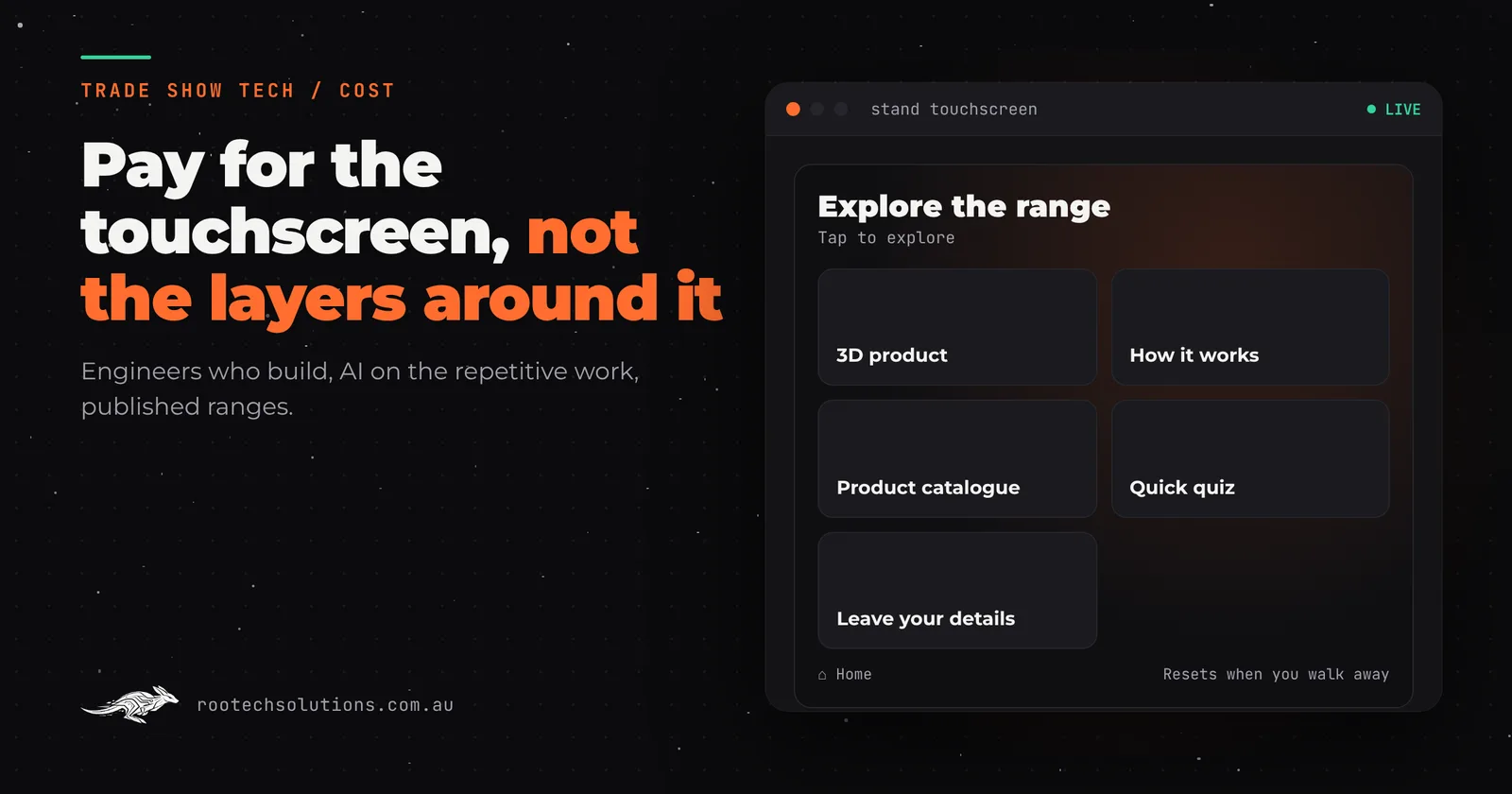
You asked three studios for a trade show touchscreen and got three numbers that do not look like they describe the same job. Some of that gap is scope. A lot of it is who is in the room: how many people sit between you and the person writing the software, and how many hours each of them bills.
Short answer: An interactive touchscreen or immersive installation costs less from a small team of engineers who use AI in their workflow, because you pay for building, not for layers of account management and handoffs, and AI takes the repetitive parts of the build off the clock. Rootech publishes its ranges: a templated touchscreen app is typically $5,000 to $15,000, software only, excluding GST.
Where does the money go in an interactive touchscreen quote?
Mostly into people's hours, and not all of those hours are building. A touchscreen for a stand is a piece of software: screens, content, touch handling, an attract loop, a reset, maybe a 3D model and a lead capture form. The quote is the hours it takes to make that, plus the hours it takes to manage the people making it.
In a traditional agency or production company, a project usually passes through several roles before code is written: an account manager who wins and runs the relationship, a producer or project manager, a creative director, designers, and then developers, sometimes at a separate studio. Each handoff is a meeting, a document and a round of revisions. Every one of those people is necessary in that model, and every one of them is on the quote.
| Where the hours go | Traditional agency model | Rootech |
|---|---|---|
| Winning and managing the account | Account manager, producer | The engineer you talk to |
| Turning the brief into a plan | Workshops and a creative deck | A call, then a working prototype |
| Design to development | A handoff between teams | The same people, no handoff |
| Repetitive build work | Billed by the hour | Sped up with AI, checked by an engineer |
| Testing on the real screen | Often near the end | From the first week |
We cannot tell you what another studio will quote, and we will not guess. We can tell you why ours are built the way they are.
How does a team of engineers keep the cost down?
There is nobody in the chain who does not build. You talk to the engineers who will write the software, from the first call to the install. The person who hears "visitors need to understand the cooling loop in thirty seconds" is the person who designs the screen that does it, so nothing is lost in translation and nothing is billed twice.
That also changes how the project runs. Instead of weeks of workshops and a creative deck, you get a working prototype on a real touchscreen early, and the feedback is on the thing itself. Most builds ship in two to four weeks; a multi-screen installation gets a fixed timeline up front. Every project is fixed price, agreed in writing before we start.
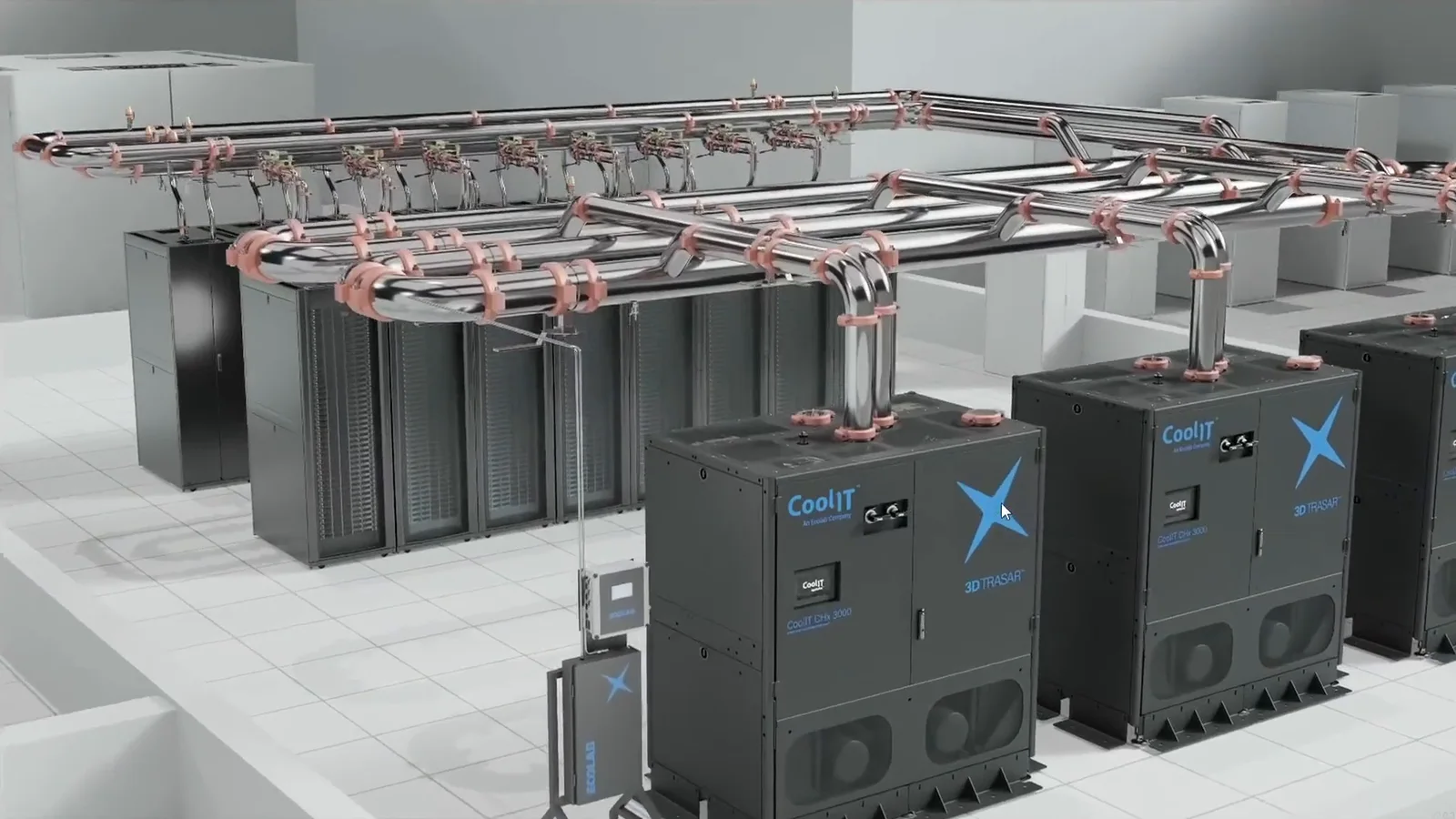
Caption: CoolIT's stand touchscreen: a 3D rack visitors open up with their fingers, built to run unattended all day.
What does AI actually do in a touchscreen build?
It takes the repetitive work off the clock, so the hours go to the parts that need judgement. In our workflow, AI helps with:
- Boilerplate code. The screens, navigation, reset timers and data plumbing every kiosk needs. An engineer writes the structure and reviews every line; AI does the typing.
- Turning your material into content. Product sheets, brochures and spec tables become structured content for the screens, ready for you to check, instead of being retyped by hand.
- Copy drafts. Short, on-screen versions of your product text, written from what you supplied and nothing else, for you to approve.
- Tests. Checks that every button leads somewhere, every screen has a way home and the reset works, written in minutes rather than an afternoon.
- Variations. A second language, a portrait version, a different show's branding, without rebuilding from scratch.
What AI does not do is decide what goes on the screen, make it feel good under a finger, or make sure it runs for three days on a show floor without anyone touching it. That is engineering, and it is where our time goes.
What does an interactive touchscreen cost from Rootech?
These are indicative ranges for software only, excluding GST, with hardware hired separately. We cover what drives each number in what a trade show touchscreen costs.
| Build | Indicative range (AUD, ex GST) |
|---|---|
| Templated content touchscreen app | $5,000 to $15,000 |
| Custom touchscreen with video and animation | $15,000 to $30,000 |
| Bespoke 3D product touchscreen | $25,000 to $60,000 |
| Computer vision or motion game | $30,000 to $80,000 |
| Lead capture with CRM integration (add-on) | $4,000 to $12,000 |
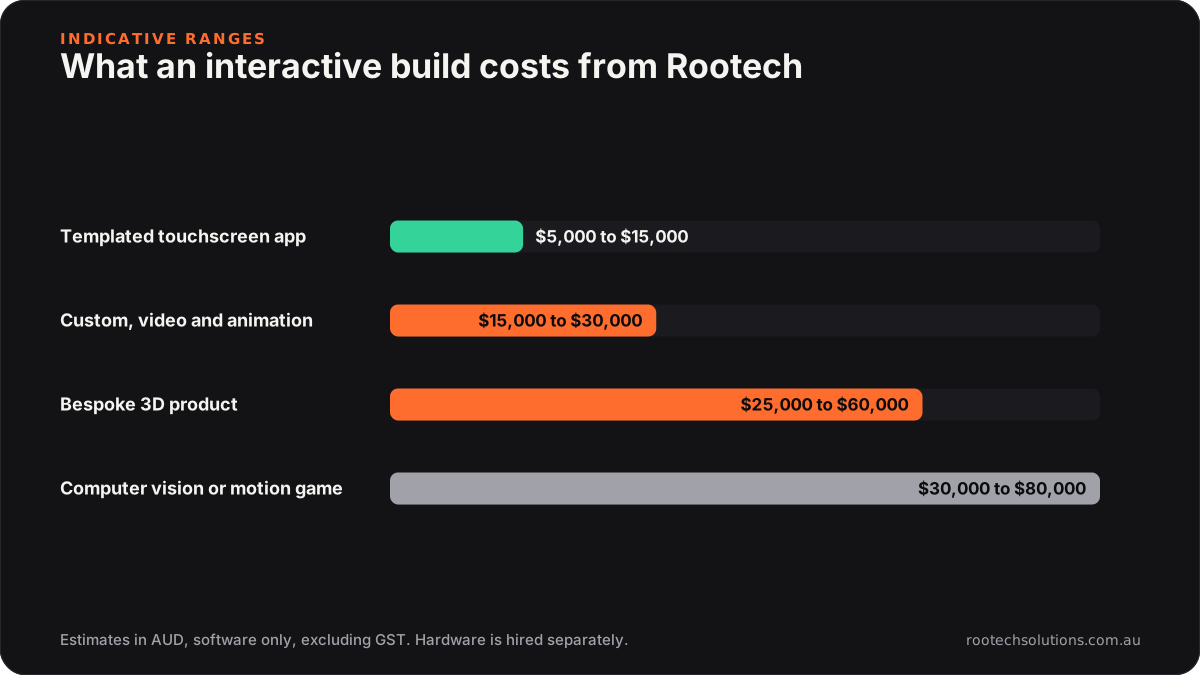
Caption: Published ranges, so you can compare any quote against them before you sign.
Running costs are small: hosting, where the build needs any, is usually under $50 a month. The rest is a one-off build you own.
Does cheaper mean a lower quality installation?
No, because the savings come from structure, not from cutting corners on the parts visitors touch. The same team built a portrait touchscreen game for Syngenta Canada's stand, where growers match brand cards to grow a wheat field, take a quick quiz and leave their details, and a computer vision installation for Nutrien where a camera turns visitors' movement into the game.
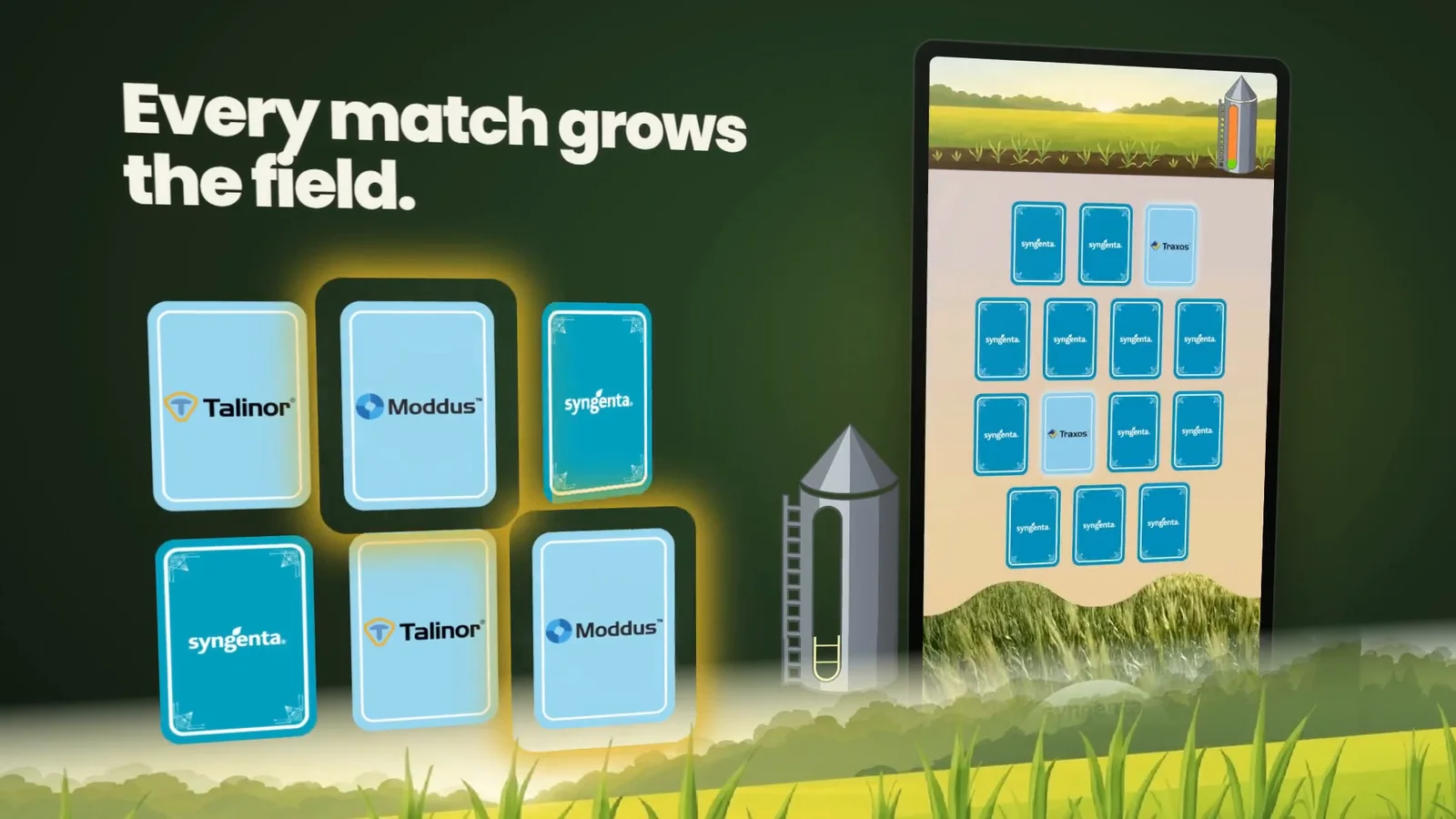
Caption: Syngenta's Match & Win: every match grows the field and teaches a brand.
Our immersive work runs from augmented reality, like the Shell Deep Water app that puts a production platform on any table, to large-scale experiences such as Creatures of Australia, an interactive wildlife exhibition that ran in Sydney. Several of these were delivered with or through partner studios such as Braveshell, MammothXR and Zebrar, and the same engineers now work directly with exhibitors.

Caption: The game earns the ask: lead capture comes after the player has played and learned something.
How do you make an interactive build cheaper over time?
Build it once and use it everywhere. A touchscreen that runs at one show can run at every show on your calendar and on a reception screen in between. We make the content editable, so a new product or a changed quiz question does not mean paying for a rebuild, and you own the code, so you are never locked in to us for changes.
Outside Melbourne, delivery is remote: discovery and reviews over video, the software installed on the screen you hire and set up with your team over a call. That keeps travel off the quote too.
Frequently asked questions
Why is a touchscreen from a small engineering team cheaper than from an agency?
Because the quote is mostly people's hours, and a small engineering team has fewer people who do not build. There are no handoffs between an account team, a creative team and a development team, and AI handles repetitive build work an engineer then checks.
Does using AI make the software less reliable?
No. AI drafts code, content and tests; an engineer reviews every line and tests on the real hardware from the first week. Reliability on a show floor comes from that testing, an attract loop, big touch targets and a reset when someone walks away.
Do the prices include the screen?
No. The ranges are for software only and exclude GST. Screens and kiosks are usually hired separately for each show, and we install the software on whatever you hire.
Can we reuse the touchscreen at more than one event?
Yes. You own the code and the content is editable, so the same build runs at every show and on a reception screen in between, with new products or questions added without a rebuild.
Get a fixed price for your next stand
Tell us the show, the product and what you want visitors to walk away knowing. Start a project and we will come back with a fixed price and a timeline, or tell you honestly if a templated app would do the job.