What a Stand Quiz Should Ask at a Brisbane Careers Expo
What a stand quiz should ask at a Brisbane careers expo: question sets, the 60-second visitor flow, costs in AUD and lead capture that survives the show.
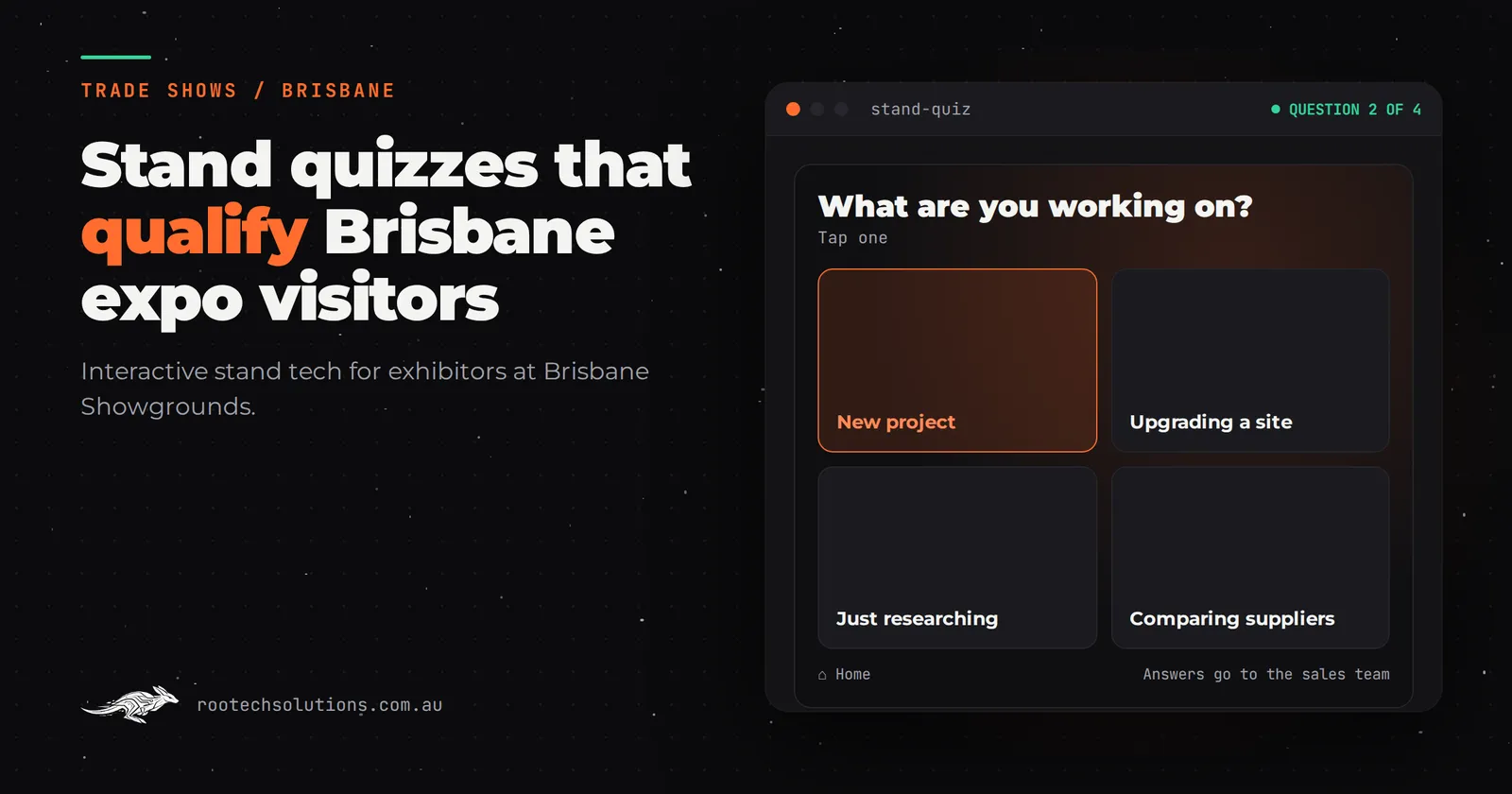
You have paid for floor space at a careers expo in Brisbane. Your job, your trade or your training program is genuinely interesting, but most visitors walk past because they cannot picture themselves doing it. They stop at the stands with something to do, and yours has a banner and a brochure.
A stand quiz fixes that. It gives every visitor something to do for a minute, tells them which of your pathways or roles actually fits them, and hands your team a list of qualified names to follow up after the show. Here is what a quiz should ask, what it costs, and what keeps it running from doors open to doors close.
Short answer: A stand quiz at a Brisbane careers expo should ask three to five quick questions about the visitor's interests and working style, match them to a specific role, course or pathway on your stand, capture their contact details on the same screen, and email their result straight to them. Budget roughly $5,000 to $30,000 for the software, and keep every question under fifteen seconds so the queue keeps moving.
Why does a quiz work at a careers expo when a video wall doesn't?
Careers expos have a problem no other kind of show has: the visitor is browsing a future version of themselves they cannot see. A school student has no idea what a surveyor, a refrigeration technician or an allied health assistant does all day. A career changer knows they want out of their current job but not what to move into. Banners that say "join us" mean nothing to someone who cannot picture the day-to-day.
A quiz turns that fuzzy interest into a concrete answer. The visitor answers a few questions, and the screen tells them: you are the kind of person who suits hands-on outdoor roles, so here is the apprenticeship pathway; or you like structure and data, so here is the certificate course that leads to the office role. That result is personal, and people remember personal. It also gives your staff an opening. Instead of walking up and asking "have you heard of us?", the conversation starts from the result the visitor is already holding: "that matched you to the lab role, do you want to hear what a first year looks like?"
A video wall shows your work. A quiz makes the visitor do your work for thirty seconds. At a careers expo, doing beats watching.
What should the quiz actually ask?
Keep it to three to five questions. Every question should be answerable in ten to fifteen seconds with a tap. The questions map interests and working styles to your real roles or courses, not to generic personality types.
A workable question set for an employer or training provider:
- What sounds like a good day? Outdoors and active / fixing and building things / helping people / working with data and screens. Four options, one tap.
- How do you like to learn? Watching someone, then trying it / reading and studying / jumping in and figuring it out / a mix.
- Where do you want to be in two years? In a trade with a qualification / in a job with steady hours / running my own thing / still working it out.
- Optional: what year are you at school, or are you working now? This does the qualifying silently. The result can say "here is the Year 10 pathway" or "here is the mature-age route" without you asking.
The result screen then matches to two or three of your actual pathways, each with one line of what it involves and one line of what the first year looks like. Not a job title alone. "Surveyor" means nothing. "Surveyor: you spend the morning outside measuring sites and the afternoon turning it into plans" means something.
Finish the result with a reason to hand over a name and email: "Want the full pathway guide? Enter your email and we will send it." That is your lead capture, and it works because the visitor has just been told something personal about themselves and wants the rest.
What does the visitor experience look like, second by second?
Assume the visitor gives your stand 30 to 60 seconds. Design for it.
- First five seconds: the screen is already playing a short attract loop, questions cycling with the result screens between them. The visitor sees the quiz before they see your banner. A screensaver or an idle home page wastes your one moment.
- Seconds five to ten: they tap "Start". The first question is on screen instantly. If they have to wait for anything to load, they are gone.
- Minutes zero to one: three to five taps, then their result. Big text, your branding, the two or three matched pathways.
- The handoff: the result screen tells them to grab the printed pathway card from your table, and prompts the email capture. Your staff, freed from explaining from scratch, now do the part a screen cannot: the actual conversation.
- After the show: the visitor gets an email with their result and the pathway guide. You get a list of names matched to the role they were interested in, so follow-up starts with "you matched to the electrical apprenticeship", not "thanks for visiting".
The test for any screen at a careers expo: could a visitor get value from it with no staff member nearby? The quiz passes. That matters, because most of the day nobody from your team is free to work the screen.
What keeps the quiz running all day at the Brisbane Convention and Exhibition Centre?
Show floors are hard on software. Thousands of people, shared venue Wi-Fi, ten hours of continuous use, and nobody on your team who can debug anything. The unglamorous parts decide whether your quiz is still working at 3pm.
- Offline first. The venue Wi-Fi is shared with every other exhibitor and every visitor with a phone. The quiz must run entirely on the screen itself, with lead data queued locally and synced when the network allows. Never build a show floor app that needs the internet to run.
- Idle reset and home button. After sixty seconds untouched, the screen resets to the attract loop, so every visitor starts at question one, not at the question the last teenager abandoned. A visible home button gets staff out of trouble instantly.
- Crash recovery. If the app faults, it restarts itself into the attract loop within seconds, unattended. No blue screens, no waiting for an IT person.
- Boots straight into the experience. No desktop, no login screen, no browser tabs. The screen turns on and the quiz is there.
- Content you can edit. Question wording, pathway text and the email copy should be editable by your marketing team between shows, without a developer.
- Lead capture built in. Names, emails and matched pathways collected on the same screen, consent ticked on it too, and exported or piped into your CRM. Collecting leads on paper at the front of the stand while the quiz runs is how the list gets lost. We cover the follow-up half of this in Trade Show Lead Capture at Perth Expos, Built With AI, which applies anywhere, including Brisbane.
What does a stand quiz cost, and how long does it take?
Indicative software pricing for Australian exhibitors, excluding GST, with hardware hired separately:
| What you want | Indicative cost (AUD) | | --- | --- | | Templated quiz app, your branding and questions in our framework | $5,000 to $15,000 | | Custom quiz with video, animation and a bespoke result experience | $15,000 to $30,000 | | Lead capture with CRM integration, added to either of the above | $4,000 to $12,000 |
Running costs are usually modest: hosting often under $50 a month, and there is no AI usage cost for a rules-based quiz unless you add one. Our guide to what a trade show touchscreen costs walks through where those numbers come from.
For a careers expo, the templated end of the range usually does the job. The value is in the questions and the pathway content, which are yours to write, not in bespoke animation. Spend your budget on getting the questions right and on lead capture, not on a custom 3D result screen.
Most builds like this ship in two to four weeks. If your show is sooner than that, tell us the date first and we will be straight about whether it is realistic. Rootech delivers remotely Australia-wide: the software is built and tested in Melbourne, the touchscreen is hired locally in Brisbane, and the whole thing ships pre-configured and is set up with your team over a call. See what we build for exhibitors in Brisbane on our custom software Brisbane page.
How do you brief a quiz build?
A good brief fits on one page. Bring these five things:
- The roles or pathways to match against, with one plain-English line for each on what the day actually involves.
- The visitor, in one sentence: school students, career changers, both?
- What happens after the show: who follows up the leads, in what system, and what the follow-up email should say.
- The screen plan: what hardware you are hiring, or ask us what to hire. Check current rates with the Brisbane hire company; we do not quote hire prices.
- The show dates and any run-of-show constraints: doors open times, whether the stand is staffed at all times, and how loud the hall is, which affects whether the experience relies on sound (at a careers expo, assume it cannot).
Write the questions before you brief anyone, and test them on three people who fit your target visitor. If any of them cannot answer a question in fifteen seconds, cut or rewrite it. The questions are the product; the software is the delivery.
Should you build it for one show or reuse it?
Build it to reuse. A careers quiz is not tied to one event. The same build runs at Brisbane careers expos this year and at Sydney and Melbourne education events next year, with the questions and pathway content edited between shows. Two or three events and the second and third appearances cost you only the hire and your staff time.
Two cautions. First, refresh the content between events: last year's result wording and this year's courses should not coexist. Second, if you reuse it, design the lead export properly the first time, so each show's list lands in the same place in your CRM rather than in a folder of CSVs.
This is the same logic behind reusing one touchscreen build across shows, whether the build is a quiz or a product explorer like the trade show touchscreen we built for CoolIT Systems, which let visitors explore a liquid-cooled data centre rack with their fingers so the stand explained itself.
For an example of interactive tech aimed squarely at careers, look at the VR training experience we built for PetroLMI's Adapting Futures project, which puts students and job seekers inside energy sector roles before they commit to a career path. A quiz is the low-cost cousin of that idea: match the person to the role, then let them go deeper.
Frequently asked questions
How big a screen do we need?
Bigger than a tablet and smaller than a video wall is the sweet spot at a careers expo. A 55 to 75 inch commercial touchscreen mounted vertically on the front of the stand draws traffic without dominating it. Check current hire rates with a Brisbane AV hire company.
Should we hire the screen or buy one?
Hire it for your first one or two shows. Once you know the quiz earns its keep and you are committed to three or more events a year, buying a screen often pays off, but hire rates change and second-hand touchscreens are easy to find, so compare both before deciding.
Does the quiz need the internet on the show floor?
No, and it should not. Build it to run offline with leads queued on the device and synced later. Venue Wi-Fi at a big expo cannot be relied on for anything customer-facing.
How does lead capture and consent work?
The email entry happens on the screen as part of the result, with a clear line about what they are signing up for and a consent box left unticked by default. Keep collection and storage within the Australian Privacy Principles, and make unsubscribing easy in the follow-up email.
How far ahead of the show should we start?
Three to four weeks for a templated quiz, six to eight if you want custom animation or deeper CRM integration. Most builds ship in two to four weeks, but lead time for your questions, content and reviews is on top of the build.
Take your stand plan to a free call
If you are exhibiting at a careers expo in Brisbane or anywhere in Australia and want a quiz that qualifies visitors instead of just entertaining them, book a free call with Rootech. We will look at your roles or courses, your stand plan and your follow-up process, and tell you plainly what is worth building and what is not. The free AI workflow audit covers this, and the audit fee comes off your first project.