Social Media for Tradies: Posts From Your Job Photos
Social media for tradies without writing a post: how job photos become captioned posts for Instagram, Facebook, LinkedIn and Google, with your OK on each.
Your camera roll is full of finished jobs. The bathroom from last week, the deck from the week before, the switchboard upgrade you were quietly proud of. Your Instagram page still shows a post from two summers ago. It is not that you have nothing to show. It is that turning a photo into a post means sitting down after a ten-hour day to crop it, think of something to say, and do it again for every platform. So it does not happen.
This is one of the easiest jobs in a small business to hand to software, as long as a person still approves what goes out.
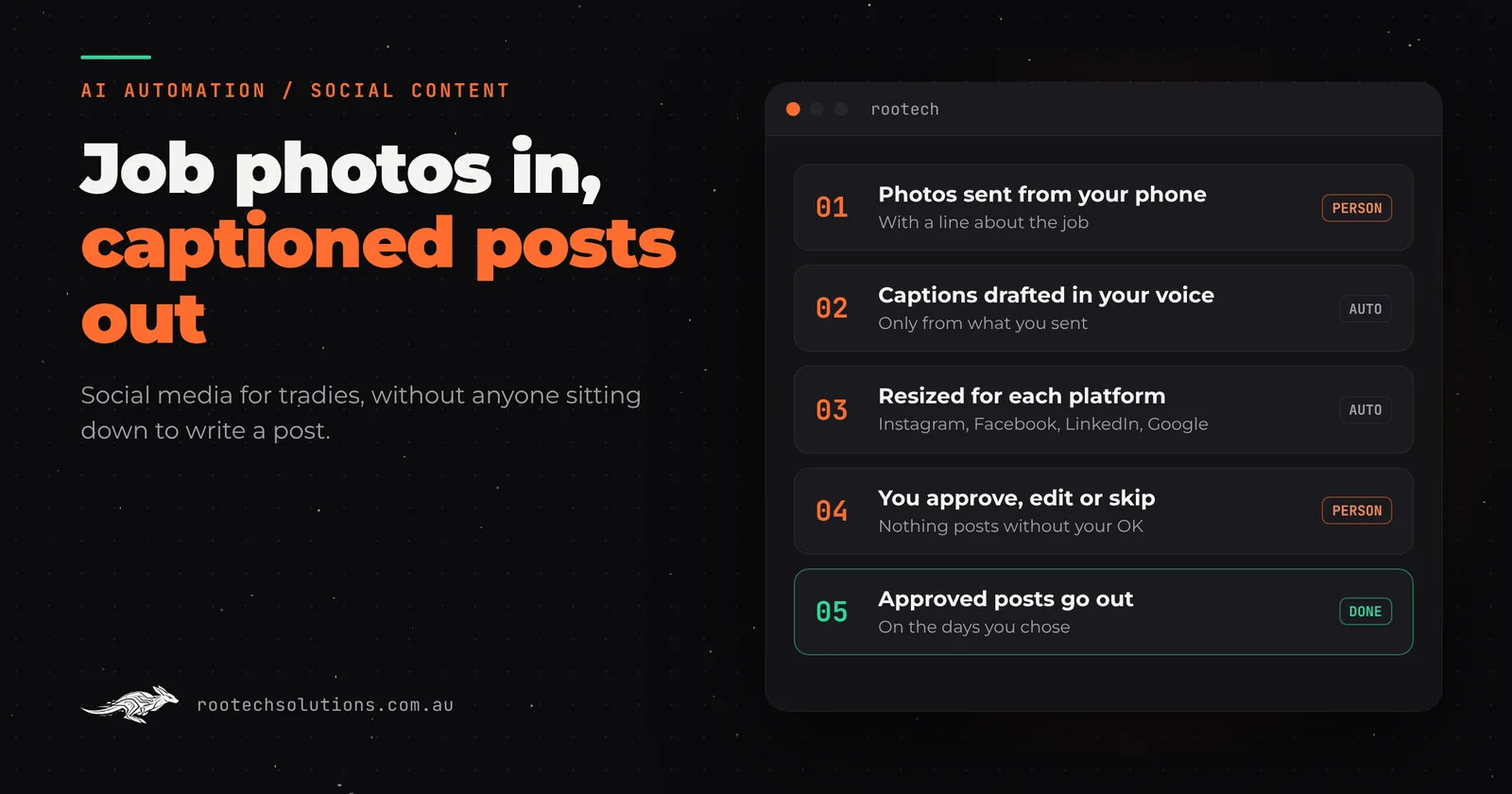
Short answer: A social media content workflow takes the photos of work you have already done and turns them into posts. You send the photos with a line about the job. AI drafts a caption in your voice for Instagram, Facebook, LinkedIn and Google Business Profile, resizes the photo for each one, and queues the drafts. You tap approve, edit or skip. Nothing is posted without your OK, and the AI writes only from what you sent, so it cannot invent a job, a price or a review.
Why do most tradie social media pages go quiet?
Because posting is a second job, and it sits at the bottom of the list. The work that makes a page look alive is small but fiddly:
- Pick the photos and crop them to the shape each platform wants.
- Write a caption that says what the job was and where, without sounding like an ad.
- Do it again for the next platform, because what suits Instagram does not suit LinkedIn.
- Remember to do it next week as well.
Each step takes minutes. Together they are an hour nobody has. A page that was started with good intentions goes quiet, and a quiet page is worse than it sounds: a customer checking you out sees a last post from two years ago and wonders whether you are still trading.
What is a social media content workflow?
It is a small piece of software that does the fiddly steps for you and leaves you the one that matters: deciding what goes out. Here is how the one we build works.
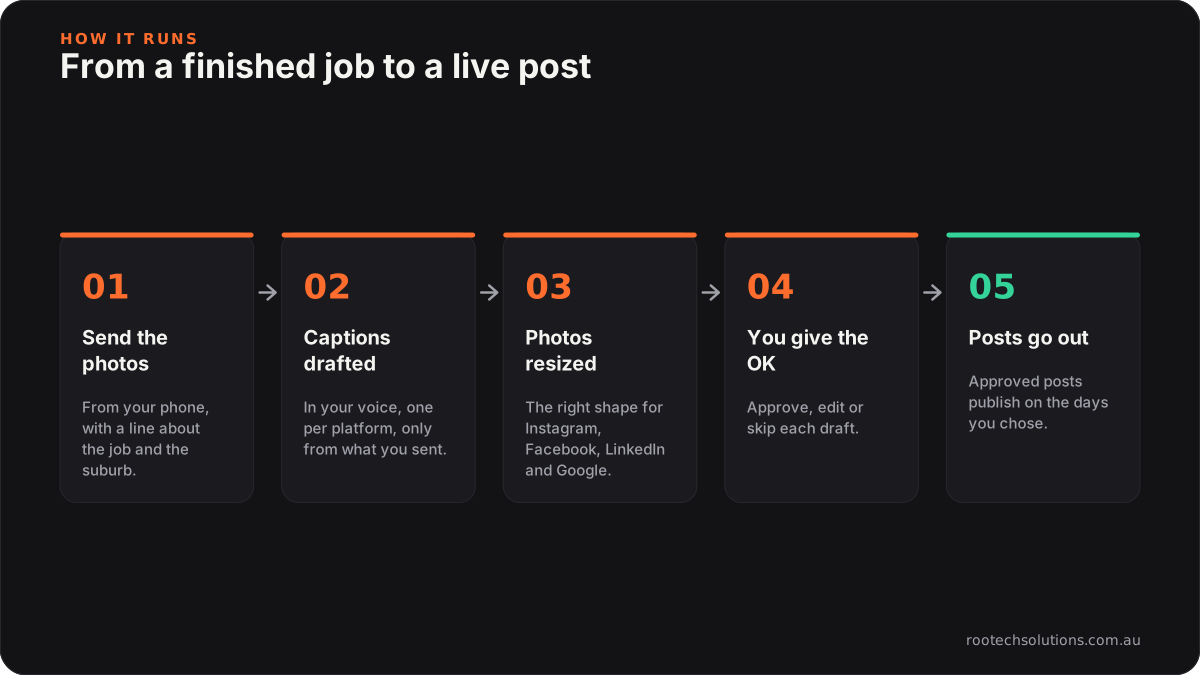
Caption: You do the first step and the fourth. The rest runs on its own.
- You send the photos. From your phone, with a line about the job: what it was, the suburb, anything worth mentioning. Voice-to-text is fine.
- AI drafts the captions. One for each platform, in your voice, using only what you wrote and what is in the photo.
- The photos are resized. Each platform gets the shape it wants, so nothing is cropped through the middle of the vanity.
- You give the OK. The drafts are queued for you. Approve, change a word, or skip it.
- Approved posts go out. On the days you chose, so the feed stays active through the busy weeks as well as the slow ones.
The part you keep is the approval. Everything else is the work that was stopping you posting.
Which platforms does it post to?
The four that matter for a local service business, each with a caption written for how people read it:
- Instagram: the photo leads. A short caption with the job and the suburb.
- Facebook: a little more of the story, for the local community groups and past customers who follow you.
- LinkedIn: the commercial angle, for builders, property managers and businesses who might hire you for bigger work.
- Google Business Profile: the one most tradies forget. Posts and fresh photos appear on your Google listing, right where people are deciding who to call. Our guide to Google Business Profile for Melbourne businesses explains why that listing does so much work.
One job, four posts, each one shaped for where it is going. That is the step that takes a person the longest and software the least.
Will the posts sound like you or like a robot?
Like you, if it is set up properly. Two things make the difference.
It learns your voice from you. Before it writes anything, it is given examples of how you talk about your work: past posts you liked, your website copy, the words you do and do not use. A plasterer who says "came up a treat" should not get a caption about "delivering exceptional outcomes".
It writes only from what you sent. The caption is built from your line about the job and what is visible in the photo. It does not add a price, a timeframe, a customer quote or a five-star claim that you did not give it. That matters for more than taste. Under Australian Consumer Law, a business must not make false or misleading claims in its advertising, and a social media post is advertising. A caption that invents a detail is your problem, not the software's, which is the other reason every post waits for your OK.
What should you check before a photo goes out?
A few habits keep you out of trouble, with or without automation.
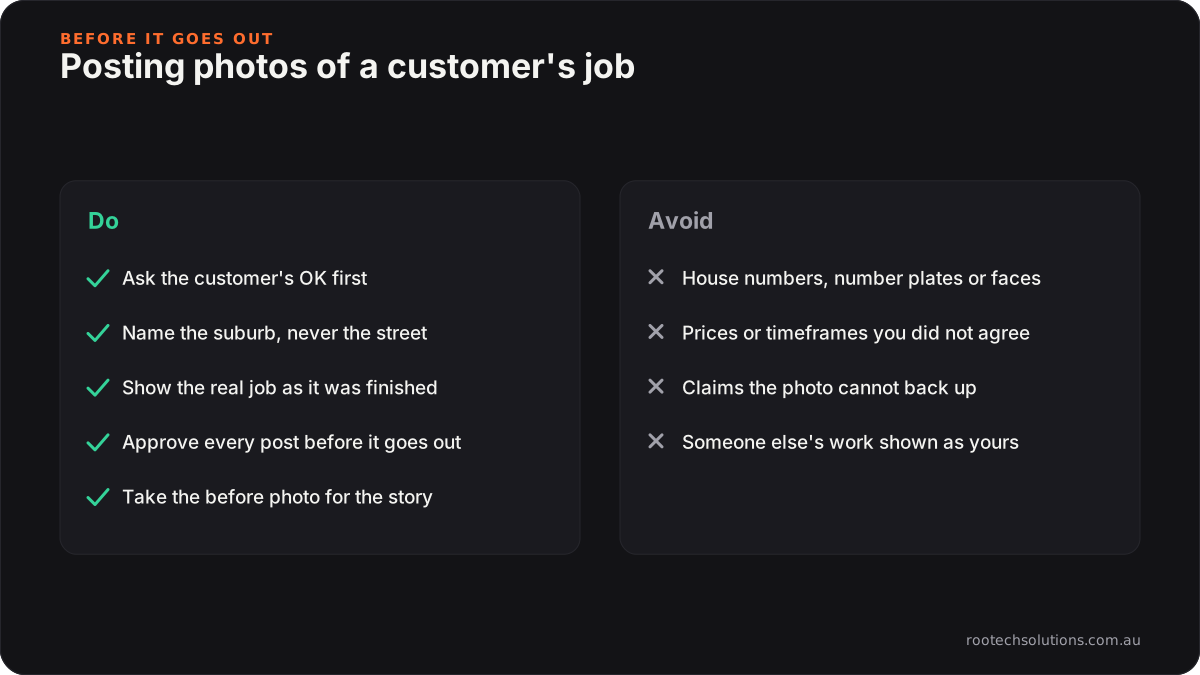
Caption: The approval step is where these get caught.
- Ask the customer first. It is their home. A quick "mind if we share a photo of the finished job?" at handover is polite, and most people say yes.
- Suburb, not street. "Bathroom renovation in Brunswick" is good for local search and gives nothing away. Keep house numbers, number plates and faces out of shot.
- Show the real job. Your own work, as it was finished. No stock photos, no borrowed images.
- Take the before photo. A before and after is the most convincing post a tradie can make, and you cannot take the before photo afterwards. Our post on before and after photos on a tradie website covers how to shoot them.
Does posting on social media bring in work?
It supports the work that brings in jobs. Be wary of anyone who promises a number. What an active feed does is practical:
- It proves you are trading. A customer comparing three tradies looks at all three pages. Recent, real jobs are reassurance.
- It shows the kind of work you want more of. Post the jobs you would like to be hired for again.
- It keeps your Google listing fresh. New photos and posts on your Business Profile sit beside your reviews, where the decision is made.
- It reminds past customers you exist. Referrals come from people who remember your name at the right moment.
Social posts work best alongside the things that are found in search: a job page on your own website for each finished job, and Google reviews you do not have to chase. The same photos and the same line about the job can feed all three.
How does Rootech set this up?
We build the workflow around how you already work: photos from your phone in, drafts for your OK out. It drafts captions in your voice for Instagram, Facebook, LinkedIn and Google Business Profile, resizes for each one and queues them for approval. The guardrails are the same as on every AI integration we build: it works only from approved information, and nothing customer-facing goes out without a person saying yes.
It is a fixed-price build, agreed in writing before we start, and it pairs naturally with a website we have built for you, because the same job photos can feed your site and your feeds. You own the code, and the social accounts stay in your name. Running costs are small: hosting is usually under $50 a month, and AI usage is typically $20 to $200 a month depending on volume. Ask us for a quote for your setup.
We are based in Melbourne and work with trades and service businesses Australia-wide, remotely by default. See how we work with Melbourne businesses, or the website we built for Blythe & Cahill Tiling.
Frequently asked questions
Can AI write social media posts for a tradie business?
Yes. AI can draft captions from your job photos and a line about the work, written in your voice and shaped for each platform. The safe way to use it is with an approval step, so a person reads every post before it goes out, and with the AI limited to what you actually told it.
Does anything get posted without my approval?
No. Drafts are queued for your OK. You approve, edit or skip each one, and only approved posts are published.
Which social media platforms should a tradie use?
For most local trades: Google Business Profile first, because it sits on your Google listing where customers choose who to call, then Instagram and Facebook for photos of finished work, and LinkedIn if you want commercial or builder work. A workflow can post to all four from one set of photos.
How often should a tradie post on social media?
Steadily matters more than often. A post or two a week from real jobs keeps a page looking active. A workflow helps because it spreads the photos you send across the weeks, so the feed does not go quiet when you are flat out.
Do I need the customer's permission to post photos of their job?
Ask. It is their property, and a quick OK at handover avoids an awkward call later. Keep house numbers, number plates and faces out of the photo, and name the suburb, not the street.
How much does a social media content workflow cost?
The build is a fixed price, quoted for your setup, so ask us. Running costs are hosting (usually under $50 a month) and AI usage (typically $20 to $200 a month depending on volume).
Put your camera roll to work
Tell us your trade, which platforms you use and how many jobs you finish in a week. Start a project and we will come back with a fixed price and show you what the drafts would look like from your own photos.